Tagged 'uv'

VECmap tools

8 votes


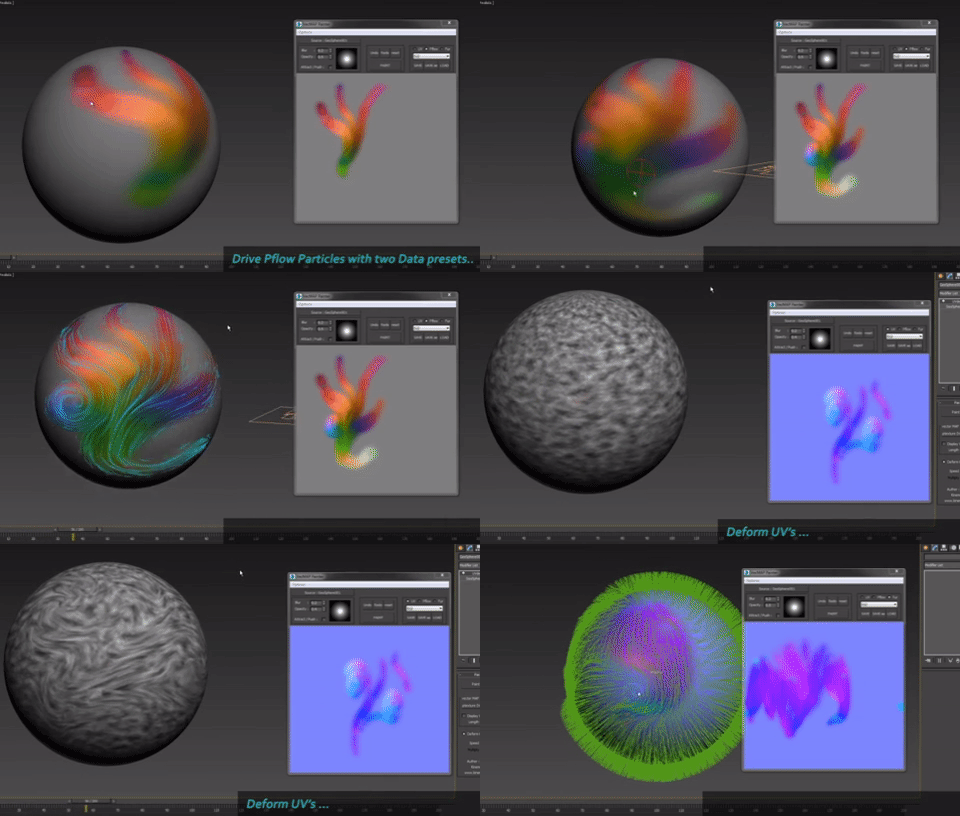
VECmap tools is a new toolset to paint and use vector maps inside 3dsmax.

These tools allow you to paint vector maps directly on your meshes, and use them to drive particles, UV or mesh deformations, Vray Fur and probably other things.

We've created it for our latest client work. We wanted to share it with you because it's very usefull and opens a whole new world, specially for particles.

 

UDIM Maxscript help tool

2 votes

It’s a Maxscript tool for working with multi tile textures with 3ds Max 2016 and below.

ayyy

New version v.02!
Updated: 2017.11.16

Changes:
- Added set Bump option
- Fixed a bug when there are less than 10 material the self-illim and bump setter rised an error

Purpose of the script:
– When you work with multi tile texturing with older Max than 2017 there is no way to deal with the texturing fast.

What it does:

Make planar & UV align commands

15 votes

Hey, guys.
Just a simple set of commands you can find in the Algomorph Category under Main UI group once you've put the scripts in your Macro folder and run them. These commands don't appear in either MainUI group / Editable Poly category or in the Editable Poly or the Edit Poly group, although they do appear as on-screen rollout buttons.

As far as the UV align X or align Y functionality goes, this doesn't explicitly exist in Max as a shortcut or button command, which is kind-of an old feature that Max was always lacking contrary to some other 3D apps...

AutoFloor UVs

0 votes


AutoFloor UVs it's the perfect tool when you're dealing with a single seamless Texture and you need to map a Floor-Generator object.

Description:

UV Cage Rendrer

0 votes

#

This script is now a part of CheckMate tools by POPA_3D

 please checkout 

http://www.scriptspot.com/3ds-max/scripts/checkmate-tools-by-popa-3d-tur...

Obj-Selector of obj without a UVWMap modifier

18 votes

This short script allows the user to automatically select all
objects in a scene that do not have a 'UVW Map' modifier applied to them.
This is useful especially for users who work with imported data from AutoCAD. The imported data contains uvw information, but in most cases the uvw coordinates need an overwork. This script makes it easier to isolate those objects in the scene.

Simply drag and drop the script into your 3ds max viewport after the import process is finished, et voilà.

Render to Texture Selected

0 votes

poster

Batch render to texture script ready for game engines. Bakes all selected objects or groups with one click, saves baked UV textures into a directory, and replaces materials on the objects! If you select a group, it attaches all group members together and bakes it as a single object. Each selected object will have its own texture as well as a group. Output standard material will have a white diffuse color (necessary for some game engines such as Unity3D).

==== CHANGELOG ====
v2.0
-Fixed an issue with V-Ray

UVW to Poly

12 votes

Generates editable poly object from UVW chanel. Face and vertex indexes are the same as UVs.

Quick mapping

1 vote

Quickly assign a box mapping of 1m³, 0.5 or whatever you want.

quick mapping

UVW to Editable Splines

15 votes

Just a simple script that duplicates what you see in UVW editor in to Max viewport (editable Spline), usefull for ai exports for example.

Syndicate content