Tagged 'instance'

Copy and Acquire

0 votes

This is a simple maxScript to make a copy from a base object and Acquire Position Rotation Scale and Material from the targets.

copy and acquire v1.0

Eazy Arrayz

0 votes

I wrote this script for a CGI animation short film I'm working on, for which I needed a fast and simple way to build a very modular environment, while still retaining control over everything.

This script gives you that control:

pick your source geometry, increase/decrease the slider values after selecting whether you want copies or instances, and either collapse or create controllers, or both.
you can create one parent controller and a child controller for each instance, or just one parent, or just only children.

compatible only with editable poly objects.

Copy modifiers

4 votes

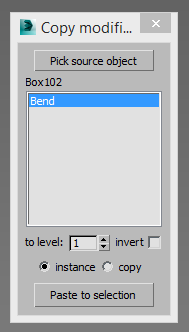
Simple tool for copy/instance modifiers from source object to selected array of objects. Does not copy only edite_poly modifier because 3dsmax does not allow doing this by script.

findInstances

4 votes

Finds instances of the selected object and does various things to them such as selecting them - printing their names - etc.

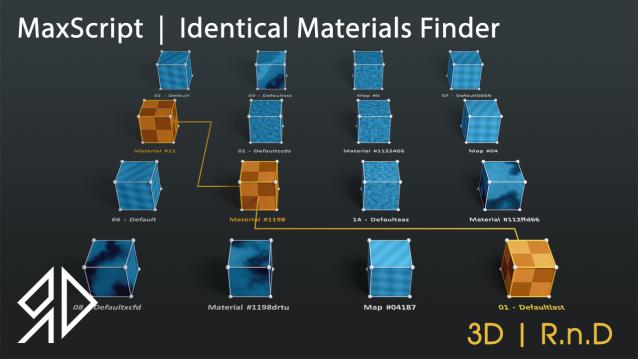
3D R.n.D | MaxScript | Identical Materials Finder

5 votes

Update Notes Version 3.18:

included slate material compatibility

automatically opens material editor when pressing "Put similar to the material editor" button


Update Notes Version 3.21:

included option to instance all scene material

included option to search within selected objects

 Update Notes Version 3.31:

Bug Fixes For Newer Versions of 3dsmax


Update Notes Version 3.36:

Improved code and much faster resaults

fixed unmatched materials issue

Bug Fixes For Newer Versions of 3dsmax

Update Notes Version 3.37:

added abilty to cancel search

clear the ram of arrays after closing the script dialog


Installation : Run script or drag and drop to 3ds max, then go to customize user interface and assign "Identical Material Finder" as keyboard short-cut or quad menu under  "3D_RnD"  Category

CopyClick

12 votes

-- Copy by Click
-- V1.0

-- How it works?
-- 1. Select objects
-- 2. Execute CopybyClick
-- 3. Click to make a instance of selection
-- 4. ESC or rightclick to cancel

------------------------ THE CODE ------------------------

macroScript CopybyClick
category:"AGGTools"
buttonText:"CopybyClick"
tooltip:"Copy by Click"

(

fn CopyClick =
try
(
maxOps.cloneNodes $ cloneType:#instance newNodes:&nnl
select nnl
Sel=selection
p = point pos:Sel.center
p.pos.z = 0
ClickPos = pickPoint snap:#2D ()
ArrayFiltroGroupHead = #()

Move/Clone to cursor

3 votes

Hi, this is simple script which move or clone selected objects to surface under cursor. You can bind it to any hotkey (I usualy use Alt+S and Alt+C).

1.0.1

- initial releas

1.0.2

- settings can be binded to hotkey

- possibility to turn on random rotation in Z axis

1.0.3

- multiple object selection can be treated as object list, so in clone mode random object will be selected

- cloned objects can be automaticly moved to active layer


instanceTrimmer

9 votes

Takes a selection and reduces the selection to include only a single instance from each set of instances.

Tutorial:

Make a sphere and instance it once. Make a 3rd sphere, copy it once. Select all 4 spheres. Run the script in UI mode. Hit Do. Now your 3rd, 4th and either the 1st or 2nd sphere is selected.

Auto instances

0 votes


Script Description

 This script automatically finds objects with the same geometry and turns them into instances. This can reduce RAM consumption, scene file size, and save and open times for a scene. This script will be especially useful when optimizing other people's scenes and 3D models.


InstanceMoveLink

4 votes

Little utility to copy/instance and parent many objects at once

Syndicate content