Tagged 'ScriptSpot How To'

Export spinner values of an object attached to a path for all frames in a txt-file

Hi,
can anyone help me, I need to export the Position (in percent) of an object which is attached with a controller on a path for every frame in the scene as a textfile e.g.

hubaberle

Geometry paint Help please

Hi everyone,

This is my first post here and hope someone can help me.

I am reading the "Autodesk Official training MaxScript essential" and tried the mouse track example in the book to place my objects on a surface.

Everything works fine but I have no control over the distance between objects being placed on the surface.

I have also seen Paint cloner by andrei kletskov which is great but I can't understand his code since I am still a beginner.

Could anyone plz tell me how I can control the distance using this code I have? Thanks in advanced.

Here is the code I have:

How to: Post images

Ever wanted to post images with your content to ScriptSpot? There is a link below any "Body" textbox that says "enable rich-text" which will turn on the TinyMCE rich text editor. Once that is up, click the "insert image" button to bring up a upload tool / file manager.

How to: Allow other users to contact you

There is a feature on ScriptSpot called the "Personal Contact Form" that when enabled allows other registered users to write you a message using a contact form on ScriptSpot. Its a great way to allow people to contact you without making your email address public.

How to: Edit your profile

You might have seen some posts have a block on the left with info about the author or you may have visited a user profile page and seen a bio about a user. Simply filling out your profile will make that information about you available to visitors.

How to: Change website theme

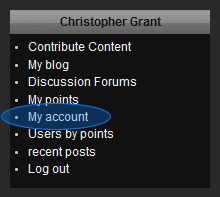
There are 2 themes currently available on ScriptSpot - a light blue theme and this default dark theme. If you prefer a light one you can change the theme in your "My account" page.

Syndicate content