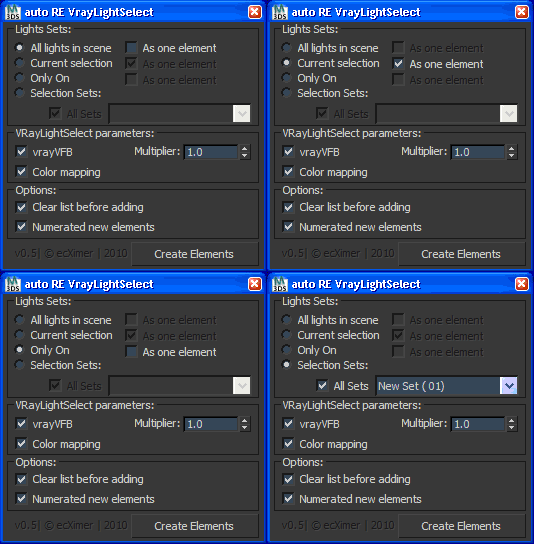
Create Render Elements "VRayLightSelect" for lights.
Script
 By ecXimer · 2010-12-13
Create Render Elements "VRayLightSelect" for lights.
Installation:
History:
-- v0.1
-- v0.2
-- v0.3
-- v0.4
-- v0.5
-- v0.5.2
Tags: render, VRay, Create, selection, v-ray, auto, Elements, sets, 2.0
bump
themaxxer · 2020-03-10
for a version for max 2020... please.
thanks themaxxer
update for this would be AWESOME
luis_tornel · 2019-09-24
this is a great script that I been trying to get going, if no time for doing the updates, would it be possible to share the code so we could work on it and share it with everyone?
light select element based on layer
fed_86 · 2018-07-26
would it be possible to have an option to create light select element based on layer?
for example if I have 5 layer and each of them has a few lights inside I would like to have 5 light selected render elements..
thank you
Update Please?
Ihno · 2018-04-20
Hey, could you update this to support the new full LightSelect and its options?
I'd really, really love that.
You'd get an entry in my imaginary book of cool people. Thanks ;-)
themaxxer · 2019-09-10
yes bump this... in vray next there are issues with messed up renderelements... I love this script and it would be nice to get an update...
best regards
themaxxer
Naming Light
alessandrod84 · 2016-05-13
Hi, there's any option to change how the script rename the passes...For example removing the # or set _ at the en after the last number?
Thanks for the script.
vray 3 compatibility?
Drainzo · 2014-08-04
Will this work with V-ray 3? If not, do you plan on updating it to work with vray 3? It would be awesome if you did!
 SIL · 2011-04-22
В режиме All light in scenes - создается пасс для тергета солнца - так и надо?
Thnx
ecXimer · 2011-04-26
Спасибо за багрепорт :)
Пофиксено!
Good Job!!!
 RaaFayr · 2010-12-24
Отличный скрипт, сам хотел такой написать, да времени не было. Спасибо!
Единственное пожелание, чтобы в конце имени файла не добавлялся номер слоя, типа #2, т.к. секвенция потом нумеруется №20001; №20002.
ecXimer · 2010-12-26
Именует выходные файлы сам макс. Номер по порядку у рендер елемента делает скрипт - представь, что в сцене есть 2 и более ИС с одинаковым именем - как при этом будут сохраняться выходные файлы - макс их просто перезапишет. Потому сделана как бы "защита от дурака" :)
RaaFayr · 2010-12-27
Все логично, но лучше убрать защиту от "дурака" т.к. источники и так автоматом нумеруются при создании. Хотя бы галочку сделать на отключение нумерации.