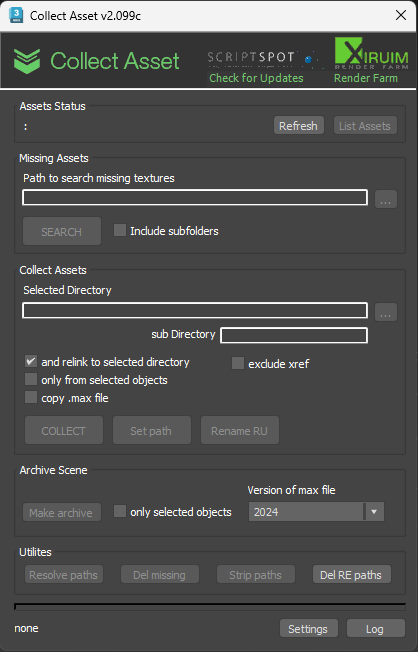
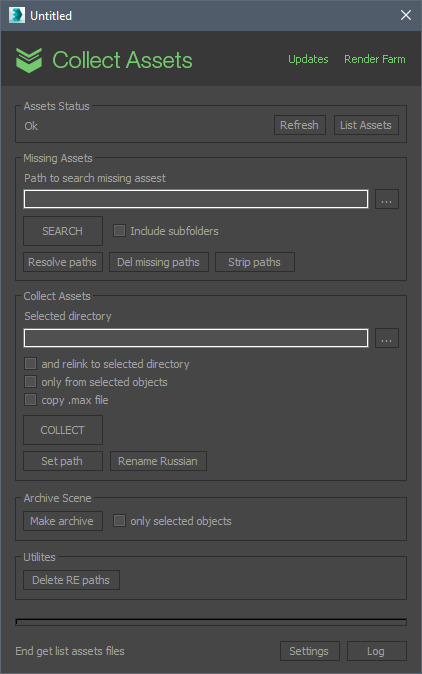
This script collects textures and other files used in the scene in one folder. Check for the same file names.
It is free script.
Script
 By antomor · 2014-01-08
This script collects textures and other files used in the scene in one folder. Check for the same file names.
It is free script.
This script work with:
- standart materials
- Vray Render
- Corona Render
- Octane Renderer
- Redshift Render
- FStorm Render
- Final Render
for installing select menu Scripting -> Run script... and select dowloaded file. Find it in Customize -> Customize user interface -> Toolbars. Category: Xiruim.
Tested on 3ds max 2024. must work with oldest versions too
contact with me e-mail: onion3d@gmail.com. telegram: https://t.me/xiruim
You can donate for this script
Для русскоязычных есть тема на форуме http://3ddd.ru/forum/thread/show/skript_collect_asset#
Please write if you find errors
I leave old version of scipt (collect_asset_v1.55) because it use other algoritm and work with standart max Asset Tracking. And in some time it can see files, who not see version v2.x
new in v2.099f
- fix errors with collecting .ies files
new in v2.099e
- fix error with OSLMap
new in v2.099d
- fix some errors
new in v2.099c
- New itstaller. Now you can install/update script or delete.
- Now you need press Refresh button for activate functions of script. You can change this in settings
- You can choise in settings default format for archive, zip or 7zp
- Add choise version of 3ds max file when create archive
- if you make archive for selected objects script will reset render settings, clean matedit, remove background in saved scene
- add new classes of assets
- fix some bugs
new in v2.099b
- New installer. Now script installed to "Xiruim" category. Old script will be deleted. You need again create a button on you panel
- Update design. Thanks for this users phil_b and LAS
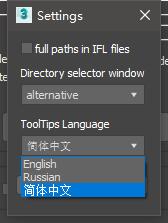
- In settings you can choise a language for hints. English or Russian.
- add class Redshift Sprite
- add a subfolder field
- fix some errors
new in v2.098
- add option for exclude xref files from collecting
new in v2.097
- add support V-ray volume grid files
- add search missing textures in subfolders
- add button "settings"
new in v2.096
- fix error with DotNet
new in v2.095
- add classes for Red Shift render
new in v2.094
- collect LUT from corona camera
- collect BIP files from Biped Motion Flow
- now with function Collect Files + relink, if files already are present in folder then they will be relinked.
new in v2.092
- add some classes for collecting
- add Button "Del RE Paths"
new in v2.09
- add support Final Render
- fix problems with Redshift
- add BitmapHDR class for collecting
- add Strip paths button
- fix some small issues
new in v2.08
- add support FStorm Render and Redshift Render
new in v2.07
- increase speed collecting assets from lights
- fix some errors
new in v2.06
- fix some errors
new in v2.05
- add function to seek textures
new in v2.04
- add Octane render files
- can collect files from ifl sequence
- can collect point cache
- compare files with identical names by checksum
- increase scan assets speed after operations in script
- add checkbox for automatical repeat action in Match Bitmaps window
- add logging
- fix some errors
new in v2.03 - add function "copy max file"
v2.02 - Write new engine for script. Now not use Asset Tracking. Now script work with map classes as VRayBMPFilter, Camera_Map_Per_Pixel. Work with maps in xref files, collect textures and update xref files.
This version not rewrite older version and install as new script in 3ds max.
v1.55 - add function for rename russian symbols to english in file names
v1.54 - add button "Make Archive". Now can make 7zip or zip archive directly from 3ds max
v1.52, v1.53 - fixes some errors
v1.51 - now can collect from selected objects only
- excludes textures are not used in the scene
v1.5 - now can delete missing paths
v1.4 - fix error with new not saved scene
Tags: asset tracking, collect, textures
Octane Render Grayscale image
 ElvisSuperStar007 · 2025-01-29
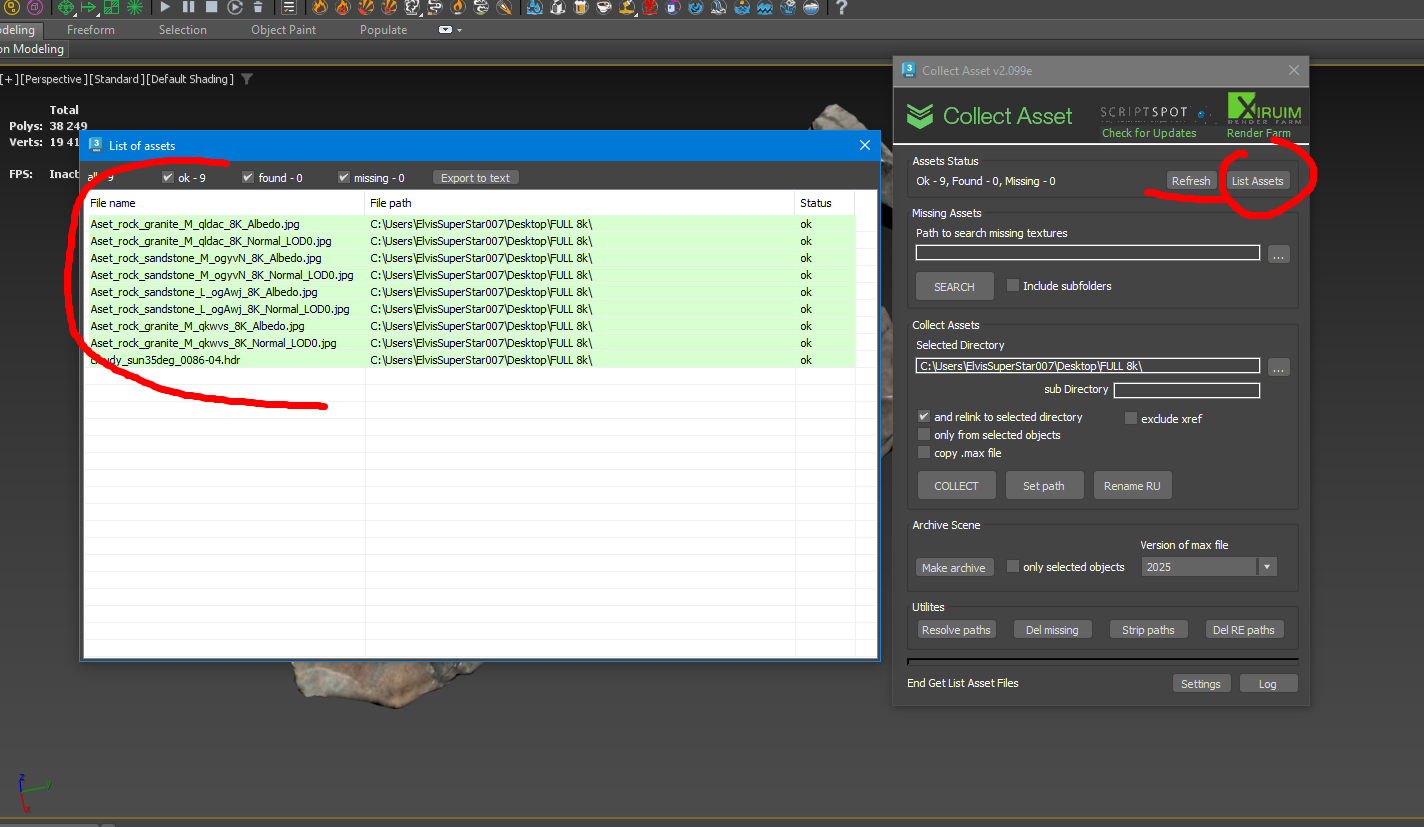
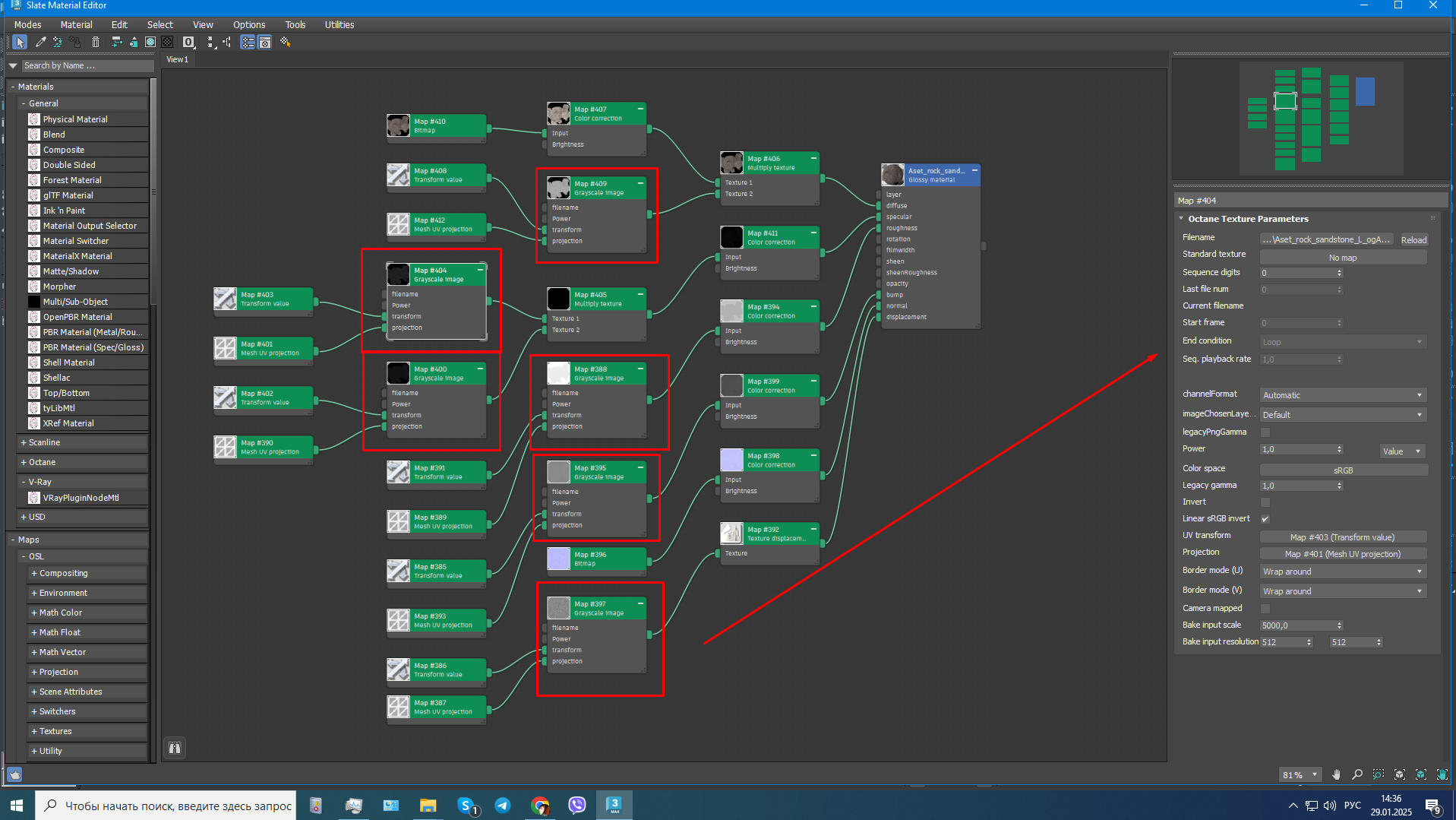
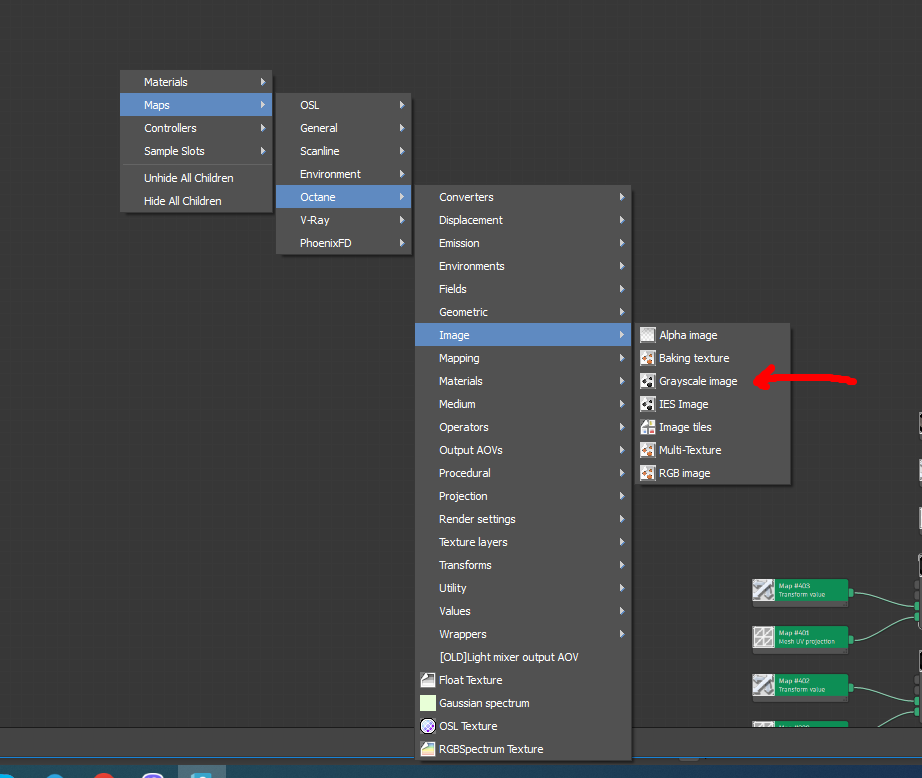
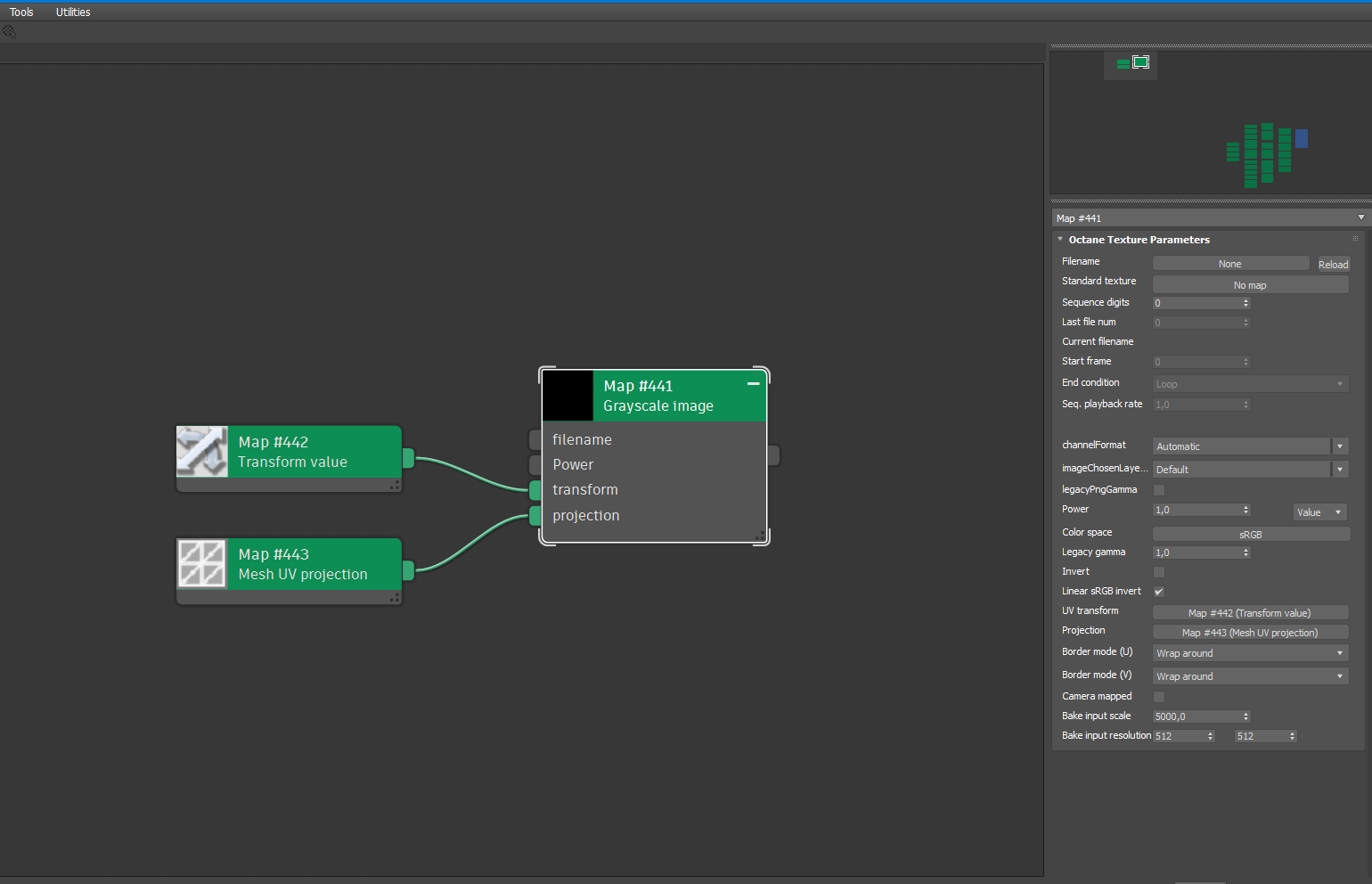
Короче кажучи в октані е параметр текстура котра робить автоматично навіть цвітні текстури чорнобілими, але єкономить память, її юзають на всі параметри окрім нормалки , а діфуз рідко хоча якшо треба чорнобілий то використовують, так от в папку не збирае текстури при конекті через Grayscale image, звчайно і не знаходить шляхи до тих текстур якшо через copitor вставляти моделі в нову сцену, от приклад е все окрім текстур через ту ноду, без неї текстури мегаскана займають 18 gb відеопамяті, з нею 9 GB прирост колосальний
Octane Render Grayscale image
ElvisSuperStar007 · 2025-01-29
The script does not understand the path through Octane Render Grayscale image, this is a special texture for optimizing black and white textures in video memory, if you load textures through RGB image, all black and white textures begin to load video memory heavily.
It collects into a folder only all textures loaded via RGB image
using the v1.55 version got this in few scenes
 crystal3d · 2023-10-31
probably due to a texture having corrupt dimension metadata or something perhaps?
-- Error occurred in anonymous codeblock; filename: C:\Users\bdogr\AppData\Local\Autodesk\3dsMax\2023 - 64bit\ENU\usermacros\_ Scripts-Collect_asset.mcr; position: 4291; line: 134
-- MAXScript Rollout Handler Exception:
-- Unknown property: "width" in undefined
-- MAXScript callstack:
--thread data: threadID:20900
--------------------------------------------------------
--[stack level: 0]
--In dim_x(); filename: C:\Users\bdogr\AppData\Local\Autodesk\3dsMax\2023 - 64bit\ENU\usermacros\_ Scripts-Collect_asset.mcr; position: 4292; line: 134
--member of: codeblock macroScript: # Scripts_Collect_asset
--Parameters:
--bmpin: undefined
--Locals:
--bmpin: undefined
--Externals:
--owner: <CodeBlock:# Scripts_Collect_asset>
--# Scripts_Collect_asset: <CodeBlock:# Scripts_Collect_asset>
--------------------------------------------------------
--[stack level: 1]
--called from match_bmp.open(); filename: C:\Users\bdogr\AppData\Local\Autodesk\3dsMax\2023 - 64bit\ENU\usermacros\_ Scripts-Collect_asset.mcr; position: 7411; line: 228
--member of: Rollout:match_bmp
--Locals:
--tmp_bmp1: undefined
--tmp_bmp2: undefined
--Externals:
--dim_x: dim_x()
--pic_1: "\\aykuthall\Proje\!_Jobs_2021\__Yalova_villa\Villa_Cont V2.maxc"
--owner: Rollout:match_bmp
--pic_2: "P:\!_Jobs_2021\__Yalova_villa\__maps\Villa_Cont V2.maxc"
--dim_y: dim_y()
--match_bmp: Global:match_bmp : Rollout:match_bmp
--------------------------------------------------------
--[stack level: 2]
--called from i loop; filename: C:\Users\bdogr\AppData\Local\Autodesk\3dsMax\2023 - 64bit\ENU\usermacros\_ Scripts-Collect_asset.mcr; position: 5749; line: 187
--member of: codeblock macroScript: # Scripts_Collect_asset
--Parameters:
--i: 140
--Locals:
--i: 140
--newfullpath: "P:\!_Jobs_2021\__Yalova_villa\__maps\Villa_Cont V2.maxc"
--ss: #(#ok)
--oldfullpath: "\\aykuthall\Proje\!_Jobs_2021\__Yalova_villa\Villa_Cont V2.maxc"
--precents: undefined
--Externals:
--relink: Free:relink : true
--Collect_asset: Global:Collect_asset : Rollout:Collect_asset
--exitt: false
--errors: 0
--ff_npath: Free:ff_npath : #("P:\!_Jobs_2021\__Yalova_villa\__maps\Kim_Amland_Photographic_03.cube", "P:\!_Jobs_2021\__Yalova_villa\__maps\autumn_park_8k.hdr", "P:\!_Jobs_2021\__Yalova_villa\__maps\grass-color-01.tga", "P:\!_Jobs_2021\__Yalova_villa\__maps\grass-specular-04.tga", "P:\!_Jobs_2021\__Yalova_villa\__maps\grass-translucency-03.tga", "P:\!_Jobs_2021\__Yalova_villa\__maps\grass-color-03.tga", "P:\!_Jobs_2021\__Yalova_villa\__maps\grass-color-02.tga", "P:\!_Jobs_2021\__Yalova_villa\__maps\specular_9.jpg", "P:\!_Jobs_2021\__Yalova_villa\__maps\grass-color-04.tga", "P:\!_Jobs_2021\__Yalova_villa\__maps\grass-color-07.tga", "P:\!_Jobs_2021\__Yalova_villa\__maps\grass-color-09.tga", "P:\!_Jobs_2021\__Yalova_villa\__maps\78ca5c51bff8.jpg", "P:\!_Jobs_2021\__Yalova_villa\__maps\3f939eef32d2.jpg", "P:\!_Jobs_2021\__Yalova_villa\__maps\bb19c7d9de72.jpg", "P:\!_Jobs_2021\__Yalova_villa\__maps\ba5c5180734f.jpg", "P:\!_Jobs_2021\__Yalova_villa\__maps\bc434d79e435.jpg", "P:\!_Jobs_2021\__Yalova_villa\__maps\7048a0fd2b76.jpg", "P:\!_Jobs_2021\__Yalova_villa\__maps\fd8a8fafbd5a.jpg", "P:\!_Jobs_2021\__Yalova_villa\__maps\73c833491c87.jpg", "P:\!_Jobs_2021\__Yalova_villa\__maps\cmppmax_v2_10_1_1_m.jpg", ...)
--pic_1: "\\aykuthall\Proje\!_Jobs_2021\__Yalova_villa\Villa_Cont V2.maxc"
--owner: <CodeBlock:# Scripts_Collect_asset>
--ff: Free:ff : #("P:\!_Jobs_2021\__Yalova_villa\__maps\Kim_Amland_Photographic_03.cube", "P:\!_Jobs_2021\__Yalova_villa\__maps\autumn_park_8k.hdr", "P:\!_Jobs_2021\__Yalova_villa\__maps\grass-color-01.tga", "P:\!_Jobs_2021\__Yalova_villa\__maps\grass-specular-04.tga", "P:\!_Jobs_2021\__Yalova_villa\__maps\grass-translucency-03.tga", "P:\!_Jobs_2021\__Yalova_villa\__maps\grass-color-03.tga", "P:\!_Jobs_2021\__Yalova_villa\__maps\grass-color-02.tga", "P:\!_Jobs_2021\__Yalova_villa\__maps\specular_9.jpg", "P:\!_Jobs_2021\__Yalova_villa\__maps\grass-color-04.tga", "P:\!_Jobs_2021\__Yalova_villa\__maps\grass-color-07.tga", "P:\!_Jobs_2021\__Yalova_villa\__maps\grass-color-09.tga", "P:\!_Jobs_2021\__Yalova_villa\__maps\78ca5c51bff8.jpg", "P:\!_Jobs_2021\__Yalova_villa\__maps\3f939eef32d2.jpg", "P:\!_Jobs_2021\__Yalova_villa\__maps\bb19c7d9de72.jpg", "P:\!_Jobs_2021\__Yalova_villa\__maps\ba5c5180734f.jpg", "P:\!_Jobs_2021\__Yalova_villa\__maps\bc434d79e435.jpg", "P:\!_Jobs_2021\__Yalova_villa\__maps\7048a0fd2b76.jpg", "P:\!_Jobs_2021\__Yalova_villa\__maps\fd8a8fafbd5a.jpg", "P:\!_Jobs_2021\__Yalova_villa\__maps\73c833491c87.jpg", "P:\!_Jobs_2021\__Yalova_villa\__maps\cmppmax_v2_10_1_1_m.jpg", ...)
--copied: 0
--pic_2: "P:\!_Jobs_2021\__Yalova_villa\__maps\Villa_Cont V2.maxc"
--# Scripts_Collect_asset: <CodeBlock:# Scripts_Collect_asset>
--newPath: Free:newPath : "P:\!_Jobs_2021\__Yalova_villa\__maps\"
--match_bmp: Global:match_bmp : Rollout:match_bmp
--------------------------------------------------------
--[stack level: 3]
--called from collect_as(); filename: C:\Users\bdogr\AppData\Local\Autodesk\3dsMax\2023 - 64bit\ENU\usermacros\_ Scripts-Collect_asset.mcr; position: 6311; line: 202
--member of: codeblock macroScript: # Scripts_Collect_asset
--Parameters:
--dirpath: "P:\!_Jobs_2021\__Yalova_villa\__maps\"
--selected: false
--relink: true
--Locals:
--relink: true
--ff_npath: #("P:\!_Jobs_2021\__Yalova_villa\__maps\Kim_Amland_Photographic_03.cube", "P:\!_Jobs_2021\__Yalova_villa\__maps\autumn_park_8k.hdr", "P:\!_Jobs_2021\__Yalova_villa\__maps\grass-color-01.tga", "P:\!_Jobs_2021\__Yalova_villa\__maps\grass-specular-04.tga", "P:\!_Jobs_2021\__Yalova_villa\__maps\grass-translucency-03.tga", "P:\!_Jobs_2021\__Yalova_villa\__maps\grass-color-03.tga", "P:\!_Jobs_2021\__Yalova_villa\__maps\grass-color-02.tga", "P:\!_Jobs_2021\__Yalova_villa\__maps\specular_9.jpg", "P:\!_Jobs_2021\__Yalova_villa\__maps\grass-color-04.tga", "P:\!_Jobs_2021\__Yalova_villa\__maps\grass-color-07.tga", "P:\!_Jobs_2021\__Yalova_villa\__maps\grass-color-09.tga", "P:\!_Jobs_2021\__Yalova_villa\__maps\78ca5c51bff8.jpg", "P:\!_Jobs_2021\__Yalova_villa\__maps\3f939eef32d2.jpg", "P:\!_Jobs_2021\__Yalova_villa\__maps\bb19c7d9de72.jpg", "P:\!_Jobs_2021\__Yalova_villa\__maps\ba5c5180734f.jpg", "P:\!_Jobs_2021\__Yalova_villa\__maps\bc434d79e435.jpg", "P:\!_Jobs_2021\__Yalova_villa\__maps\7048a0fd2b76.jpg", "P:\!_Jobs_2021\__Yalova_villa\__maps\fd8a8fafbd5a.jpg", "P:\!_Jobs_2021\__Yalova_villa\__maps\73c833491c87.jpg", "P:\!_Jobs_2021\__Yalova_villa\__maps\cmppmax_v2_10_1_1_m.jpg", ...)
--ff: #("P:\!_Jobs_2021\__Yalova_villa\__maps\Kim_Amland_Photographic_03.cube", "P:\!_Jobs_2021\__Yalova_villa\__maps\autumn_park_8k.hdr", "P:\!_Jobs_2021\__Yalova_villa\__maps\grass-color-01.tga", "P:\!_Jobs_2021\__Yalova_villa\__maps\grass-specular-04.tga", "P:\!_Jobs_2021\__Yalova_villa\__maps\grass-translucency-03.tga", "P:\!_Jobs_2021\__Yalova_villa\__maps\grass-color-03.tga", "P:\!_Jobs_2021\__Yalova_villa\__maps\grass-color-02.tga", "P:\!_Jobs_2021\__Yalova_villa\__maps\specular_9.jpg", "P:\!_Jobs_2021\__Yalova_villa\__maps\grass-color-04.tga", "P:\!_Jobs_2021\__Yalova_villa\__maps\grass-color-07.tga", "P:\!_Jobs_2021\__Yalova_villa\__maps\grass-color-09.tga", "P:\!_Jobs_2021\__Yalova_villa\__maps\78ca5c51bff8.jpg", "P:\!_Jobs_2021\__Yalova_villa\__maps\3f939eef32d2.jpg", "P:\!_Jobs_2021\__Yalova_villa\__maps\bb19c7d9de72.jpg", "P:\!_Jobs_2021\__Yalova_villa\__maps\ba5c5180734f.jpg", "P:\!_Jobs_2021\__Yalova_villa\__maps\bc434d79e435.jpg", "P:\!_Jobs_2021\__Yalova_villa\__maps\7048a0fd2b76.jpg", "P:\!_Jobs_2021\__Yalova_villa\__maps\fd8a8fafbd5a.jpg", "P:\!_Jobs_2021\__Yalova_villa\__maps\73c833491c87.jpg", "P:\!_Jobs_2021\__Yalova_villa\__maps\cmppmax_v2_10_1_1_m.jpg", ...)
--dirpath: "P:\!_Jobs_2021\__Yalova_villa\__maps\"
--tt: #(#("P:\!_Jobs_2021\__Yalova_villa\__maps\105f18a06a18.jpg", "P:\!_Jobs_2021\__Yalova_villa\__maps\1d8f2a7780b0.jpg", "P:\!_Jobs_2021\__Yalova_villa\__maps\2a542ba4949d.jpg", "P:\!_Jobs_2021\__Yalova_villa\__maps\3f939eef32d2.jpg", "P:\!_Jobs_2021\__Yalova_villa\__maps\5a6be048f658.jpg", "P:\!_Jobs_2021\__Yalova_villa\__maps\67b2b54d523c.jpg", "P:\!_Jobs_2021\__Yalova_villa\__maps\7048a0fd2b76.jpg", "P:\!_Jobs_2021\__Yalova_villa\__maps\73c833491c87.jpg", "P:\!_Jobs_2021\__Yalova_villa\__maps\78ca5c51bff8.jpg", "P:\!_Jobs_2021\__Yalova_villa\__maps\923c9d2242a3.tif", "P:\!_Jobs_2021\__Yalova_villa\__maps\Am176_053_bark.jpg", "P:\!_Jobs_2021\__Yalova_villa\__maps\Am176_053_bark_bump.jpg", "P:\!_Jobs_2021\__Yalova_villa\__maps\Am176_053_leaf_2sided_mask.jpg", "P:\!_Jobs_2021\__Yalova_villa\__maps\Am176_053_leaf_alpha.jpg", "P:\!_Jobs_2021\__Yalova_villa\__maps\Am176_053_leaf_bump.jpg", "P:\!_Jobs_2021\__Yalova_villa\__maps\Am176_053_leaf_color.jpg", "P:\!_Jobs_2021\__Yalova_villa\__maps\AM193_15_bump_opacity_01.jpg", "P:\!_Jobs_2021\__Yalova_villa\__maps\AM193_15_color_01.jpg", "P:\!_Jobs_2021\__Yalova_villa\__maps\AM193_15_color_02.jpg", "P:\!_Jobs_2021\__Yalova_villa\__maps\AM193_15_reflect_bump_01.jpg", ...), #(), #("P:\!_Jobs_2021\__Yalova_villa\__maps\Villa_plant.maxc", "\\aykuthall\Proje\!_Jobs_2021\__Yalova_villa\Villa_Cont V2.maxc", "P:\!_Jobs_2021\__Yalova_villa\__maps\Kim_Amland_Photographic_03.cube", "P:\!_Jobs_2021\__Yalova_villa\__maps\Kim_Amland_Photographic_01.cube", "P:\!_Jobs_2021\__Yalova_villa\__maps\UV_Checker.png", "P:\!_Jobs_2021\__Yalova_villa\__maps\TravaDif_Sveg.jpg", "P:\!_Jobs_2021\__Yalova_villa\__maps\specular_9.jpg", "P:\!_Jobs_2021\__Yalova_villa\__maps\Romashka_opac.jpg", "P:\!_Jobs_2021\__Yalova_villa\__maps\Romashka_diff.jpg", "P:\!_Jobs_2021\__Yalova_villa\__maps\Romashka_bump.jpg", "P:\!_Jobs_2021\__Yalova_villa\__maps\pergola_wood_r.jpg", "P:\!_Jobs_2021\__Yalova_villa\__maps\pergola_wood_d.jpg", "P:\!_Jobs_2021\__Yalova_villa\__maps\pergola_metal_ao.jpg", "P:\!_Jobs_2021\__Yalova_villa\__maps\pergola_leaves_r.png", "P:\!_Jobs_2021\__Yalova_villa\__maps\pergola_leaves_op.png", "P:\!_Jobs_2021\__Yalova_villa\__maps\pergola_leaves_n.png", "P:\!_Jobs_2021\__Yalova_villa\__maps\pergola_leaves_d2.png", "P:\!_Jobs_2021\__Yalova_villa\__maps\pergola_leaves_d1.png", "P:\!_Jobs_2021\__Yalova_villa\__maps\pergola_leaves_ao.png", "P:\!_Jobs_2021\__Yalova_villa\__maps\pergola_lawn_r.jpg", ...), #())
--newPath: "P:\!_Jobs_2021\__Yalova_villa\__maps\"
--selected: false
--Externals:
--Collect_asset: Global:Collect_asset : Rollout:Collect_asset
--errors: 0
--owner: <CodeBlock:# Scripts_Collect_asset>
--copied: 0
--getAssetFiles: getAssetFiles()
--chDir: chDir()
--# Scripts_Collect_asset: <CodeBlock:# Scripts_Collect_asset>
--------------------------------------------------------
--[stack level: 4]
--called from btn_collect.pressed(); filename: C:\Users\bdogr\AppData\Local\Autodesk\3dsMax\2023 - 64bit\ENU\usermacros\_ Scripts-Collect_asset.mcr; position: 11713; line: 326
--member of: Rollout:Collect_asset
--Locals:
--TMP: undefined
--Externals:
--chk_sel: RolloutControl:chk_sel in rollout:Collect_asset : CheckBoxControl:chk_sel
--Collect_asset: Rollout:Collect_asset
--exitt: false
--enableCtrl: enableCtrl()
--owner: Rollout:Collect_asset
--chk_rlnk: RolloutControl:chk_rlnk in rollout:Collect_asset : CheckBoxControl:chk_rlnk
--statusrfr: statusrfr()
--collect_as: collect_as()
--dir_edt: RolloutControl:dir_edt in rollout:Collect_asset : EditTextControl:dir_edt
--------------------------------------------------------
--[stack level: 5]
--called from top-level
i can begin testing the newest version now as i dont think the script is malicious anymore due to author responding to me.
contact with autor
antomor · 2024-03-02
with similar questions better write me to
telegram: https://t.me/xiruim
or e-mail: onion3d@gmail.com.
is this script comprimised?
crystal3d · 2023-10-30
just tried to install v2.099b but a batchscript window tries to get admin privilage... excuse me? is this normal or necessary at all?
RE: is this script comprimised?
antomor · 2023-10-30
it is normal. Admin privilege needed to copy files in Program Files folder
tx files
zrK · 2023-03-03
I also have the issue with TX files that are not seen by the script, i hope you'll be able to fix that soon :)
update
protocol · 2023-03-02
Dear antomor , first of all thank you very much for your great tool !
In a future update, could it be possible to add the possibility to collect also relatives paths files, as it seems it doesn't work right now ?
(For example, autodesk maps, or vray maps / tx files)
Kind regards,
protocol
lwjacob · 2022-12-10
Finally something that works. Now I can archive my projects. Thank you so much!
 barigazy · 2022-12-06
That's fake link. Don't download *.ZIP posted by "fake" me.
Sorry, but this is not my doing
ADMIN please remove these fake posts
Не пашет в 22 максе
 uraken1@inbox.ru · 2022-05-12
Архив мигает, но не создается.
PS выяснилось, что не работает в итоге версия 2.99B - 2.98 версия работает нормально.
The archive blinks but is not created.
PS it turned out that version 2.99B does not work - version 2.98 works fine.
Does not work well in 3DS Max 2022!!!
marche · 2021-08-29
Any chance to upgrade to 3DS Max 2022? Does not work well in 3DS Max 2022!!!
3ds max Version
 Visuali Studio · 2021-08-07
I need to make an archive where the max file is in a different version (eg from 2020 to 2018) but the script only saves in current version. Could you implement a version selector in future release?
I just moved to max 2022
alexnode · 2021-06-18
I am using mostly vanilla max, apart form vray, forest pro and pheonix. But your script is amazing antomor. Are there any plans for an update to max 2022? Vray also added a bitmap with .tx file format (probably a tiff) related to their new material browser. They probably need to stay where they are in the vray global variable folder. Anyhow i am eternally grateful to you for the huge amounts of time saved gathering maps from weird locations.
Should have "Collect only Found assets" checkbox option
 nnq2603 · 2021-05-20
Very stable and useful tool for 3ds max. But there should be a very important feature. When I work in a network folder and accidently use some bitmap from local HDD, I want to quickly collect those maps to network location without re-collecting all maps (which the tool done very well). We need a checkbox to "Collect found assets only", leave other OK assets intact, because collect all assets is very time consuming in big file with hundred to thousands maps/assets.
Thanks again for very useful script, Antomor.
Thank you :)
 todor · 2021-04-15
Thank you
works good with max 2016.
Occasional Error
nefertum · 2021-02-26
Hi, first of all thank You for useful tool!
However in some scenes (so far, I wasnt able to find out what do they have in common, whats different) when opening this scripts UI, following happens:
- the UI shows up, as it should
- the blue progress bar on the bottom initializes for some time
- then it stops and error message shows up and script editor with the whole script as well:

https://ibb.co/VD6LZQL
Then the UI buttons arent correctly loaded or are greyed out - thus unusable. Only thing left to do is shut the UI down and resolve my paths with native 3dsmax asset tracker manually :(
Any ideas how can I fix this or find culprit in these scenes?
best regards,
Jan
3d Max 2009
GK3D · 2020-10-21
I would love to use your script but unfortunately I only have Max 2009, is there any way to make it work with 2009?
Thanks
RE: 3ds max 2019
antomor · 2020-10-21
Not sure, some functions work only in new versions 3ds max. Yo can try use old version of script
archiving
Toddd · 2020-08-07
is there a way to set which program creates the zip file? mine defaulted to 7zip
compression in Asset Collect, why want replace 7-zip?
nnq2603 · 2020-11-12
I think currently only 7z. By the way, why 7z is a problem for you? It's better performance and smaller output filesize, and it's free/open-source. WinRAR can open it, too. Shouldn't be any problem even if you want send file to others. I can't think any PC doesn't have a compression tool already installed (winRAR. 7-zip, etc...).
Add Chinese Tooltips
RedHalo · 2020-03-23
Collect Asset.ini

Settings
UI
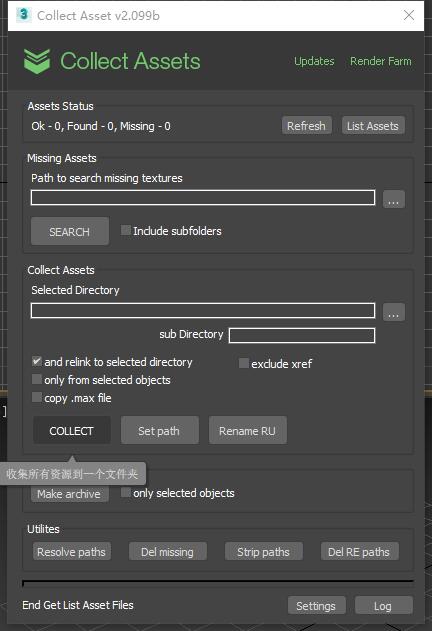
super
antomor · 2020-03-24
Add a chinese language in next version
Unistall collect asset
mr.george · 2020-03-21
Hi! There is a way to do a clean unistall of your scritp? I've tried to update it installing the last one on top of a previous version but for now seems that I've only updated the toolbar icon!
Thanks!
antomor · 2020-03-23
Now script installed in new group "Xiruim", you need delete old button from panel and drag and drop new button from Customize Interface settings.
Please write if you have a problem with new installer.
tahir1983 · 2020-03-19
Великолепный инструмент! Спасибо большое! Вот только если была возможность при архивации сделать сохранение в крайне низкую версию файла было б вообще круто ...хотя бы голочкой что ли как то переключатель сделать! Спасибо заранее!
UI update
phil_b · 2019-11-27
Крайне полезная и нужная тулза, за что автору нижайший поклон!
Правда вот интерфейс всегда вводил в некоторый ступор, спасала большая кнопа "коллект"=) В общем, решил я его слегка причесать, но уже как месяца три руки не доходят закончить начатое.
На случай если автор, либо же кто-то из общественности разделит этот порыв, то .ms и .psd а в аттаче.
Extremely useful and musthave tool, kudos to author! But the ui always confused me. So, I decided to comb it a little, but it was three month ago..In case the author, or someone from the public shares this impulse, then .ms and .psd in the attachment
LAS · 2020-01-02
You can test this file
phil_b · 2020-03-04
Thank you, I will try!
save version request
tahir1983 · 2019-10-02
Thank very wonderfull tool! So is it possible add option for choose max version save while run archive process?
your script has a bug at max 2018 - here is the little fix
 yammy · 2019-08-22
I just added the line Buttontext: to the function ( now the button text shows as expected )
macroScript Collect_asset_2
Buttontext: "Collect Asset"
category:"# Scripts"
toolTip:"Collect Aasset 2"
Icon:#("CollectAsset",1)
.....
Whoever is missing button text on max 2018, here is the solution. Just mouse over the empty button from toolbar, edit script, save. Go to original folder replace the file with the new one. Profit!
Enjoy! :)
antomor · 2019-08-22
thank you for fix a bug. i will add this in next version
huyart69dn · 2019-04-05
v 2.096 lost icon in 3ds max 2019. I restarted 3ds Max but not working Thank you so much!
antomor · 2019-04-05
Upload a fixed distributive. Previous two distributives was wrong created and not install correctly.
v.2096 Fixed this
huyart69dn · 2019-04-06
v.2096 fixed. Thank you so much!
does't work
sprayer · 2019-03-20
2.095 does't work on 2018. 2.07 works fine
aksmfakt132 · 2019-03-08
Only one request
1. Create a non-installable script
2. If it is difficult, rename the category. I hate that it is above the all command.
Redshift RS Map
keid · 2019-03-04
Script doesn't work with RS Maps, and all Redshift related sources.
keid · 2019-03-05
v2.095 fixed this
do not relinkar xrefs
Nereu · 2017-11-23
Hello
Your script is very good.
We just feel we can not choose not to collect and relink the xrefs. We do not put them in the same texture folder.
Could this change be possible?
Thank you very much
Is there sth wrong with recognizing & archive *.bip motion data?
nnq2603 · 2017-10-05
https://imgur.com/VB9605M (A file format that missing from Asset Collect listing and management - *.bip)
Sometimes it archive full scene include *.bip files, sometimes it doesn't. Is there known reasons for this problem. Sometimes it doesn't even display (list) *.bip file inside asset list. Everything going well with standard build-in Asset Tracking of 3ds Max.
If you've spare time, I hope you'll look into this problem and make this script once again more useful and more complete than it is now. Thanks and have a nice day.
Super
 Askhar · 2017-09-23
very useful script thank you
cheers!
thanulee · 2017-06-18
Fantastic mate! saved my day!
feature request
zahid hasan · 2017-06-17
A very powerful script.How do you manage the rollout?
Thanks a lot for your effort.
feature request:
A button to save the last used options.
auto naming and location of the zip file according to max filename.
one click execution without any dialogbox.
Xref
Nereu · 2017-05-30
Hello
Wonder of script.
I would like it to have a button (on / off) with no collect xrefs option. It's possible? Thank you
tahir1983 · 2017-04-22
What about ies file archivation ability! will be it possible in further!?
re: What about ies file
antomor · 2017-04-25
Script collect and archive ies files. If you have a problem with script, please write to me in skype or e-mail
Problem with file contain Xref scene.
nnq2603 · 2016-12-02
"add button 'Make Archive'. Now can make 7zip or zip archive directly from 3ds max"This feature sounds great. I appreciate this addition so much 'coz I was searching about method to replace maxzip with external compression tool and hardly find a solid solution. Closed method that I use nowaday was a rarproxy.bat with code:
@echo off
for /F "tokens=1 delims=." %%A in ("%1") DO SET blah=%%A"
call "C:\Program Files\WinRAR\"rar.exe a -m5 -ep %blah% %2
And replace maxzip with rarproxy in Preference Settings panel. But I tried the same way for 7-zip without success. You got this 7z archive is very nice. But I try on my project with a master *.max file and other *.max Xref file, your archive function (that button) doesn't work correctly, it couldn't collect and compress all assets, seemingly it only compress asset directly refer in master file not Xref ones. The previous method I mentioned above work well with Xref. The number of asset (bitmap texture, IES, vrmesh, etc...) display in your script main UI is not so different compare to 3dsmax buildin Asset Tracking but the Archive button with 7z function doesn't seem to work with that amount of asset, the final compressed files lost 2/3 amound of assets. (full rar archived 2.3GB, your script 7z mode ~ 1.5GB, number of files ~1500 for full one, and yours ~500 files or something along the line)
So I note you about that problem as a bug. Maybe when you've got spare time you could take a look and might fix it. Thanks for reading.
Re: Problem with file contain Xref scene
antomor · 2017-03-14
Thank you for bug report. Fix problem with archive xref assets in v2.04
Awesome Antomor!
nnq2603 · 2017-06-28
Great works, man. Xref now works like a charm. Also setpath function works well for both master file and Xref files without even open and run script inside Xref files. Great. You manage to modify metadata of asset paths from outside in a free script (the function was documented and appears in pay-scripts but for free seem only your one here), awesome! Thanks again, Antomor.
finalRender R3.6 support
igamaximus · 2017-09-21
Amazing script, thank you for your work.
Since i use finalRender R3.6 some maps (related to renderer) are still not collected. Could you please add support for fR? I am ready to assist with any MXS property of fR that you might need. Thank you very much.
VRay_Lens_Effects
amir3dsmax · 2016-03-08
error when scene file contain VRay_Lens_Effects image
Re: VRay_Lens_Effects
antomor · 2016-03-08
I test this, and in my scene it work fine. You can give me screenshot of this error? And maybe you file for testing. Send please to antomor@yandex.ru
Thanks for the comment.
when map is missing
amir3dsmax · 2016-03-09
sorry i forgot to mention error occurred when map is missing
Re
antomor · 2016-03-09
Yes. I repeated this error on my test scene. Now i try fix it. Thanks
error with VRayBmpFilter is missing
amir3dsmax · 2016-03-28
same error when scene file contain VRayBmpFilter with missing image
ERROR
 3dwannab · 2016-02-28
When I check copy max file and selected objects only and press collect file it creates an error as shown.
Using max 2016.
Re ERROR
antomor · 2016-02-28
Thank you for this comment. I try fix this error in new version.
about make archive
anzyu · 2015-06-05
hello guys,i want to ask when I make the archive package is not in the specified path is how to return a responsibility? anzyu@qq.com
re: about make archive
antomor · 2015-06-05
When you make archive, first script copy all files in temporary folder. Then, if all is well, will be asked to specify a name and location for the archive.
Resourse
krukovetsvp@gmail.com · 2015-08-04
Great script. But can you make it so that when you press "collect files" MAX file is also saved in a folder with a resource? thanks
why?
antomor · 2015-08-04
I can not understand why? How do you use this?
Ресурс
krukovetsvp@gmail.com · 2015-08-13
Здравствуйте. Пользуюсь Вашим скриптом почти каждый день. Просто вызывает некое неудобство при создании ресурса в новую папку сохранять туда максовский файл вручную. При создании архива проблем нет. Спасибо.
RE: Ресурс
antomor · 2015-08-13
Сделаю вариант сохранения сцены в папку, как если бы сделали Save as... в максе. А для выделеных обьектов будет аналог команды Save selected...
Думаю скоро добавлю эти изменения.
RE: Ресурс
krukovetsvp@gmail.com · 2015-08-13
Огромное спасибо. Не нашёл "Donate". Куда можно отблагодарить? :)
lex2306 · 2015-04-09
thank you very much, my friend, I saved a lot of time thanks to your woanderful script....great job...
stanley_asbeek · 2015-03-02
Hey mate,
Thanks for this script, I'm using it nearly everyday!
I was just wondering if it was possible to add few options :
When we have the "replace", "Use existing" or "rename" options, it does it for each one of the files.
Very useful, but would it be possible to have a option to do it on the whole scene? IE : I often have multi-textures files (like 80-90) and I have to click on each of every file.
Would be great to have a "Replace all", "Use existing All" and "Rename All".
Otherwise I have a few cases where it didn't copy all the files across the new location, where could I send you a file to debug?
Cheers
Stan
Great!
init0 · 2014-07-14
Many thanks for the update!
З.Ы.: Спасибо, земляк!
init0 · 2014-07-09
add feature for the selected objects, plz
Many Thanks!
Great job!!
 Luchiano · 2014-06-24
Thanks!! now i have more time to procrastination!! :)
GReetings!
I'd love to see an asset collector do one fundamental thing
 mynewcat · 2014-06-17
Please create an option where all assets are put where they supposed to be in the project folder of the currently selected project.
I want all the image files in assets/images
all the mental ray MIB files (and their associated BMP files) in the render assets folder etc.
Am I the only one who uses proper project structures?
re: I'd love to see an asset collector do one fundamental thing
antomor · 2014-06-17
I wrote a script for yourself basically. Now I have no desire to add features that I do not use. Script open source, you can change it by yourself.
You're not the only one...
ehance · 2014-12-04
Great script Anton, and thanks for keeping this open so we can learn and take things further!
-Eric
Thanks!!!
 Talpo · 2014-06-05
this is GREAT!!!
many thanks!!
thx
mahircelik · 2014-05-31
thank you..
designmqu · 2014-05-27
hello
it will work for 3d max 2014 ?
re: it will work for 3d max 2014
antomor · 2014-06-10
Yes. It work for 3ds max 2014.
TSchmiesing · 2014-05-22
Is it possible to add a collect assets and save geometry for the selected objects only?
Thanks,
ts.
re Is it possible to add a
antomor · 2014-05-27
it may be added in the future
barigazy · 2014-01-18
I send you PM about code optimizations