

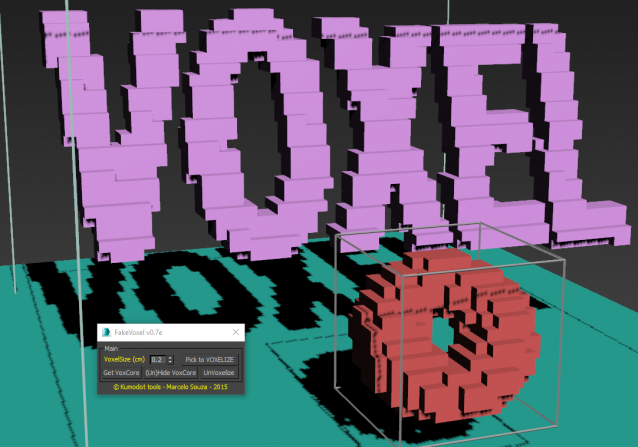
This is one of my new scripting tools. It´s based on my tutorial of "how to Voxelize things in Max just using Modifiers". :) You can check the tutorial here : https://www.youtube.com/watch?v=rsu9bnKI14Q (sorry the audio is in Brazilian portuguese, but it´s pretty simple to understand... So, i transform this process on a handy script that makes all the job for me. :) I hope you guys like it ! :) Please, DONT TRY it on BIG scenes or with too much "Pixels". Better to break the objects or scenes and use it in parts, or to small things, icons, etc... The process is not that FAST, but it´s fast for small stuff. ;)
FakeVoxel Script
Downloads
Version 0.7eListed version
Listing updated
- fakevoxelizer_07e.ms8.1 KB
- 3ds Max compatibility
- Unknown
Community compatibilityNo compatibility reports yet
No reports yet for the available releases.
Community reviewsNo reviews yet.
Listing details
- Version
- V0.7e
- Author’s update date
- Listing created
- Homepage
- kumodot.com
How compatibility works
Compatibility comes from the author’s supported range or requirements in the original listing. A tested version records what the author tried.
“2020 unconfirmed” in the catalog means support for 3ds Max 2020 is still unknown.
Community reports record successful tests on specific releases.

Description
Additional Info
If you whant to animate the voxelized object inside it´s area (Being regenerated in realtime), pick any part of it and click on script...
If you want to refine the Voxel resolution, for now, it´s not interactive. You need to click on the object, click UNVOXELIZE change the settings and pick it to VOXELIZE again...
I will try to make it more interactive in any future version...