ScriptSpot

Script

GTVFX-ANM_setOutOfRangeType

By gtvfx · Credited author: Gavyn Thompson · 2014-02-01

Version
2.50
Date updated
2014-08-16
Votes
2
Description


Updates:

08/16/2014:

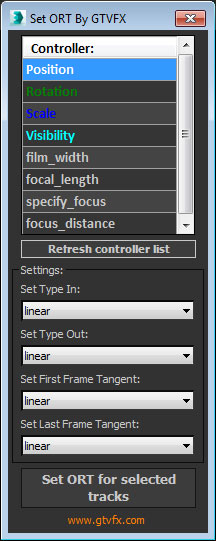
Updated the controller list to include all animated controllers within your object selection.

===========================================================================================

This is a handy little tool that allows you to quickly set the Out-of-Range Type, and the Tangents of the first and last keyframe for each object in your selection.


If you find any bugs with this tool, if it does not install properly, or the script breaks for some reason, please message me with a screen shot and brief description of the error.


All the best,


 Updates:

2014-02-07: Added Visibility track to the controller list. Just scroll down in the UI menu and it's the next controller.


Additional Info

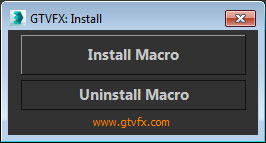
To install just drag the download .MZP file into the 3dsmax interface. You should get an Install dialog.

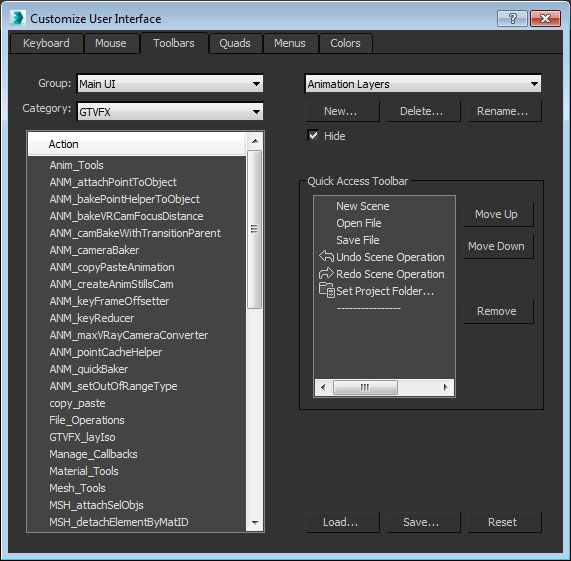
This tool will install a macroscript that can be accessed from the Customize User Interface dialog within 3dsmax.

Attachments

Tags: Animation, Controller, gtvfx, out of range, out-of-range, ort

Comments (6)

Out of RANGE Visibility?

Silver3D · 2014-02-04

Very nice tool. Just need an option for all control, not just position scale and rotation.

Thanks for sharing

RE: Out of RANGE Visibility?

gtvfx · 2014-02-07

You're right, the visibility controller is a nice option. I've added it to the 2.00 update.

Best,

RE: Out of RANGE Visibility?

Silver3D · 2014-02-09

Great, thanks a lot!

some issues

bronius · 2014-02-03

After installing this update:
1. can't see setOutOfRangeType in floating toolbox (only in menu)
2. second slot of Copy/Paste is not working

RE: some issues

gtvfx · 2014-02-03

If you installed the Toolbox then yes, this tool is only available from the System Menu. There is a Macro created for this tool that you can add to your own toolbar if for some reason you're apposed to the menu method. I'm trying to reduce the clutter in the floating UI so I don't have any plans to add this tool to it.

As for the Copy/Paste slot not working, I can't seem to find a bug with that. Maybe download the latest version of the tool.

All the best,

artkitekt · 2014-02-01

Very useful tool! Keep it up, Gavyn.