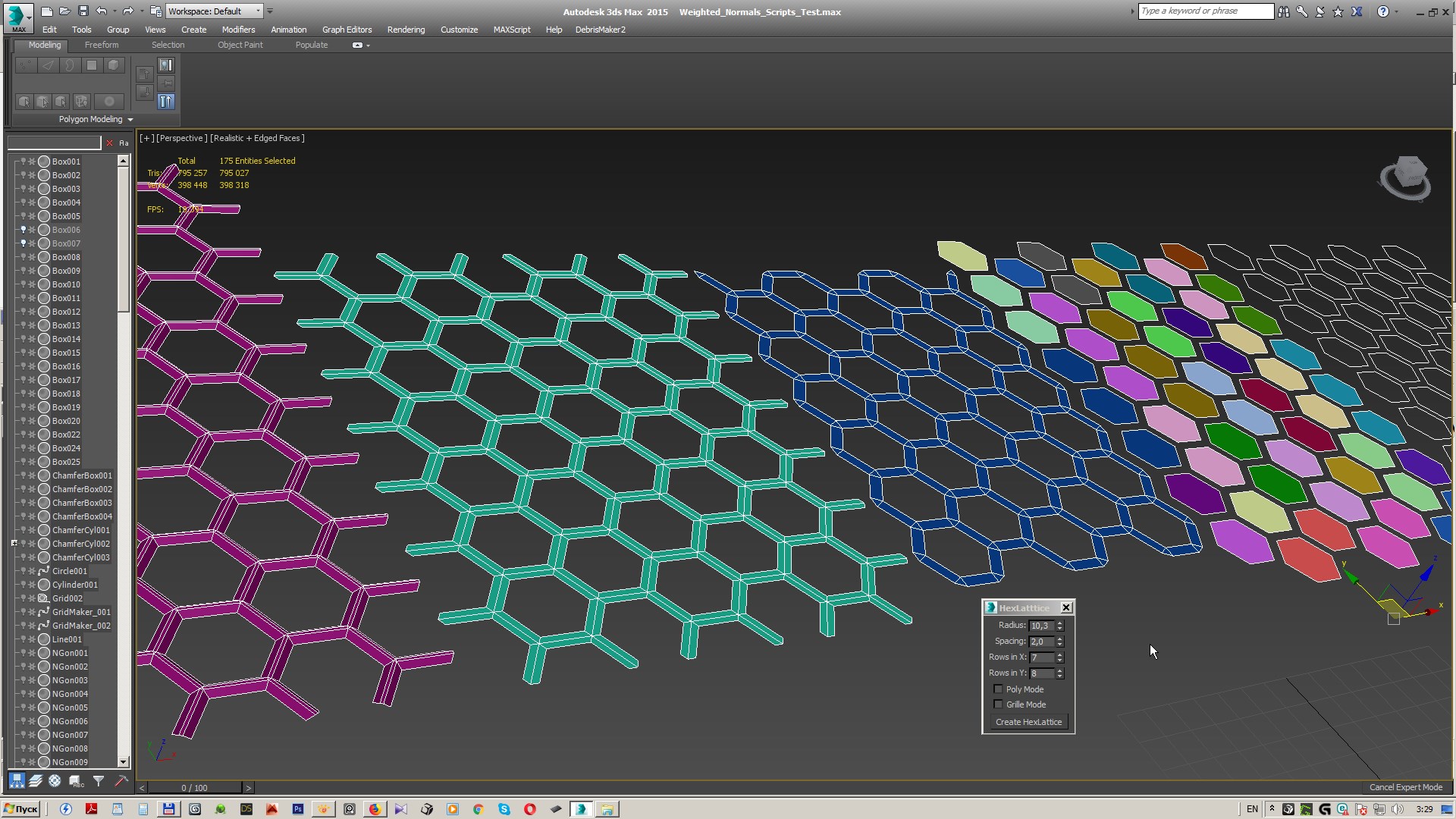
A simple script to create either hexagonal tiles or a mesh with hexagonal holes in it.
Simply run/drag into max to start the interface.
All tiles are instanced by default for your convenience :)

Script
 By Melak · 2010-06-14
A simple script to create either hexagonal tiles or a mesh with hexagonal holes in it.
Simply run/drag into max to start the interface.
All tiles are instanced by default for your convenience :)
Spacing adds empty space between the tiles, the grid is stretched out when using this option.
To keep the tiles in the same position and still add spacing, subtract the entered spacing value from the radius.
Poly Mode, when enabled, produces instanced editable Poly objects instead of Ngons.
Grille mode produces a mesh with hexagonal holes in it, works best with spacing and forces ePoly output.
Update: Removed the messagebox saying "bla". :embarrassed:
.
 Nik · 2022-04-11
Thank you
elpin · 2022-03-03
Great script. Exactly what I was looking for.
Working fine until 3dsmax 2021. In 2022 the mesh is heavily corrupted. They changed something about how edit poly works probably.
 x_OL · 2018-03-15
working good in max 2015
Thanks :)
 bpositive · 2011-11-14
Sweet, thanks a bunch :-)
Thanks
3devendra · 2011-04-22
i could use it once!! Thanks
 tioac · 2010-06-15
Working fine under Max 8 and Max 9 thanks
Melak · 2010-06-15
tioac: Great, I'll add them to list, thanks!
lucpet59: Please download the script again, I updated it. (Removed that line among other things)
lucpet59 · 2010-06-15
Thanks useful
.........but what does messagebox "bla" mean? :)
Luke
fajar · 2010-06-14
Thank...
 jaijinsunrise · 2010-06-14
Sickk!! Thanks :)