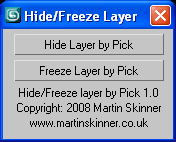
Hide Layer By Pick v1.0
The idea behind hide/freeze layer, was to
be able to hide/freeze a layer quickly on
screen by picking an object rather then
opening the layers tab and picking the
corresponding layer.
Script
By martinskinner · 2008-07-17
Hide Layer By Pick v1.0
The idea behind hide/freeze layer, was to
be able to hide/freeze a layer quickly on
screen by picking an object rather then
opening the layers tab and picking the
corresponding layer.
Tags: freeze, hide, layer, hide layer, freeze layer, hide layer by pick, freeze layer by pick
martinskinner · 2008-08-03
Yes, especially when you've someone over your shoulder wanting to see slightly different schemes. Using it with scene states is good for that.
Martin
 Christopher Grant · 2008-07-24
Great, useful tool. Will definitely help when working with files that have a lot of layers!
Chris