Script
Hide Longest Edges
SBy sergo · Credited author: Sergo Pogosyan · 2007-03-18
- Version
- 1.0
- Version requirement
- 3dsmax 8.0, 3dsmax 9.0
- Date updated
- 2007-03-16
- Votes
- 22
Tags: modeling, tool, edges
Description
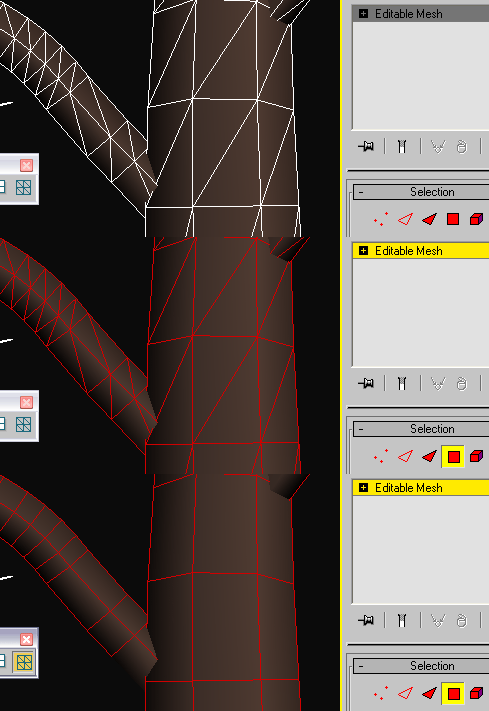
This script helps you to hide diagonal, oblique edges in regular patterns to make mesh consisting of the rectangular polygons.Script just hides the longest edge of the face. In most cases it's the diagonal edge if your mesh is more or less regular and was made of rectangular polygons.
Object must be an 'editable mesh'. No conversation occurs in the script.
HOWTO:
Select faces, polygons or elements with diagonal edges then press command button. Edges will be hidden and selected.
Additional Info
Run script from any directory by Macroscript->Run Script command
Place icon bitmap files to the maxroot/UI/Icons folder if you need button images
In Customize dialog find "Sergo Pogosyan" category and "Select and Hide Longest Edge" command
Place this command to the toolbar, menu or quad.
 Nik · 2013-02-19
 Stokes · 2007-07-19