ScriptSpot

Script

Interactive Rollout Builder

By DaveWortley · 2017-07-30

Version
1.4
Version requirement
Only tested on 3dsmax 2016 but should work for all versions.
Date updated
2017-08-14
Votes
13
Description

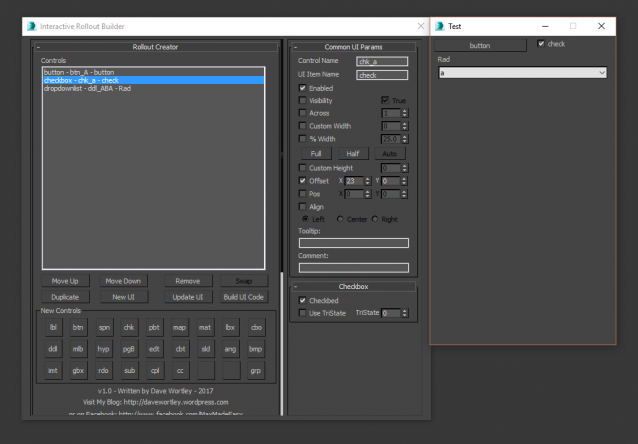
The visual maxscript editor has issues... doesn't make nice code and is generally useless.  So instead I made this...

Visit my facebook page for more info

Run the mcr file and find it in your customise user interface windows under 'DW Tools'

Version 1_0 - Release
Version 1_1 - Bug fixed which could allow nested groups, which maxscript doesn't like and would therefore crash.
Version 1_2 - Released unencrypted so that it works in 3dsmax 2017 and well... because who doesn't like to learn (judge) from other people's code....

Version 1_3 - Bug Fix: Deleting groups now works...
Bug Fix: Data is maintained when you open/close/open the tool
Main UI is now resizable
ProgressBar Control switches orientation automatically
ListBox, MultiListBox, ComboBox and Dropdownlist now have move item up/down controls.

 Version 1_4 - More Rollout properties exposed, Bugs fixed with escape characters, duplicate names of controls bug removed. 
New Feature: Store and load UIs, have live resize information saved, 


Attachments

Tags: UI, Controls, rollout, maxscript, visual maxscript

Comments (20)

Groups always appear at the bottom?

mrsamlarge · 2019-05-29

Is there any way to make groups appear just below the selected element, rather than always at the bottom?

P.S.
This tool is absolutely wonderful - it kick started my enthusiasm into scripting!

.

Haider of Sweden · 2018-09-07

Hello Dave!

I have to say that this is one really cool script!

These are the error message I receive when I run the latest versions (1.3 worked without any issues)


Type error: Call needs function or class, got: undefined

Nice script!

3dartist · 2018-02-01

Thanks Dave! :)

2017 eror

imgestudyo · 2017-08-25

script erorring 2017

Any more info?

DaveWortley · 2017-08-25

Haven't got 2017 to test right now.... make sure you've got the latest version.

Can you give me the error report from the maxscript listener? Press F11 to open it in max.

cool script

oncire · 2017-08-02

tried the script. easy to use. Can add "save project", load project?, particularly useful for building large/complex ui so to be able to continue the project at later time. Also there's a bug deleting "group"

Loading / Saving

DaveWortley · 2017-08-02

Hi Oncire,

Yes that's certainly part of the plan, originally I thought the loadMaxscript section would do this but it was harder than I thought to implement. I will also look at making it so you can have multiple rollouts per project too for more complex ones.

Thanks for your feedback

Dave

Super cool script IMO

TitusLVR · 2017-08-01

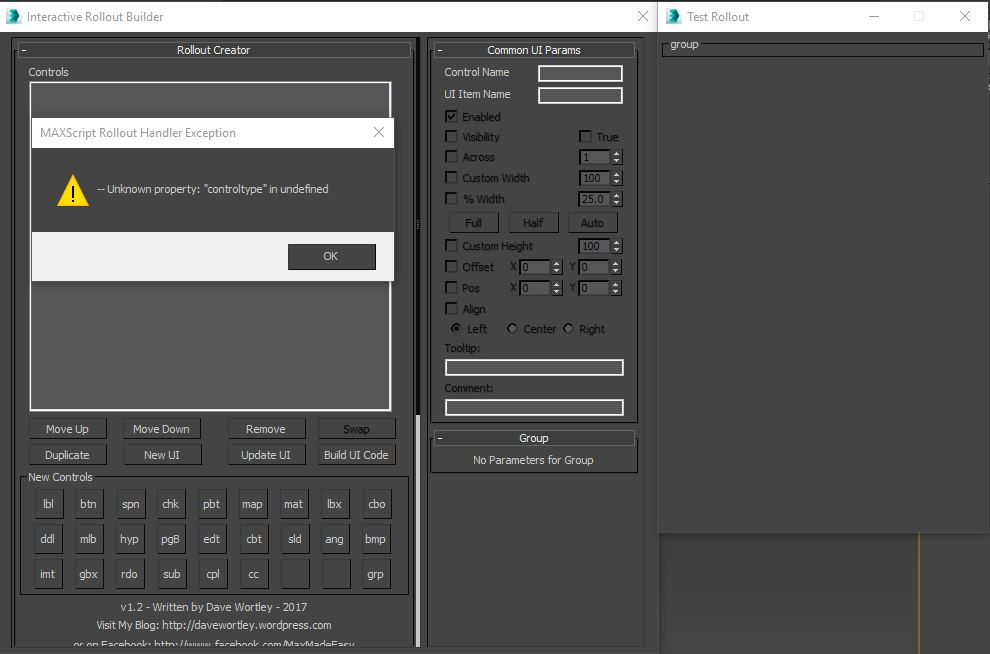
but in version 1.2 when i try to create a group i have an crash.

:(

alexnguyen · 2017-08-01

i create a group , i remove the group , it crahsed

Attachments

Eeek

DaveWortley · 2017-08-01

Yeah I added some stuff to make the selected control change to the next in the list when you remove a control and it appears the double status of the group in the list is messing it up... I've recreated the error so will fix asap!

repo

DaveWortley · 2017-08-01

@TitusLVR can you tell me exactly what you did please? Creating a group works for me here.

Yep for sure:step1 - Create

TitusLVR · 2017-08-01

Yep for sure:
step1 - Create a group (there are no parameters or they are not active - this is strange)
http://prntscr.com/g34bxl
step2 - it's crashes only when i try to delete "group start" or "group end"
http://prntscr.com/g34dt6
http://prntscr.com/g34egd

I hope you will fix this. The rest of features work. Anyway it's a super handy tool.

Groups

DaveWortley · 2017-08-02

Yep, the delete groups bug is known, and will be fixed soon.

The lack of parameters for group is correct, if you want the parameters you must use the GroupBox instead.

Thanks for reporting will put a new update up today hopefully!

Sorry, but i have an error (max 2017)

TitusLVR · 2017-07-31

when i try to install it i have got this http://prntscr.com/g2gv1z

miauu · 2017-07-31

You can't open mse file in maxscript editor.

Strange...

DaveWortley · 2017-07-31

Tested it on 3dsmax 2017 this morning and could reproduce the bug.... but only with the encrypted version. I'll just release it unencrypted to get around this problem.

Fixed

DaveWortley · 2017-07-31

Couldn't be bothered to figure out why it didn't work with encryption so just released it unencrytped...

fastcg · 2017-07-31

加密脚本是不支持宏的
The encryption script does not support macros

Try the new version

DaveWortley · 2017-07-31

The latest version is unencrypted.

Nice one !

NicolasC · 2017-07-31

Thanks for sharing :)