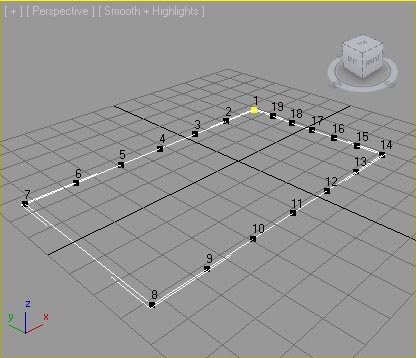
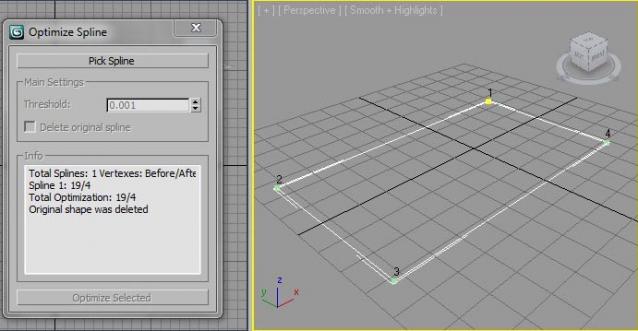
This optimizer work based on calculation of changing spline length in percent. The main value must not be very high. Use it on imported DWG. For arc values near 0.0001 are usefull.
Script
OptimizeSplinePoints
By YevhenK · Credited author: Evgeniy Kikelya · 2010-06-09
- Version
- 1.00 beta
- Date updated
- 2010-06-09
- Votes
- 15
- Download
- Download
Description
Tags: spline shape point optimize
Comments (10)
Phasma · 2017-03-16
Thanks a lot!
How to use.
grasshopper · 2011-09-05
Sorry for such a noob question but how do you install this. Seeing as its a mcr file i thought it would go into the UI/macroscripts folder but I don't see it in max now
thanks
dasomen · 2012-03-27
Hello, you need to go to:
Customize > Customize User Interface > Toolbars
Group: Main UI
Category: Usefull:Tools
Then create a New toolbar, name it whatever you like, then drag and drop the 'Optimize Spline' action to the newly created toolbar.
fajar · 2010-06-11
thank....
is this support undo command....
YevhenK · 2010-06-12
Script makes New Spline, until you check "Delete original spline", so you may return to original without problem
YevhenK · 2010-06-10
Try to download now, I've corrected the link. Sorry
m03g0ed · 2010-06-10
cant download.....
fajar · 2010-06-10
cant download.....
JokerMartini · 2010-06-09
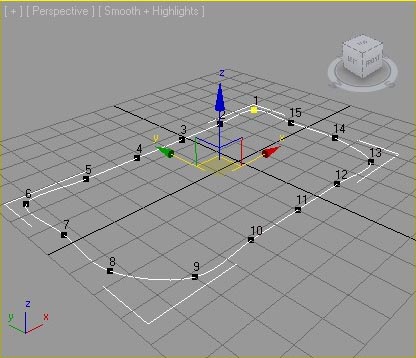
There is a spline optimization tool already in max. It's the Normalize Spt. modifier which is only available when working with splines. Check it out!
YevhenK · 2010-06-10
Added images to see result. Normalize makes additional vertexes on low values and on high values it makes the shape different.