This script makes switching to another viewport when maximized behave like pre-max2010. It prevents a reset of the view so when you switch back and forth you get the view back as you left it.
Script
ProViewportSwitcher
 By Jonathan de Blok · 2011-05-13
- Version
- 3.1
- Version requirement
- 2010+
- Date updated
- 2012-07-09
- Votes
- 33
- Homepage
- www.jdbgraphics.nl
Downloads
- jdbgraphics-proviewportswitcher3_1.zip — jdbgraphics-proviewportswitcher3_1.zip727 B
Tags: viewport, remember, switch
Description
Additional Info
Install intructions:
1) Drag&drop script into 3dsMax, or run the script via menu.
2) In 3dsMax go to ‘Customize/Customize user interface
3) Goto ‘keyboard’ tab
4) In ‘category’ pulldown select ‘JDBgraphics’
5) There you’ll find alot of ‘swapToLeft’, ‘swapToCamera’ etc commands. Assigning those to the t,l,f,c,b,p etc keys to override the max2010+ behavior and make it workable again.
3.1
-fix 'wierd error' bug (see comments below)
3.0 update
-Max 2013 viewtab compatibility.
-Optimized code
2.0 update:
-99% rewrite, much cleaner code
-No more errors when switching to fast
-All views now work (there was a problem with the #view_iso)
-Now works with all types of layouts, including 3 and 2 viewports setups
tip: If you want to use this in combination with the 'V' quad menu popup, just costomize the defautl quad to call these scripts.
Comments (18)
shopkeeper · 2013-02-10
Why was it changed in the first place?! Some really questionable decisions being made at autodesk these days.
Thanks for the fix.
and I got the same syntax error (3.1)
Custom · 2013-02-09
Windows 7 X64 - Max2012
I followed recomendations of:
bobmorane888
harumscarum
Thank you, guys. And it works well.
Thanks for sharing.
dz86 · 2012-10-27
work fine in 2013
huschi · 2012-08-26
same error here
error during installation
 harumscarum · 2012-08-15
this error with latest version
regards
Attachments
- errr.png — errr.png29 KB

 bobmorane888 · 2012-08-13
I got the same syntax error here during install
(WindowsXP64 - MaxDesign2012)
but did "Evaluate all" on the listener 1 or 2 times and it's ok...
Thank you for sharing !!
Jonathan de Blok · 2012-06-20
Oke, I'll have another look into it..
error during installation
grasshopper · 2012-06-20
Same syntax error here during install. W7 English Max 2012 64bit.
Is there solution to this yet? Standard Max set up is driving me CRAZY :()
Syntax error w7 x64 3ds2012
dub73 · 2012-04-26
-- Syntax error: at bad, expected
-- In line: xxx
Attachments
- error.jpg — error.jpg25 KB

fixed
Jonathan de Blok · 2012-07-09
I found some spare time to fix the bug :) enjoy!
no such error in 2013
harumscarum · 2012-04-22
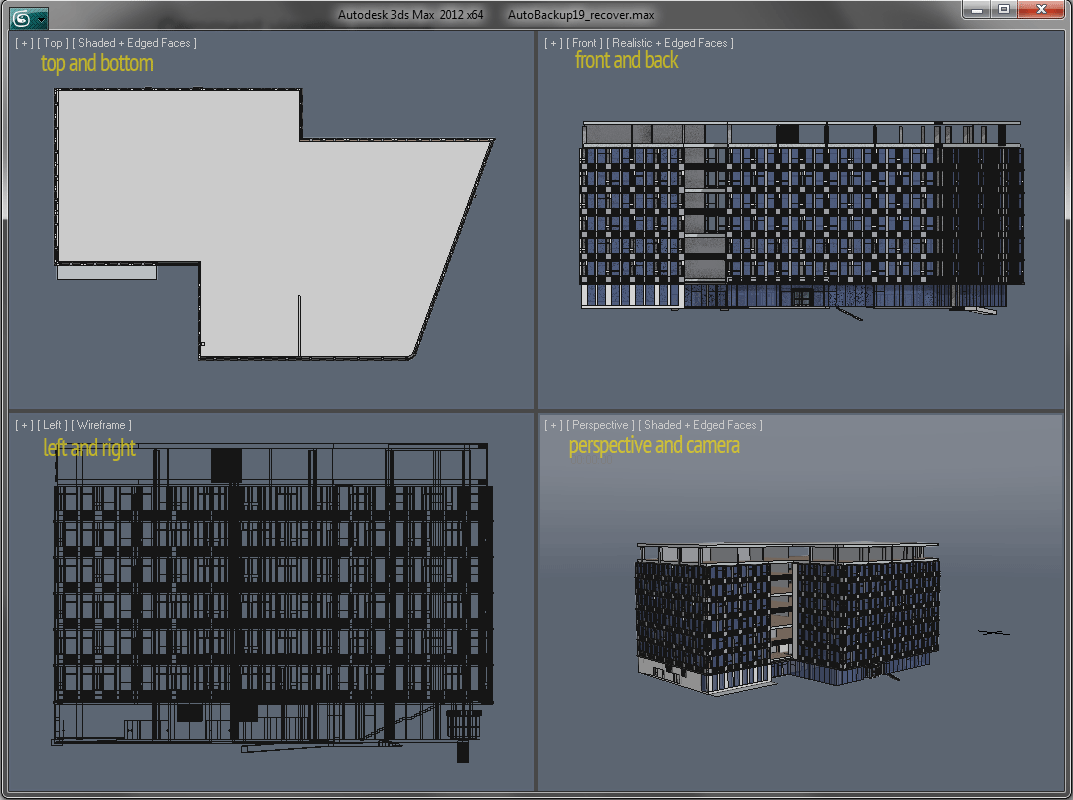
and it works mostly fine. but sometimes lost viewports anyway. i think it happens because i use more than 4 viewports. and especially if you switch from camera back to perspective view it will lost viewport
here i have one suggestion (please check attached illustration) for 4 viewports layout - fix each view for its window, so views will never confused anymore. and most important thing that when you switch from camera to perspective - you get same view that was in camera. one more issue which could be fixed is reset camera corrections (vertical shift) if was any
thank you very much fro your efforts
Attachments
- 4vp_settings.png — 4vp_settings.png56 KB
same
fael099 · 2012-04-22
i got the same error as everyone... win7 64, max 2012 64
harumscarum · 2012-04-12
english max and english windows7. no any russian characters in paths
error during installation
harumscarum · 2012-04-12
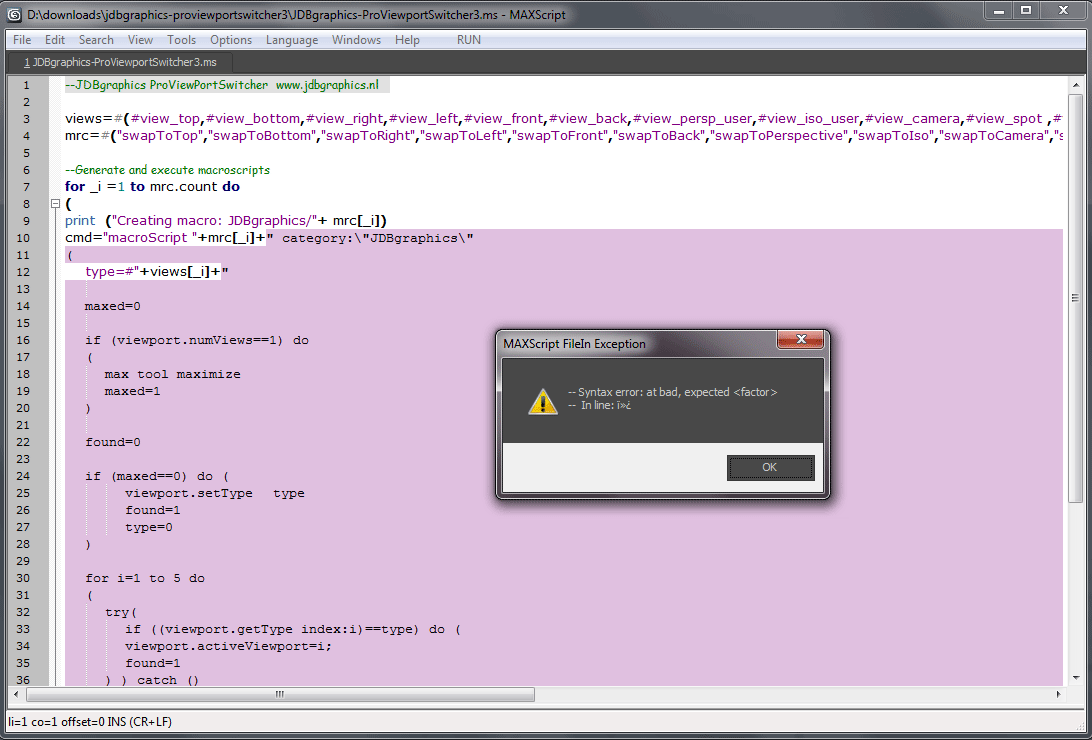
here i attach error message during latest version installation
max 2012*64
Attachments
- err.png — err.png43 KB
Jonathan de Blok · 2012-04-12
wierd error message, do you have a localized (non english) version of max?
Same Error
geoff_packer · 2012-04-17
I get the same error. English windows 7 64 bit and max design 2011, english again.
Jonathan de Blok · 2011-05-30
I'll see if I can add something like that in the next update.
I think it will be a function that toggles between the current and the previous view.
thanks!
rix23 · 2011-05-27
thanks for the script.
Could you add one more feature?
A possibility to switch between just active camera and just perspective as cycle.
If then user map this command to one of additional key of mouse it would be extremely useful
ps. sorry for my english :)