Script
pX LocoRandomizer
 By Denys Almaral · Credited author: Denys Almaral (piXel) - Xentir.com · 2008-11-06
- Version
- 1.0
- Version requirement
- Max 5.1 to 9.0, 2008...
- Date updated
- 2008-11-04
- Votes
- 41
Description
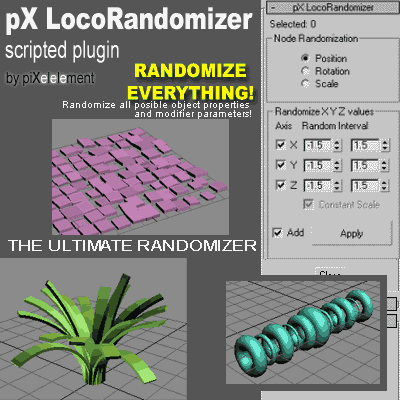
Randomize multiple object properties is something useful, but the randomizer I found in the internet they always randomize only position/rotation/scale.
Then I was working creating this plugin to randomize every property or parameter from multiple objects.
Additional Info
-- Short Desc:
pX LocoRandomizer is a MAXScript Utility Plugin to randomize/set
values of all posible properties or parameters from multiple objects
simultaneously. Extremely flexible and easy to use.
-- Features (Version 1.0):
-- + Randomize/Set basic node transform properties: Position / Rotation / Scale
-- + Allow manual entry of Object property name (MAXScript syntax)
-- and randomize/set its value.
-- + [Test] button allow check the Type (or class) of the manual entered
-- property name.
-- + [Pick...] button lets us select a parameter from a Track View Pick Dialog.
-- + User can enter a list of MAXScript assignations, then apply it randomly to all objects
Tags: Objects, tool, random, utility, transform, randomize, properties, randomizer, multiple, parameters
 The Mind Forest · 2012-06-01
 Yusuf_ES · 2012-05-31
 hawkarena · 2009-12-01
 frnkcrnk · 2009-07-31
 nakolus · 2008-11-06