By TDTrooper
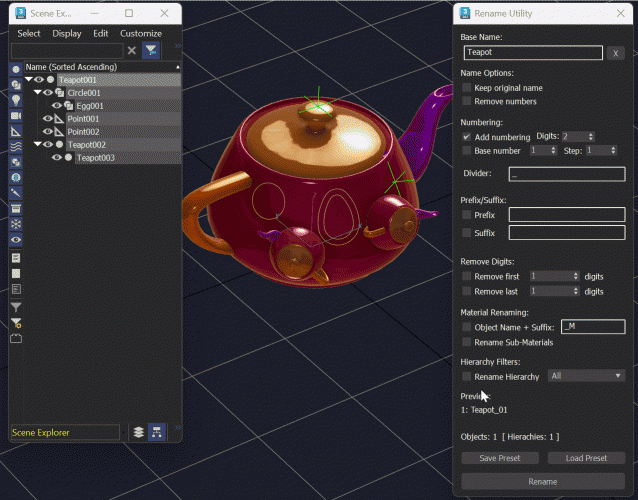
Comprehensive Rename Utility
With a strong Focus on ease of use.
Features:
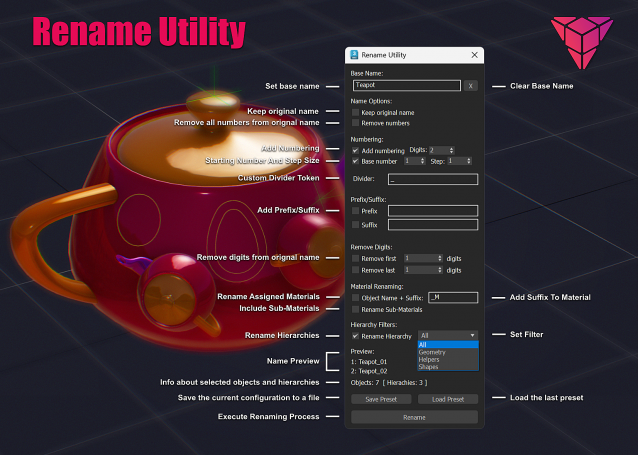
- Keep the original Name
- Remove Numbers Preview Names
- Divider Customization
- Rename Materials (including sub‑materials)
- Rename Hierarchy Filter hierarchy (All, Geometry, Helpers, or Shapes)
- Save and load a preset
Standart Stuff:
- Toggle automatic numbering.
- Add Prefix/Suffix Digit Removal
- Runs the renaming process on all selected objects or though hierarchies.
Hints: You can rename several hierarchies at once, but I suggest handling them one by one to avoid continuous numbering. The material rename function does not yet account for a material assigned to multiple objects.
If you need more class filters add them here:
case ddlObjectType.selection of
( 1: filtered = objs -- All
2: filtered = for o in objs where superclassof o == geometryClass collect o
3: filtered = for o in objs where superclassof o == helper collect o
4: filtered = for o in objs where superclassof o == shape collect o
)
Install: Drag and Drop to View-port, Category: Trooper
So long and keep it clean!