Script
Select Objects By Sub-Material
 By MAXTools · Credited author: 3DZver · 2026-06-02
- Version
- 1.0
- Version requirement
- 3ds Max 2018-2027
- Date updated
- 2026-06-02
- Votes
- 3
Description
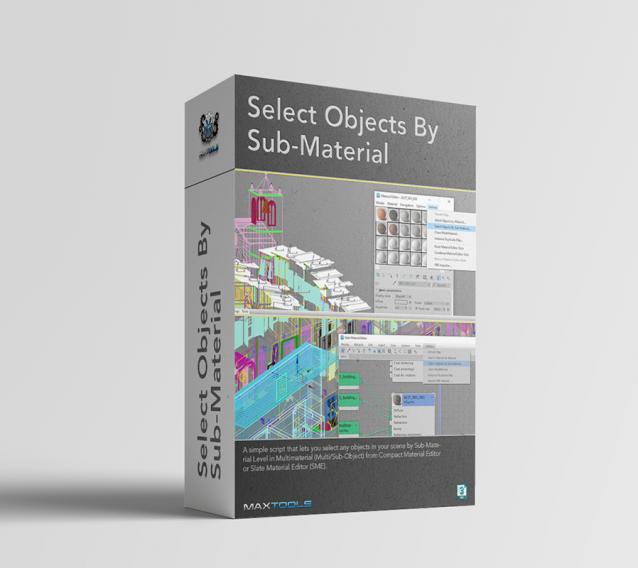
Select Objects By Sub-Material (SOBSM) is a simple free script that allows you to quickly select all objects in your scene that use a selected sub-material from a Multi/Sub-Object material.
Unlike the native "Select Objects By Material" tool, which only selects objects by exact main (parent) material match, this script analyzes material IDs assigned to faces/polygons. This allows you to select objects by a specific sub-material, even when a Multi/Sub-Object material is assigned to the entire object and the desired sub-material is only used on a portion of its faces.
The script works with both material editors in 3ds Max - the Compact Material Editor (Medit) and the Slate Material Editor (SME). Select a sub-material in any editor, run the script, and all objects that use this sub-material (on faces with the corresponding ID) will be selected.
Additional Info
Main features:
- Works with both - Compact Material Editor and Slate Material Editor (SME).
- Supports multiple sub-material selection in SME.
- Detects material IDs on faces of any object type.
- Selects individual objects inside groups without breaking group structure.
- Supports direct sub-material assignment on objects (not only via Multi/Sub-Object material).
- Ignores parent Multi/Sub-Object material selection.
- No additional plugins required.
More detailed information about the all features and capabilities of the "Select Objects By Sub-Material" can be found here: https://maxtools.3dzver.com/product?id=3
PS: Please, respect the developers and other users - do not post promotional messages in comments (ie spam).
If you have any suggestions or comments related to the work of the plugin, use the support form at this webpage: https://maxtools.3dzver.com/mxtsupport
Tags: Material, selection, Material Editor, materials, Slate Material Editor, SME, select objects by sub-material