Hi,
I have a framework for selecting holes in objects.
Right now it works by manually clicking inside the hole (with "by angle" option on), it then selects the inside of the hole.
I then delete the faces, select "open edge" then cap it.
This is what my script does now.
All of this works fine, but I do not want to click each hole separately.
To put it into perspective:
I've got 10 models (engineering models, hardsurface), each
model is at least 5000 separate parts, which I now have to go through
and remove the holes by using the above way of doing it.
So this is what I think might do the trick:
1) Select each face 1 by 1 with softselection.
2) each time check what the angles are in the selection.
3) if it's a hole, then it's a ~360 angle, I then know that this is
something I want to remove.
The part I need help with, is getting the total angle of the selected faces.
the rest of it is already done.
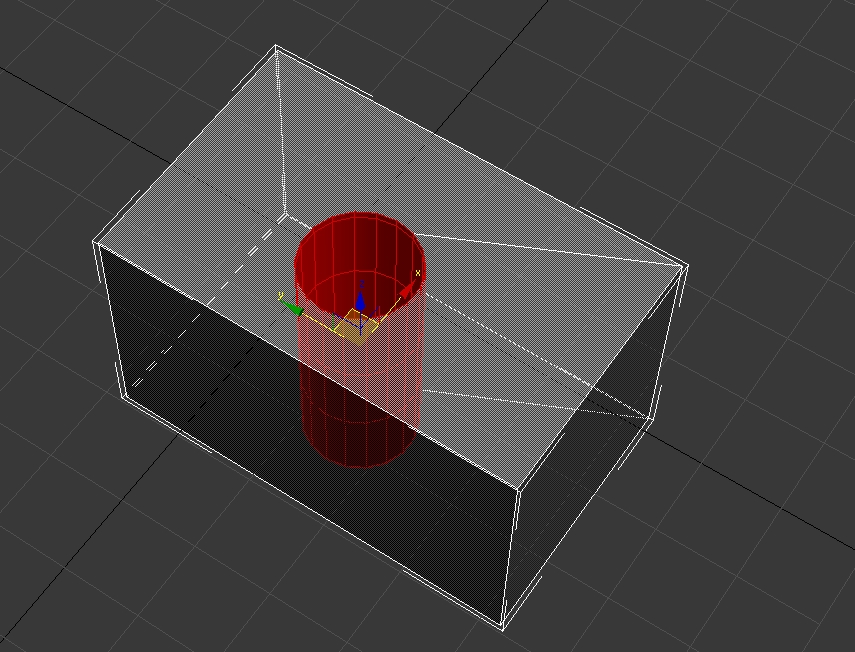
the case would be a simple box,with a cylinder through it, which you use boolean to create the hole in the box.