Grab Viewport in 8K
There was a script that allowed taking screenshots at a resolution higher than the screen resolution, but it is no longer available, and the download link is not working anymore.
Would it be possible to recreate this script for Max 2024 and later versions?
Lets keep it simple - no UI, simply 8K resolution (7680×4320px), not including viewport menus, statistics, or other overlays.
Thank you very much!
Comments
thank you!
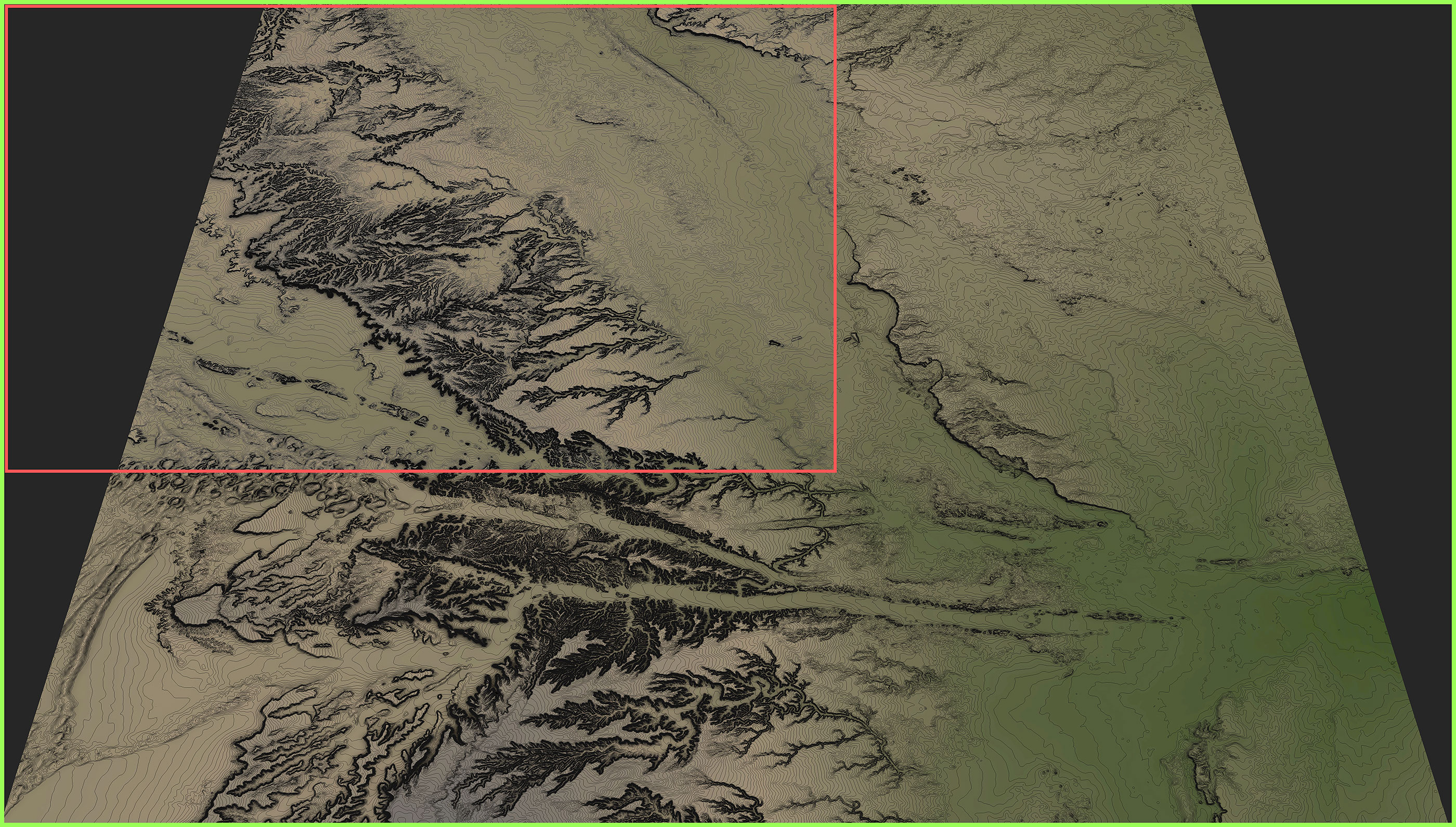
Thank you very much for your efforts. I recently had a chance to test the script, but unfortunately, it doesn't work as expected. Please refer to the attached screenshot for a detailed explanation.
- Within the green frame is a 7500px screenshot (the maximum for the grabviewport2.mcr script). This is the correct output when a fully maximized viewport is saved.
- Within the red frame is the screenshot generated by your script. Although it is 7680px, it captures only a part of the screen. Unfortunately, the maximized viewport is truncated and upscaled before saving.
To improve the script's performance, let's skip hiding "Statistics," "World Axis," etc., as I will manually disable them before taking screenshots.
The naming approach used in the Miauu script is perfect—please maintain it.
You're welcome
I've removed the part of the script that hides Statistics, World Axis,etc...and used Miauu output naming approach. For the cropping problem , i don't understand whats going on because on my side it grabs the all view without any cropping, try this version:
https://www.mediafire.com/file/sjfte4ony9234yb/GrabViewport_NoUI_V1-2.mc...
I've also did an other version that has a slightly different outputs naming.
https://www.mediafire.com/file/3mnjb9ilesjhutg/GrabViewport_NoUI_V1-3.mc...
in this version the output images are saved based on 3dsmax file name in the same sub folder location then previous version but the files are named incrementally (filename_001,filename_002,etc..).
If the cropping problem remains, it might be related to screen resolution , do you have a 4k screen? I think there is some sort of UI scaling when 3dsmax runs on a 4k screen, i might need to check if something in "grabviewport2.mcr" script was there to prevent this problem.
Let me know if it worked or if i need to investigate further...
Thank you very much for your help!
Hello Simon,
Thank you very much for your help! Please find attached your script, which I have slightly adjusted so that it now works perfectly. It now captures screenshots of all cameras in the scene and resolves the interface bug where the viewport would shrink after the screenshot. I'm not very experienced in MaxScript, so I would appreciate any guidance you can provide on a more elegant solution.
There are still two potential improvements that could be made:
1 - Control viewport clipping through MaxScript values (min/max), eliminating the need for the yellow spinner on the right of the viewport (if possible)
2 - Add a 2-second delay before taking the screenshot to allow ambient occlusion to improve progressively
Thank you again for your assistance!
You're welcome
I don't know if it is possible to control clipping with maxscript without the yellow spinner on the right, i've found a function that does change the spinner values but it require the spinner to be visible, and the spinner handels must be at their default position for the function to be able to modify them.
I enable the clipping during the script execution then i disable it at the end of the script so that the yellow spinner won't be visible. I've added two functions, one to set the settings before viewport grabbing and an other post grabbing to restore settings, in your version of the script you where using a part of the script that was meant for only one image in a function that you executed for each cameras, resulting in setting everything multiple times (for every camera).
I also simplified the Camera array building and added a sleep function of 2sec to let some time for the ambient occlusion to refine. Also, if you don't have any camera in your scene it will grab the current viewport instead.
I've also disabled your "Restore3dsMaxWindow" function, since for me it wasn't required but i left it there in case it is required on your local setup (3dsmax version or hardware), it is still a mystery why it does a cropped screenshot on your setup while it works fine for me. try it without "Restore3dsMaxWindow" to see if it works without it, if you experience the same problem as with previous versions just remove "/*" before and "*/" after the function.
Out of curiosity, let me know if you had to keep the function or if it worked without it.
https://www.mediafire.com/file/r4wqu42u160l31t/GrabViewport_V1-4.mcr/file
ps:I also respond to your other request concerning "detachbypolycount"
found old script which may
found old script which may resize viewport to the values higher than screen resolution
would it be possible combine it with the Miauu's script to allow save 8K screenshots?
Hi harumscarum ,
I came up with this: https://www.mediafire.com/file/m9zae4x3q54fbw3/GrabViewport_NoUI.mcr/file
It's a bit slow because it needs to access some parameters that doesn't seems to be directly accessible in maxscript like "show world axis" and "show statistics" , once every overlays are hidden it upscale the view to 8k, grabs the viewport, then save it to the chosen folder. The output file name will be GrabbedView.jpg, if you do multiple screenshot in the same folder it will be saved as GrabbedView_001.jpg etc.., if you prefer an other name you can change it in line 274, or let me know if you prefer it to be based on 3dsmax file name as Miauu's script does.