ScriptSpot

Forum topic · General Scripting

Materials with Multi Sub Objects

By Code Lyoko · 2013-01-09

Description

Hi i am using Element 3d and it uses the Materials slot of a .obj or a .c4d model only. However some very good free models i have have only one material slot and when i opened them in 3ds max i found out that the single default material had multiple sub objects. Since Element 3d cannot read multi sub objects or even objects for that matter i was wondering how to convert/assign each sub object its own separate material via script or otherwise.

P.S. i am a complete Newb. 4chan warned you about me :P

Thank You!! ^^

Comments (10)

Thank you very much once again, for your replies

Code Lyoko · 2013-01-10

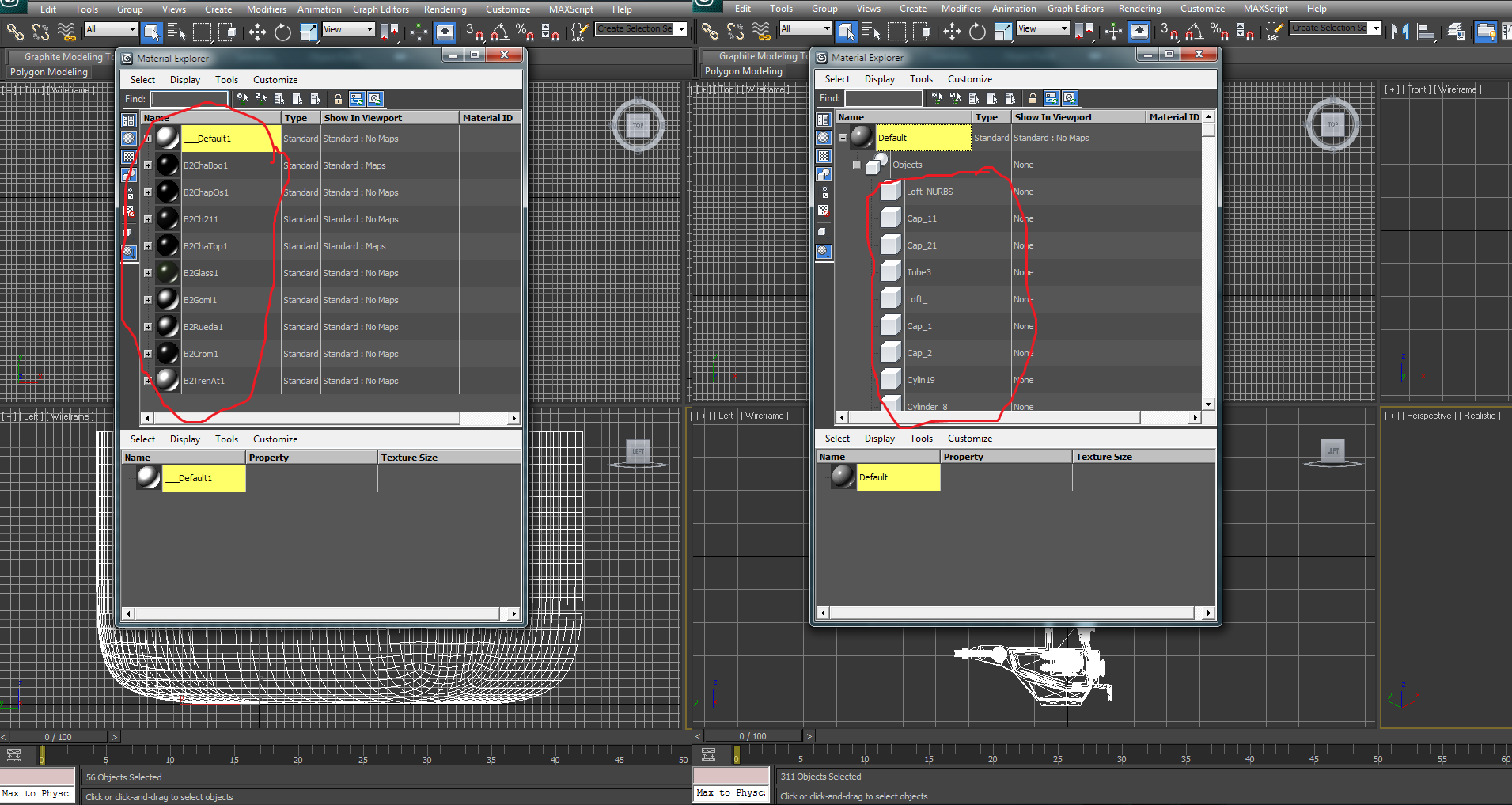
I am sorry i think i did not make myself clear, what i want is that as you can see only one materiel (the 'Default' one) and inside it are a lot of objects, i want them (the objects) to become individual materials like the Default. Here is a screenie of what i mean. Thank you very much for taking out your time for this, means a lot :)

Attachments

try this then...

Anubis · 2013-01-11

select your scene objects and run that script:

for o in selection do o.mat = copy o.mat

that should unlink their mats from the parent material.

Thank you very much once again, for your replies

Code Lyoko · 2013-01-10

Maybe i didnt make myself clear, as you can see there is only ONE default material and it has sub objects, what i want is to make every sub object Cap_11 for eg an individual material (like the default one)..... Here is an example of what i mean by different materials ....... Seriously i really appreciate you guys taking the time out for this. thank you :)

Attachments

barigazy · 2013-01-09

After adding selection material to the MaterialEditor you can change a name or any other parameters of mtl and create new materilal library for later use.

barigazy · 2013-01-09

this will extract all sub-mtls and place it in the material editor. Don't forget to select object with multi sub material.

obj = selection[1]
if obj != udefined do
(
objMat = obj.material
if objMat != udefined do
(
objMatSubs = objMat.materialList
macros.run "Medit Tools" "clear_medit_slots"
for m = 1 to objMatSubs.count do
(
meditMaterials[m] = objMatSubs[m]
)
)
)

Thanks but the script doesnt appear to be working, my fault?

Code Lyoko · 2013-01-09

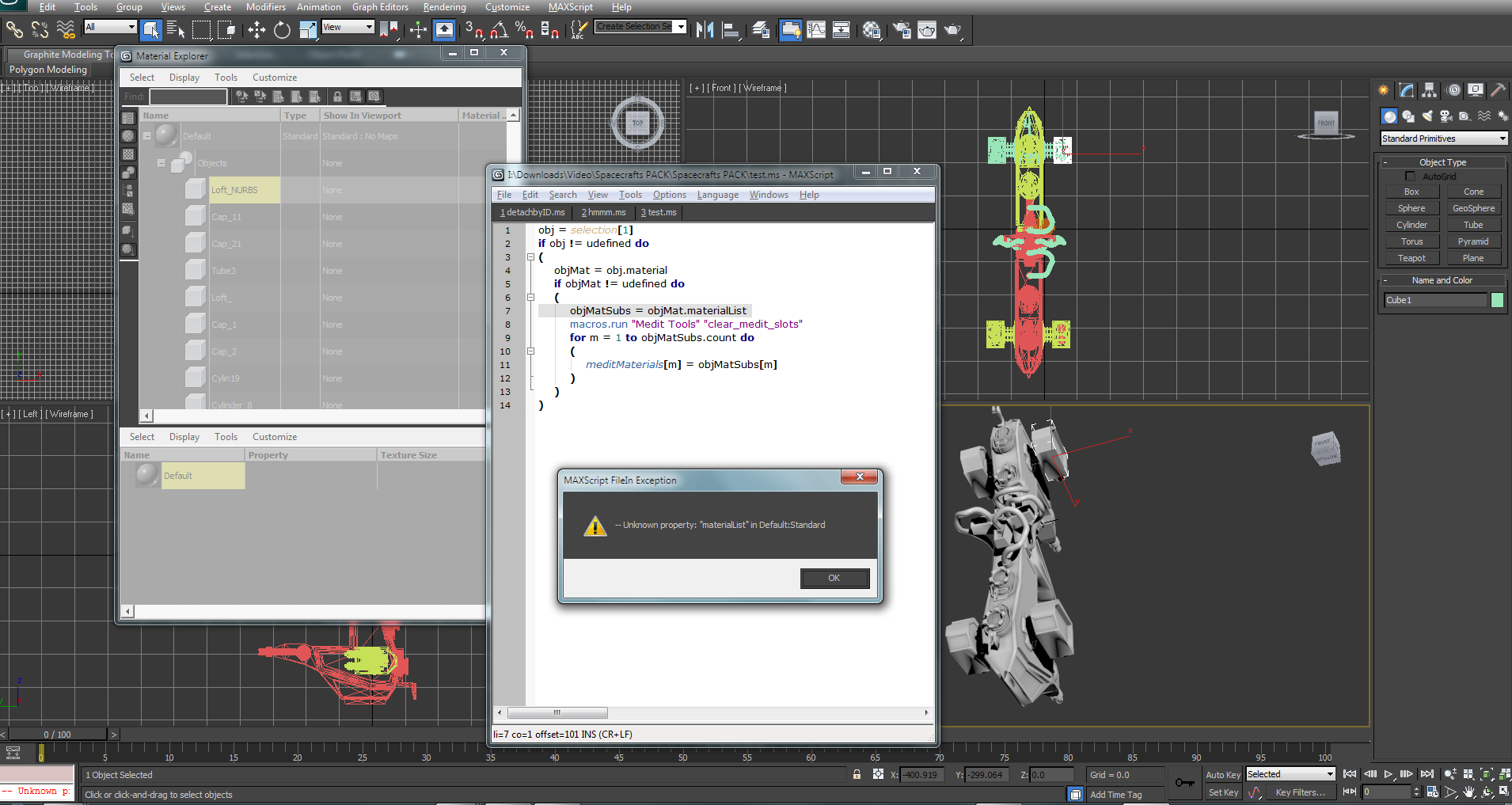
I clicked a random part of the model (an object) and ran the script however it is giving the following error , i apologize if it is my fault since i am completely new to 3ds max.

Attachments

barigazy · 2013-01-09

You recive the error because your selected part have assigned Standard material.
I edit the snippet

obj = selection[1]
if obj != udefined do
(
objMat = obj.material
if objMat != undefined do
(
macros.run "Medit Tools" "clear_medit_slots"
case classof objMat of (
(standard): meditMaterials[1] = objMat
(Multimaterial): (
local objMatSubs = objMat.materialList
for m = 1 to objMatSubs.count do (meditMaterials[m] = objMatSubs[m])
)
)
)
)

Sorry for double posting ....

Code Lyoko · 2013-01-10

I am sorry i think i did not make myself clear, what i want is that as you can see only one materiel (the 'Default' one) and inside it are a lot of objects, i want them (the objects) to become individual materials like the Default. Here is a screenie of what i mean. Thank you very much for taking out your time for this, means a lot :)

Attachments

where is the problem then?

Anubis · 2013-01-10

From atteched picture I see that your objects already has separate standard material :)

barigazy · 2013-01-10

I ask myself this question yesterday :)
Every part is detached and have Standard mtl