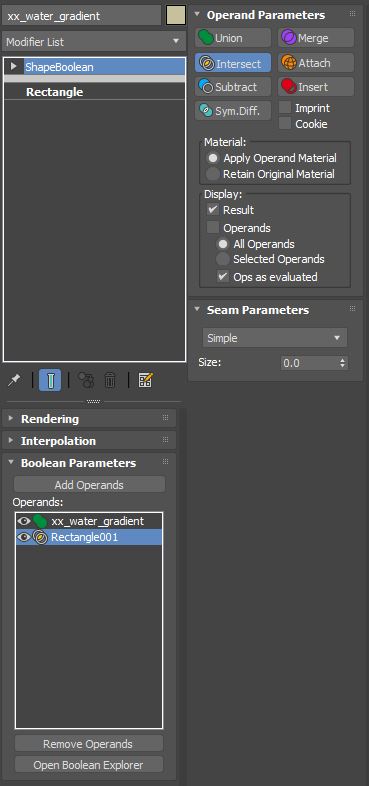
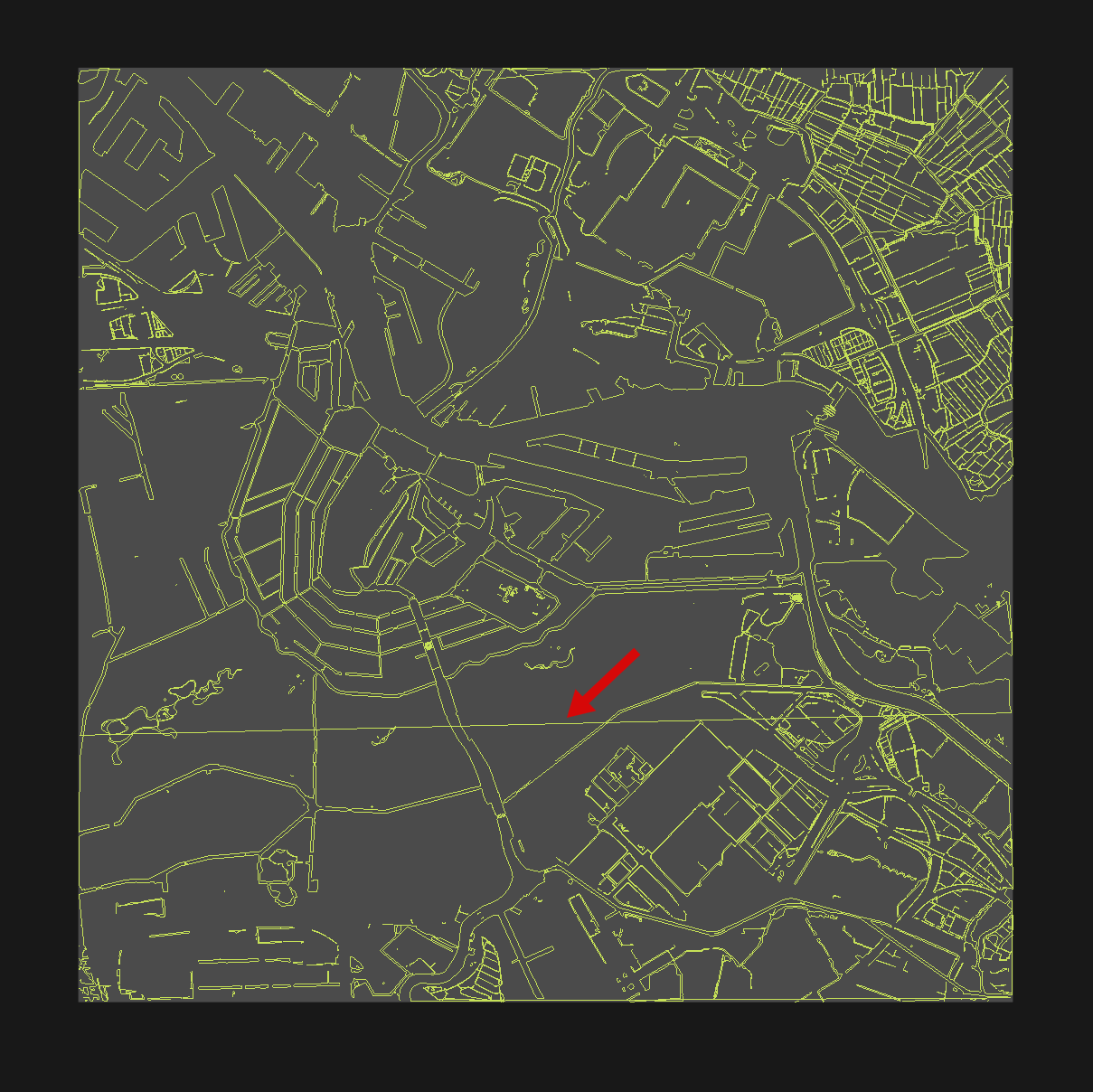
The Editable_Spline script consumes all available RAM - any help would be greatly appreciated
I'm using this code to remove all spline segments outside a certain object; however, on complex splines, it consumes all available RAM immediately and crashes 3ds Max.
Is there any way to make it significantly faster and less memory-intensive?
Appreciated in advance
( fn getMeshBoundingBox2D obj = ( local bbMin = [1e9,1e9,0] local bbMax = [-1e9,-1e9,0] local t = obj.transform local vCount = getNumVerts obj for i = 1 to vCount do ( local p = getVert obj i * t bbMin.x = amin bbMin.x p.x bbMin.y = amin bbMin.y p.y bbMax.x = amax bbMax.x p.x bbMax.y = amax bbMax.y p.y ) return #(bbMin, bbMax) ) fn isInside2D p minBB maxBB = (p.x >= minBB.x and p.x <= maxBB.x and p.y >= minBB.y and p.y <= maxBB.y) fn keepSegmentsInBox shapeObj minBB maxBB = ( local t = shapeObj.transform for i = numSplines shapeObj to 1 by -1 do ( local newPts = #() local n = numKnots shapeObj i local closed = isClosed shapeObj i for k = 1 to n do ( local nextK = if (k == n) then 1 else (k + 1) local p1 = getKnotPoint shapeObj i k * t local p2 = getKnotPoint shapeObj i nextK * t if (isInside2D p1 minBB maxBB and isInside2D p2 minBB maxBB) do ( append newPts (getKnotPoint shapeObj i k) ) ) deleteSpline shapeObj i if newPts.count > 1 do ( addNewSpline shapeObj for pt in newPts do ( addKnot shapeObj (numSplines shapeObj) #corner #line pt ) ) ) updateShape shapeObj ) local satelliteMesh = getNodeByName "satellite_texture" if not isValidNode satelliteMesh do satelliteMesh = getNodeByName "natural_land" if isValidNode satelliteMesh and classof satelliteMesh == Editable_Mesh do ( local bb = getMeshBoundingBox2D satelliteMesh local minBB = bb[1] local maxBB = bb[2] local splineNames = #("xx_water_gradient", "xx_spline_trees", "xx_spline_planes") for name in splineNames do ( local s = getNodeByName name if isValidNode s and (classof s == line or classof s == splineShape or classof s == Editable_Spline) do ( keepSegmentsInBox s minBB maxBB ) ) for s in objects where classof s == ChaosScatter do ( s.enable = false forceCompleteRedraw() s.enable = true ) ) )
Comments
Thank you, guys! I truly
Thank you, guys! I truly appreciate your efforts.
The more accurate version, where the spline intersects with the bounding box, is great; however, it's not really necessary in my case, where RAM efficiency and speed are the priority.
Moreover there is issue when extra segment created on a closed spline (I believe this happens when corners are removed, not segments).
...
You're welcome
" there is issue when extra segment created on a closed spline"
I noticed it to, it happens when a closed spline is crossing the bounding box on different sides, it remove the points outside the bounding box but doesn't creates new points on the bounding box corners resulting in a segment crossing the bounding box where it should have point or points added on corners of the boundingbox. When we rebuild the shapes if they where closed spline ,they receive a "close" function that creates a segment between the first and the last point.
Your script had a variable declared to check if the spline was closed but it wasn't used resulting in a missing segment in every closed spline.
if you don't need to keep closed spline than use the latest Miauu version, or use my first version (if you need to keep loaded splines in chaosscatter objects) but you'll need to remove the line where it close the splines.
Thanks for checking this.
Thanks for checking this. From what I can tell in the log, the script goes through each spline or segment one by one, which probably explains why it’s so slow. I’m still pretty new to MaxScript, so maybe I’m missing something obvious — but all I’m really trying to do is remove the segments that are outside a bounding box (just in XY). Hoping there’s a simpler or faster way to handle it.
...
When I run your code the RAM occupied by 3ds max jumps from 1,5GB to 14,7GB. Your script finish its job for 9.858 sec. using ~13GB of RAM and .
When I run the code below the ram jumps from 1,5GB to 2,5GB and the time of execution is 1.591 sec.
Tools and Scripts for Autodesk 3dsMax
Nice!
Much faster than boolean shape...
creating a new spline object rather than updating the original spline was a smart move from Miauu ;)
for some reason when trying both script in your scene, the resulting spline wasn't cut corresponding to the bounding mesh but was cut with an offset from the bounding mesh,
I've also modified Miauu's version to avoid loosing chaos scatter objects reference
Here is a modified version that worked for me:
The problem with this script is that if the splines doesn't have points that are close enough to the bounding mesh the resulting output isn't very accurate and result in some mixed up spline shapes (those that are close to the bounding mesh), maybe an extra step to add points where the bounding mesh intersect the spline would output a more accurate result but would add more processing time...
...
I have posted the last code just to show how to fix the issue with the spline offset in the original code. In general all built-in functions are faster than any maxscript replacement, as is the case with calculating the bounding box.
Tools and Scripts for Autodesk 3dsMax
...
In his code he creates a new spline and, at the same time, he deletes the processed sub-splines of the original spline, which takes time and eats RAM. So, just create the new spline and, at the end delete the original spline, or keep it. :)
Here is a version whith no offset of the resulting spline. I don't have Vray installed, so fix any related issues.
[quote]
(
fn getMeshBoundingBox2D obj =
(
local bbMin = [1e9,1e9,0]
local bbMax = [-1e9,-1e9,0]
local vCount = getNumVerts obj
for i = 1 to vCount do (
local p = getVert obj i
bbMin.x = amin bbMin.x p.x
bbMin.y = amin bbMin.y p.y
bbMax.x = amax bbMax.x p.x
bbMax.y = amax bbMax.y p.y
)
#(bbMin, bbMax)
)
fn isInside2D p minBB maxBB =
(p.x >= minBB.x and p.x <= maxBB.x and p.y >= minBB.y and p.y <= maxBB.y)
fn keepSegmentsInBox shapeObj minBB maxBB =
(
newS = splineShape()
for i = numSplines shapeObj to 1 by -1 do
(
newPts = #()
n = numKnots shapeObj i
closed = isClosed shapeObj i
for k = 1 to n do
(
nextK = if (k == n) then 1 else (k + 1)
p1 = getKnotPoint shapeObj i k
p2 = getKnotPoint shapeObj i nextK
if (isInside2D p1 minBB maxBB and isInside2D p2 minBB maxBB) do (
append newPts (getKnotPoint shapeObj i k)
)
)
if newPts.count > 1 do
(
addNewSpline newS
for pt in newPts do
(
addKnot newS (numSplines newS) #corner #line pt
)
)
)
delete shapeObj
updateShape newS
select newS
)
t0 = timestamp()
local satelliteMesh = getNodeByName "satellite_texture"
if not isValidNode satelliteMesh do
satelliteMesh = getNodeByName "natural_land"
if isValidNode satelliteMesh and classof satelliteMesh == Editable_Mesh do
(
local bb = getMeshBoundingBox2D satelliteMesh
local minBB = bb[1]
local maxBB = bb[2]
local splineNames = #("xx_water_gradient", "xx_spline_trees", "xx_spline_planes")
for name in splineNames do
(
local s = getNodeByName name
if isValidNode s and (classof s == line or classof s == splineShape or classof s == Editable_Spline) do
(
keepSegmentsInBox s minBB maxBB
)
)
for s in objects where classof s == ChaosScatter do
(
s.enable = false
forceCompleteRedraw()
s.enable = true
)
)
t1 = timestamp()
format "Time % sec.\n" ((t1-t0)/1000.0)
)[/quote]
Tools and Scripts for Autodesk 3dsMax
Hi Miauu
in my earlier version, the offset was already fixed :),sorry i wasn't very clear in my explanation..
At the end of the loop, i substitute the original spline by the newly created spline so that the loaded splines in his chaos scatter doesn't need to be reloaded manually, i've also used the closed spline check that was declared but wasn't used in the first version, it was important to avoid problem with scatter objects (when the newly created splines aren't closed the scatter doesn't work anymore).
to fix the offset i've removed the boundingbox function and used built-in nodeGetBoundingBox function instead, is there any reason to use your updated version with the modified boundingbox calculation function, or is it ok to keep my version as it is (it seems a little bit faster to use the built in function)?
...
I have posted the last code just to show how to fix the issue with the spline offset in the original code. In general all built-in functions are faster than any maxscript replacement, as is the case with calculating the bounding box.
Tools and Scripts for Autodesk 3dsMax
A new version
This version will first add points where the spline intersect the bounding box to output more accurate result: