3ds Max | Tutorials

In this tutorial, we will learn how to add vertices where splines intersect.

2 votes

In this tutorial, we will learn how to add vertices where splines intersect.

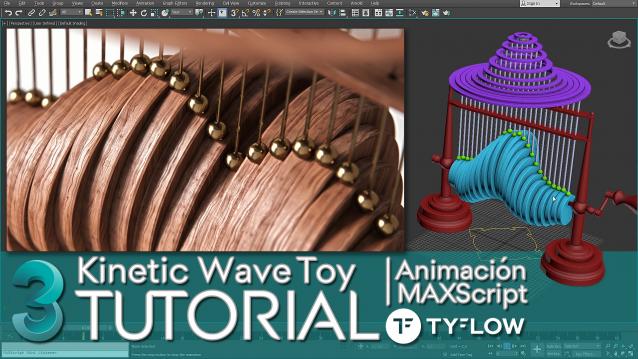
Kinetic Wave Sculpture | 3dsMax Tutorial

1 vote

In this tutorial I explain how to do in 3ds Max, the animation system or RIG of the "Kinetic Wave Toy" → https://youtu.be/F6MTOZWviAU

A step-by-step tour of all the techniques and tricks, where we also see many important concepts that every 3D animator or generalist should know.

From the basic 3D modeling of the RIG to the animation and programming of a User Interface (UI) with MAXScript, which will allow us to easily access all the parameters we need to explore the full power of a small parametric mechanical animation system.

How to ativate English subtitles: ️Configuration / Subtitles / Spanish (automatically generated) / Automatic Translation / English

LED style animation with MAXScript

7 votes

Just illustration of an example approach which can be done and without writing code but there also a few points where using MAXScript can save alot of time.

Ok, this I start just as idea for quick reply into the forum but as I remember LED style animation is popular task in animators colleges and as am not sure if there is a similar tutorial, I made this.

Lesson 10-3DS Max-Total Beginners-2D Shapes Intro-part 4- Booleans - Outline

0 votes

In this video, we will learn about 2 new features related to 2D shapes,
Boolean and Outline.

Lesson 11-3DS Max-Total Beginners-2D Shapes Intro-part 5 - Mirror - Add Vertices

0 votes

In this video, we will learn how to mirror a sub-object element in a spline shape and how to determine a custom axis for the mirror operation. In the second part, we will see how we can add new vertices to an existing spline.

Lesson 12 - 3DS Max - Total Beginners - 2D Shapes - Part 6 - Cross Section

0 votes

In this video, we will learn about this nice feature inside the 2D shapes called Cross Section, where you can create a cross-section between existing splines sub-object levels. Also, we will see how we can create a surface from these cross-sections by adding a Surface modifier and explaining some of its parameters

Lesson 13 - 3DS Max - Total Beginners - Intro To TurboSmooth - Part 1

0 votes

In this tutorial, we will learn about TurboSmooth modifier, what's for, how it works, how to use support edges to constraint the smoothing to specific parts of the model, and finally a quick explanation of why professionals recommend keeping your polygons as quads(= 4-sided polygons).

Lesson 14 - 3DS Max - Total Beginners - Intro To TurboSmooth - Part 2

0 votes

In this second part of the TurboSmooth modifier's series, we will learn how to use the Smoothing groups option to constrain the smoothing in a certain direction. Also, how can add a second TurboSmooth after that to create a kind of fillet between the polygons.

Lesson 15 - 3DS Max - Total Beginners - Intro To Array Tool

0 votes

In this tutorial for 3DS Max total beginners, we will take a look at the Array tool, a powerful feature to create copies from objects based on 3 modes: 1-Array based on the X, Y, and Z coordinates, 2-Polar array, 3-Array based on a scaling factor.

Lesson 16 - 3DS Max - Total Beginners - Array Tool - Combine Modes

1 vote

In this new tutorial for 3DS Max total beginners and the second regarding the Array tool, we will use a test case, a simple model to create using combined array modes, the Polar Array and the Scaling Array. Also, while watching the video, you will learn some other stuff along the way.

Syndicate content