Batch Camera Render

New version release - 1.8.2
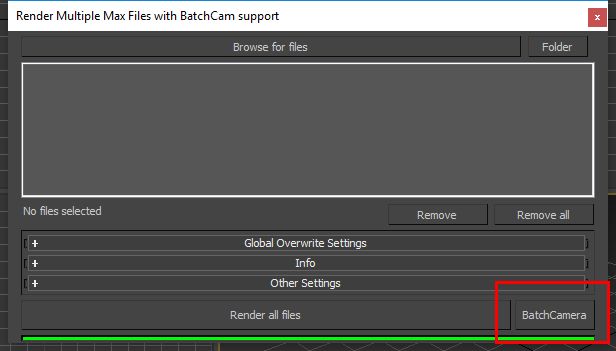
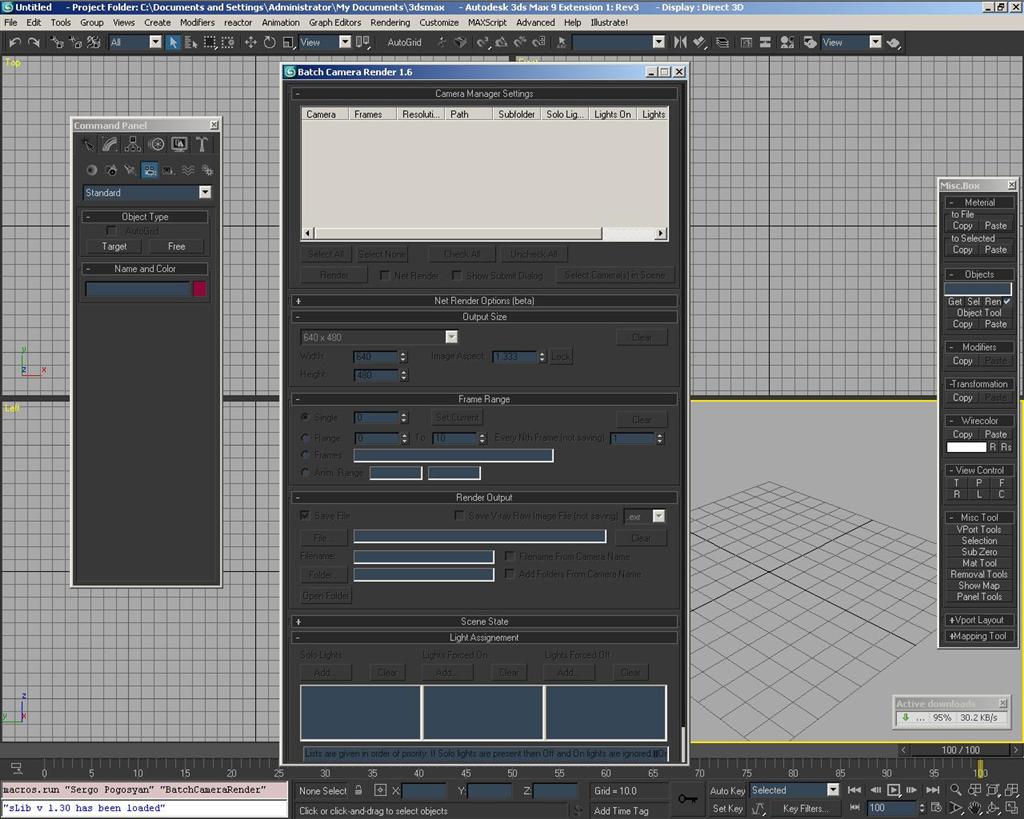
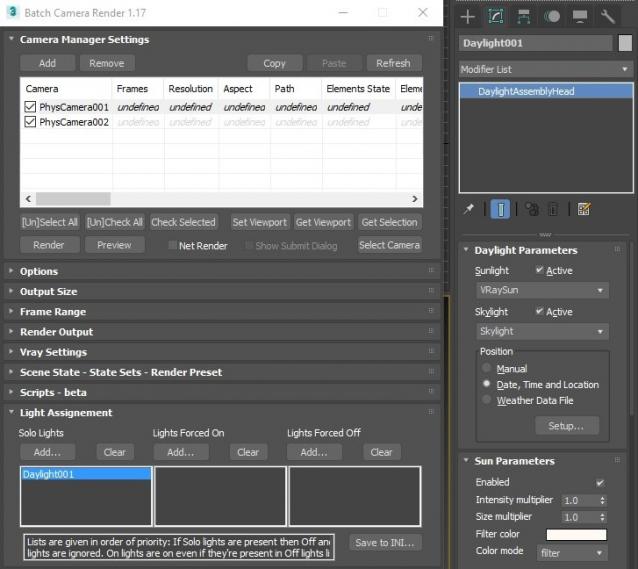
This script aims to replace standard 3dsmax's Batch Render and imitates Houdini Output Node workflow. Using it you can specify rendering parameters - frame size, frame number, output path - directly to camera object, so every camera in scene 'knows' what it intended to render. Additional functionality is Lighting Assignment - you can specify which light will be turn on or off for selected camera during the rendering.
UPDATE 2010-01-15:
Minor Improvements and Bugfix Release
- New Save Separate Render Channels checkbox added to control saving separate render channels with Vray renderer. This checkbox works in the same way as the checkbox in the Vray::Frame buffer rollout.
- Render Elements' file type (with Vray renderer) changed from the Vray Raw Image file's type to the main output image's.
- All global settings are saved to BatchCameraRender.ini located in the user's 3dsmax/.../plugcfg/BatchCameraRender folder. Now all global settings are saved across the sessions.
UPDATE 2010-01-02:
New Features and Improvements:
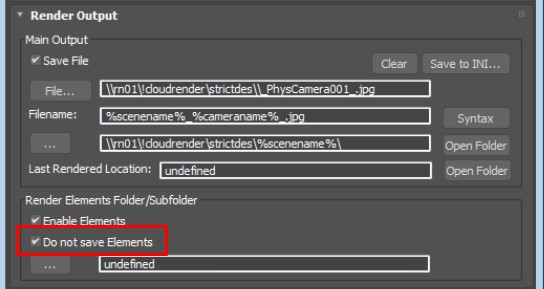
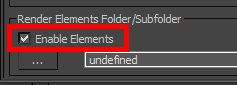
- Render Elements path parameter and on/off switch added. Path property lets you set Render Elements rendering path. Path may be absolute or relative. In latter case path would be relative to Main Output path. This property is also supports use of keywords. There was a bug with Vray renderer and it's now fixed: Render Elements didn't render when "Enable VFB" was on. I've posted the problem on cgtalk.com and on chaosgroup.com but there is no answer. Bug fixed thanks to the Track's solution.
- "Send Job as 32/64-bit" switch added to the Net Render Options. This switch lets you submit net render job as 32/64-bit respectively. If users platform differs from the on specified by this switch, it would be reflected in network job name, e.g. if user works on 32-bit platform and submit 64-bit job, that job will have "64-bit" phrase added to the job name.
-
Some buttons added and changed:
- "Toggle Check All" Checks/unchecks all cameras for the rendering.
- "Check Selected" Checks only selected camera(s).
-
Vray parameters moved to separate rollout. Some Vray-specific parameters added.
- "Vray Image" Multiplier - this could be used to specify .vrimg (or .exr) file resolution.
- "Enable VFB" - this checkbox is the same as "Enable built-in Frame Buffer" checkbox from the Vray:: Frame Buffer.
- Several bug fixes considering store/restore parameter values during max's session and handling of enabled/disabled state of the parameters.
UPDATE 2009-10-21:
New Features and Improvements:
-
Image file name template system implemented - now you can use special keywords to include camera name, scene state name, date, resolution, scene file name and project folder name in image file name or path. Therefore, "File name from camera name" and "Add folders from camera name" flags were removed. The keywords are:
- %cameraname%
- %scenestate%
- %resolution%
- %date%
- %scenename%
- %projectfolder%
Example usage: D:\Work\%projectname%\%date%\%cameraname%.jpg
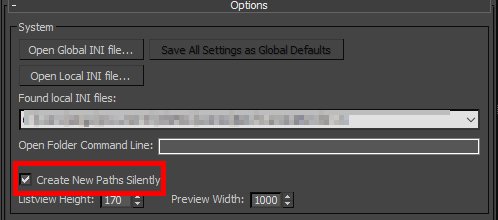
- Added new flag "Create new paths silently" - if this checkbox is set paths that doesn't exist at the moment you submit rendering will be created silently without any warning. If checkbox is not set warning dialog box will be displayed.
-
Net Render Options parameters are saving to the special .ini file located in the ..\plugcfg\BatchCameraRender\ folder. Port parameter is fully functional and none of these parameters are hardcoded anymore.
For the first time the script is running you should set "Auto Search" to desired state and enter IP mask or manager name. Then press "Save Settings" to save net render parameter values to ini file. Port number is optional parameter, and default value will be used if you don't change it. -
New buttons added to UI:
- "Set Viewport" button to set selected viewport to selected item in camera list.
- "Get Viewport" button to select list item according to selected viewport.
- "x2" and "1/2" to quickly halve and double rendering resolution.
- "to Max" and "from Max" to set or get resolution from or to max's Render Setup window.
- Several bug fixes.
Bug reports and suggestions are always welcome.
Installation:
Run this script with Maxscript -> Run Script command from any folder on your hard drive, then go to the *'Customize User Interface' -> 'Toolbars'*, browse to category 'Sergo Pogosyan' and add 'Render scene cameras...' button to the toolbar or to the menu.
Usage:
When you start this script it iterate over all cameras in scene and list them in the dialog box. To each of these cameras you can assign frame resolution, number of frames to render including nonsequential frames, output file location and lighting setup. All these properties can be changed for one or several selected cameras. Output file location is split to folder path and file name, so you can specify new folder for all selected cameras in scene. 'Lighting assignement' section contains three list: Solo light list contains lights that will be only lights turned on during the rendering, 'Forced On' and 'Forced Off' lights are turned on or off respectively during the rendering. After all these setting will be set up (if some properties is not set value from the Render Setup will be used), check the camera(s) in the list and hit Render button. Check Net Render checkbox to submit network render job. Supported lights: All bundled 3ds max lights, all Vray Lights Supported cameras: All bundled 3ds max cameras, Vray PhysicalCamera
Full (but old) description : http://sergepogosyan.com/en/scripts/BatchCameraRender/


Comments
Sergo: This is a great
Sergo:
This is a great script. Wondering if you could make one improvement. I was trying to use this yesterday to submit tests of several animations that are in one file.
It would be great if under the FrameRange Groupbox, there was an option to render "Every Nth Frame" like in the main renderer.
This way - you could have say, five animations in the top matrix, but instead of rendering every frame, you could render only ever say, 24th frame.
Then, when your done with the tests, you can shut off "Every Nth Frame", and render the whole thing.
Anyway - just a thought, thanks again for the script.
Ok, it's not a problem to
Ok, it's not a problem to add this field to the script. Added to TODO list.
Thank you for suggestion!
my scripts and tips/tricks:
www.sergepogosyan.com
my scripts and tips/tricks:
www.sergepogosyan.com
Robust script and really
Robust script and really save your time for creative.
Thank you! my scripts and
Thank you!
my scripts and tips/tricks:
www.sergepogosyan.com
my scripts and tips/tricks:
www.sergepogosyan.com
Odd issue with Batch Camera
Odd issue with Batch Camera Render 1.4, plus one improvement.
The odd thing happening is that the script only works if i make a shortcut button to a toolbar through "Customize/Toolbar/Sergo Pogosyan"
If i try to open the script in the editor and evaluate it, it doesn't run. It does produce the following in the listner "27654"
Also - i have a custom ui interface/dialog bar (similar to rappa tools) that i use, and if i create a button and link it to the path where i saved the 1.4 script, the script will not run (Although the previous versions of it ran just fine)
What changed since earlier versions that would cause this?
One Improvement would be the auto-naming of render jobs to backburner when using the "Net Render" feature.
Currently, I have to name each job being sent. The native batch render in max allows you to specify a generic name, then it tags the generic name with the camera name which is displayed in backburner. For Example:
lets say i want to send a network job to backburner through the batch renderer, I select two cameras: Shot_01 and Shot_02.
In the network job assignment dialogue I type "Test_Frames_" as the Job Name. Batch Renderer then Sends both jobs, using the Job Name + Camera Name, resulting in the following in Backburner.
Test_Frames_Shot_01
Test_Frames_Shot_02
I suppose that this could be a checkbox, so folks who want to name each job individually could, and lazy folks like myself could just let max figure it out! :)
Many thanks,
Hi! This script is a
Hi!
This script is a macroscript thing, so you can not run it simply from the MaxScript Listener Run command. It deliberately configured to run from toolbar button or rightclick menu command. And I didn't change anything in this configuration since the very first version. You can run this macroscript by the macros.run "Sergo Pogosyan" "BatchCameraRender"command entered to the listener.
About render job autonaming I've written in the description at http://forums.cgsociety.org/showthread.php?f=98&t=729386. This is known drawback and I really don't know what to do with it.
Maxscript's netrender interface allows you to name netrender jobs before submitting, BUT you have to be queue controller to submit render job. As for me to request queuecontrol everytime I submit the render job is more evil restriction then to name each render job manually. Anyway, I should confess that this is a serious drawback, and I'll be thankful if someone shows me the workaround.
my scripts and tips/tricks:
www.sergepogosyan.com
my scripts and tips/tricks:
www.sergepogosyan.com
I've found the workaround!
Maxscript gives almost full access to Batch Render functions, so I've decided to change the way this script is submitting render jobs.
Presently it submits jobs in simple cycle through all checked camera, one by one. This is why user should name network jobs one by one. I think it should be better if this script will be something like frontend for the max's standard Batch Render command. Workflow will be something like that - when you hit render button in this script it creates render jobs for the max's Batch Render and submits network rendering through it. So naming network job problem will be gone, since this is what makes max's Batch Render so useful. And light state information could be passed by the dynamically created scene states.
It'll take some time, to implement this algorithm, but I think it makes whole workflow clearer and more familiar to max users.
Ideas and suggestions are welcome.
my scripts and tips/tricks:
www.sergepogosyan.com
my scripts and tips/tricks:
www.sergepogosyan.com
New version is ready! Major
New version is ready!
Major new feature is netrender job autosubmitting. I was wrong saying that committing netrender jobs
requires exclusive backburner control. So now it is implemented and working with script became much more productive.
Enjoy and let me know how script works!
my scripts and tips/tricks:
www.sergepogosyan.com
my scripts and tips/tricks:
www.sergepogosyan.com
I hope you put some papper
I hope you put some papper size print preset (like A4, A3, envelope, etc)
Thank
Bug (3dsMax 9-32bit) , some
Bug (3dsMax 9-32bit) , some blank dotnet when scene don't have camera
Chack Attachment!
Thank
> Bug (3dsMax 9-32bit) ,
> Bug (3dsMax 9-32bit) , some blank dotnet when scene don't have camera
Thank you, but it's not a bug - there's no reason in this script when you don't have a camera in your scene.
my scripts and tips/tricks:
www.sergepogosyan.com
my scripts and tips/tricks:
www.sergepogosyan.com
in the prev ver , the script
in the prev ver , the script don't act like that, so I assume this is bug.
hey sergey, great job! this
hey sergey, great job!
this script is a really nice time(ages) saver. many, many thanks for that. :)
for special needs i had to add some code lines to support (vray) render elements. let me know if you are interested in them so maybe you can implement the feature in an upcoming release. i also added you in skype.
best wishes!
Thank you,
Thank you, le1setreter!
Render elements support is in my main todo features. I'm very interested in it, but as always, don't have enough time to implement it. Could you send me your modifications?
my scripts and tips/tricks:
www.sergepogosyan.com
my scripts and tips/tricks:
www.sergepogosyan.com
I think this script need
I think this script need auto camera refresh when new camera added.....
Yes, fajar, I thought about
Yes, fajar, I thought about it. It needs many such callbacks - refresh when cameras added or deleted in scene, refresh when new scene is loaded. I'll add these callbacks sooner or later.
my scripts and tips/tricks:
www.sergepogosyan.com
my scripts and tips/tricks:
www.sergepogosyan.com
i did specially register
i did specially register today to thank you for this marvellous script
there is one issue though with the new silent submission to net render
the job doesn't automatically start on the render farm , you have to start it manually, the default batch render start it automatically
in the mean time , i will test it for the multi element render in single file exr , that vray support, as you have added the magic support for vray raw image render
oh , i found that it didn't auto start the render because it didn't assign any available render node for the job
i did edit it twice, ok, when i silently send the job to render farm, it says that there is no plugin available to handle the job, when i use the submit dialogue , it renders okay
It's something strange,
It's something strange, a-ezz. You have so many problems, I don't even know where to start from.
There is one thing you should consider when you use this script - any other setting that is not set by this script, is using with default value. I think you should check such settings as Initialy suspended and Server Usage in Network Job Assignment dialog. Just check Show Submit Dialog checkbox in script, set these settings, and submit a job. After that, when you submit jobs silently, that settings will be used as default.
Could you send me screenshots of your backburner manager window with error messages?
my scripts and tips/tricks:
www.sergepogosyan.com
my scripts and tips/tricks:
www.sergepogosyan.com
oh, my bad i checked today
oh, my bad
i checked today the render monitor , and the reason the job didn't start is that it's assigend as a 64bit job
i always submit the jobs in my render as 32bit jobs
but i work on max 64bit
so, the render manager complains about not having any render nodes for 64bit jobs
that's normal
my mistake
but just to note as i use the submission dialogue in max and send the jobs as 32bit, could you provide that override as max, as it seems that your method of sending the job uses the working max build
thanks again for your efforts
You know, I'm trying to
You know, I'm trying to override as little parameters as possible to not overload UI with different settings.
Since script uses all non-set parameters with default values you can send 32-bit render jobs silently if you send one job through the submission dialogue and switch job to 32-bit. All subsequent (silently submitted) jobs should have same setting, I believe...
Try it and let me know, please. I'm working in 32-bit environment and can't check it myself.
my scripts and tips/tricks:
www.sergepogosyan.com
my scripts and tips/tricks:
www.sergepogosyan.com
I've checked maxscript
I've checked maxscript reference and couldn't find any method to choose 32 or 64-bit job type. I'm not sure, but I think there's no way to set that property from the maxscript. Will check further later.
my scripts and tips/tricks:
www.sergepogosyan.com
my scripts and tips/tricks:
www.sergepogosyan.com
thanks for your follow up i
thanks for your follow up
i did as you said before reading your post, but unfortunatly , it doesn't send the default as 32bit , even when switching it in a preceeding job, then render with your script
always send the job in 3dsmax's build
I've found something useful!
I've found something useful! Actually there is a switch in maxscript to change submitting job from 32 to 64-bit and vice versa, so I'll add this option soon. Just need some testing.
Thank you! You're helping me to make my script perfect :)
my scripts and tips/tricks:
www.sergepogosyan.com
my scripts and tips/tricks:
www.sergepogosyan.com
Is this compatible with Vray
Is this compatible with Vray and VrayCameras?
Yes, of course! I'm using it
Yes, of course! I'm using it with vray cameras.
my scripts and tips/tricks:
www.sergepogosyan.com
my scripts and tips/tricks:
www.sergepogosyan.com
Thanks a lot. I installed
Thanks a lot.
I installed and using for the first time :)
Render started but I see no frame buffer.
First VrayFrameBuffer was active and I thought - that is why. I canceled and disabled VFB. I hit render again. I see irradiance map progress in render dialog window but see no frame buffer at all.
Is this normal?
I will be only see the renders as saved files render output?
I've tested script with vray
I've tested script with vray frame buffer and in my environment standard frame buffer showing every time unless Rendered Frame Window flag is unchecked in Common tab. Try to check this flag to turn on Standard Frame Buffer.
On the contrary Vray Frame Buffer doesn't appear at all... Quite strange, I didn't test this script with Vray Frame Buffer. Will try to fix it.
Thank you!
my scripts and tips/tricks:
www.sergepogosyan.com
my scripts and tips/tricks:
www.sergepogosyan.com
OK thank you :) I am about
OK thank you :)
I am about to make long renders so I have one last question.
If I enable from VrayRender Properties, will the irradiance map be saved?
I think yes, all settings
I think yes, all settings that are not set by this script should work as they work without any script.
my scripts and tips/tricks:
www.sergepogosyan.com
my scripts and tips/tricks:
www.sergepogosyan.com
OK thank you very much. Then
OK thank you very much.
Then if I put alfa channel in render passes, will that be saved too?
:) I think yes, but you
:) I think yes, but you should take care of the paths for the render passes - current version of the script handles only main image file's path.
my scripts and tips/tricks:
www.sergepogosyan.com
my scripts and tips/tricks:
www.sergepogosyan.com
Thanks a lot for this
Thanks a lot for this script! I believe it is great.
Nice work Sergo :) . I've
Nice work Sergo :) . I've using it since v1.4
I would like to suggest some features if possible:
- Override format output to all files(jpg, bmp, tiff, including settings)
- Automatically add camera names to file output (Image, vrimg, vrmap, vrlmaps) (ex. 01.jpg, 01.vrimg, 01.vrmap, 01.vrlmap)
- Add prefix to files
- Don't render final image (usefull for pre calcs)
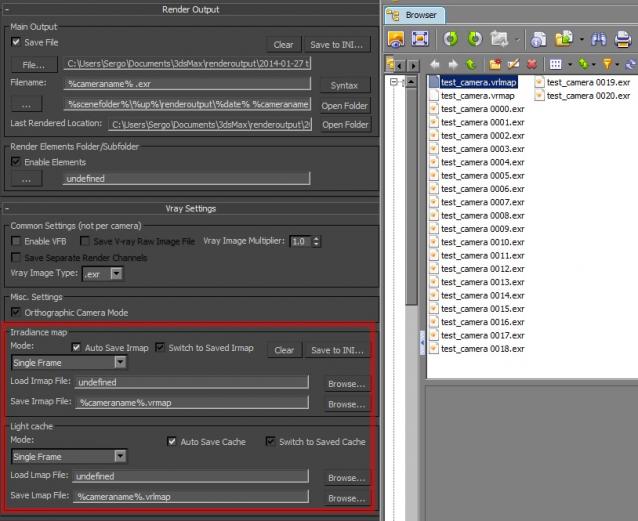
- Save and Load Irradiance and Lightcache maps, as well as modes (single, add to current, flytrough, etc). (Very usefull for Vray users)
BTW, I'm don't know anything about maxscript, but I hope you find those features interesting to improve you work.
I attached my Photoshoped version for your script :)
God bless you man!
Thank you for your
Thank you for your suggestions, pifitas! I've send you an email.
my scripts and tips/tricks:
www.sergepogosyan.com
my scripts and tips/tricks:
www.sergepogosyan.com
finally someone who knows
finally someone who knows how knows V-Ray raise a hand!! I like it very much your idea pifitas
I didn't mean to write
I didn't mean to write vray-oriented batch renderer! But it seems that no one uses other renderers...
my scripts and tips/tricks:
www.sergepogosyan.com
my scripts and tips/tricks:
www.sergepogosyan.com
very usefull to render many
very usefull to render many scenes
The life is Good
Just having a look at this
Just having a look at this and it could prove to be a very useful little script.
I'd also like to ask for the render region option, and I can't seem to be able to save out a vrimg on its own at the moment. I seem to have to save an image as well. This could just be my lack of understanding though.
Another useful feature would be to set the sun/daylight system time of day/year so that each camera can have a different time associated with it.
Yet another idea: how about
Yet another idea: how about combing it with shimakaze's tools for extracting all the exr files out of the vrimg file. Now that would be nice!
Hi birket Render region
Hi birket
Render region option is already in near future todo list. Vray image should be saved separately if you've checked save vray image checkbox. Just let me know if it doesn't work.
I've just discovered that script doesn't support sun/sky systems! Thank you for the pointing out. I'll make the script see sun/sky systems as lights and it will be possible to add different sun/sky systems for different cameras. Just as you can do with other lights now. Not through the separate parameters for the days and hours, but through adding several sun/sky system to the scene, each for the different camera, and pointing these systems as on or off or single for the corresponding camera.
As for the external tools, I don't sure if it will be added to the script. But I'm planning to add custom script-running feature, (just like post-render scripts in max) after each camera, or after all camera. And by using that feature you can run whatever external tool you like.
my scripts and tips/tricks:
www.sergepogosyan.com
my scripts and tips/tricks:
www.sergepogosyan.com
Sergo Thanks for the prompt
Sergo
Thanks for the prompt reply. I will test again saving ONLY a vrimg file and see what happens.
WRT the sun/sky system, is there no way of controling the time/day per camera rather than having multiple daylight systems? It would just seem to me to be a cleaner/simpler interface/idea than having different skylight and sunlight systems floating about your scene.
With current version you can
With current version you can not render ONLY vrimg file, sorry, I didn't understand you well.
You know, lighting state setup is already implemented in the script, and since sun/sky is the light source it should be treated as a light source. This behavior is cleaner by design of the script.
To be honest I don't use sun/sky systems at all, and implementation of this feature would be the contribution to the community, so the bigger is the community the bigger is the chance that this feature would be implemented. May be it would be usefull to have some sort of voting system at this site. But voting itself is also the question of popularity.
my scripts and tips/tricks:
www.sergepogosyan.com
my scripts and tips/tricks:
www.sergepogosyan.com
Here's new version with some
Here's new version with some improvements. Namely Render Elements path support and some vray specific features.
to birket: Now you can render ONLY vray image files. Just turn off save file checkbox in main output, and turn on save vray image file in vray settings rollout.
my scripts and tips/tricks:
www.sergepogosyan.com
my scripts and tips/tricks:
www.sergepogosyan.com
is this support max 9 ?
Fair enough - it was only a
Fair enough - it was only a suggestion.
We always use the sun system as our clients demand that we use correct (realistic) times of day for their images.
Didn't try under max 9, but
Didn't try under max 9, but I guess it should work. Why not?...
I add sun/sky setting to the todo list. If there would more people demanding such setting that feature will get higher priority. Can not say that there is too many people with suggestions, but anyway, there are some features I've already planned to implement.
I hope scriptspot will have voting system in near future, so it would be easier to decide which feature is most popular. Until that time (and after that too) I'm ready to customize (or to build from scratch) scripts for the inhouse use, as a paid job, of course.
my scripts and tips/tricks:
www.sergepogosyan.com
my scripts and tips/tricks:
www.sergepogosyan.com
Become comercial ?
Become comercial ?
No, no. I didn't say that.
No, no. I didn't say that. I don't like that "became popular - become commercial" situation. But I'll be happy to make money with scripting, and if some studio needs to implement something totally customized, it not strange to do it for some reward.
And it doesn't mean that sun/sky setting is something strange. It's ok, and it will be added, sooner or later.
my scripts and tips/tricks:
www.sergepogosyan.com
my scripts and tips/tricks:
www.sergepogosyan.com
Ahh......Im so
Ahh......Im so relieve......if this become comercial i dont have any money to get it! hehehehe.......
But I'll be happy to make money with scripting, and if some studio needs to implement something totally customized, it not strange to do it for some reward.I agree with you, no offend!
and thank for 1.8 update!!
Hello again Sergey Nice
Hello again Sergey
Nice update :)
I'm still wondering if my suggestions can be cosidered in coming versions:
- Save / Load VRL and VR vray Maps PLEASE PLEASE :(
- Override format output for all files, instead slecting one by one
- Automatically add name to cameras / files instead one by one as well as automatically use current folder to save.
- Area selection (View, region, etc)
- Force to Hide / Unhide objetcs (like lights) (NEW SUGGESTION)
By adding names to cameras and output files, as well as override output file format, practically you simplify job in 3 STEPS:
Open batch render
1) select cameras (they already have camera's name and output format name)
2)override format and output path
3)Render... :) easy.
BTW Congratulation for this amazing script :D!!!!
Hi pifitas! > -
Hi pifitas!
> - Automatically add name to cameras / files instead one by one as well as
> automatically use current folder to save.
Did you try to use keywords in filenames, such as %cameraname%? Using keywords you can set output for all your cameras at once - just select them all and type %cameraname%.ext to the file name! One thing you have to do is to name correctly your cameras - I'm using names such "livingroom", "outside" etc. And this should be done one time! Normally you don't want to rename your output.
As for me, I don't even change file extension - I'm always render to .exr. For previews I'm using relatively small resolution.
my scripts and tips/tricks:
www.sergepogosyan.com
my scripts and tips/tricks:
www.sergepogosyan.com
>>The only bug that I could
>>The only bug that I could not solve is that Render Elements don't render when "Enable VFB" is on.
>>I've posted the problem on cgtalk.com and on chaosgroup.com but there is no answer yet.
>>Any help is much appreciated.
Hi Sergo.
I had the same problem in my script VrayMultiStageRender
I found the solution:
----------------------
3d-kstudio.com
FilePathFinder-for search, relink, collect, sort and rename asset filles...
Thank you Track! It works!
Thank you Track!
It works! Cool! :) Will point guys from chaosgroup to this post.
my scripts and tips/tricks:
www.sergepogosyan.com
my scripts and tips/tricks:
www.sergepogosyan.com
+1 for Save and Load
+1 for Save and Load Irradiance and Lightcache maps. Awesome script!
Thanks for keyword tips
Thanks for keyword tips Sergey, I've never used them
And what about FORCE TO HIDE / UNHIDE OBJETS Feature?
I would like to suggest votation for VR and VRL maps
Thanks!
What you think about scene
What you think about scene states as a method to hide/unhide objects for different cameras?
I've never tried but I think hide/unhide objects will make script little bit slow... Don't know, have to try...
my scripts and tips/tricks:
www.sergepogosyan.com
my scripts and tips/tricks:
www.sergepogosyan.com
Hi again sergo I tried to
Hi again sergo
I tried to use scene states, but I didn't understand how it works, also searched on your web page, but nothing :( can you explain more about this feature please?
Maybe you're right when you said FORCE TO HIDE / UNHIDE objects will make script bit slow, so what about FORCE TO RENDER / DON'T RENDER certain objets, instead of hiding them?
Thank you!
Hi piftas! Scene states is
Hi piftas!
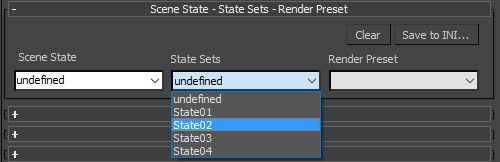
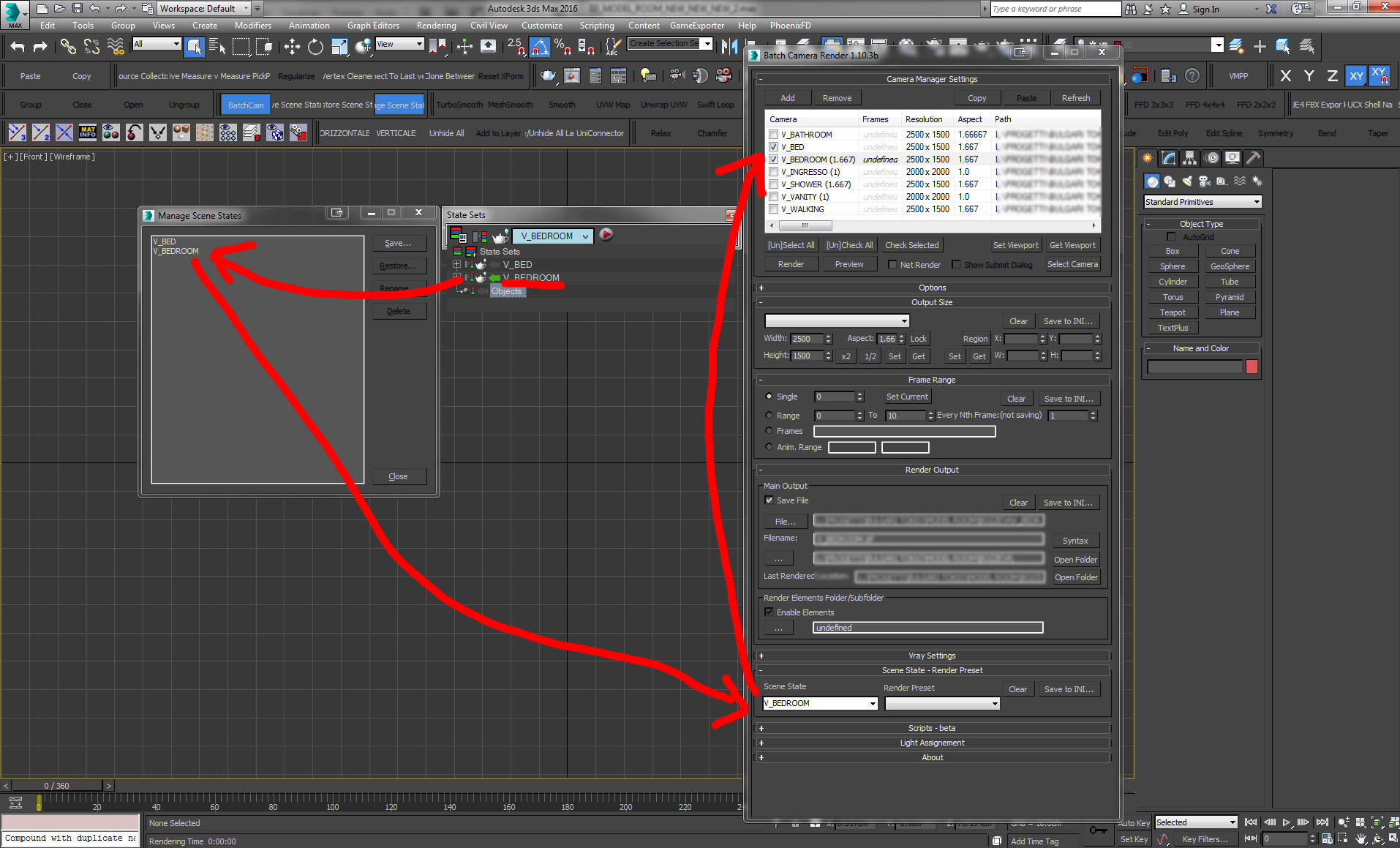
Scene states is a 3ds max's feature, not script's. You have to read 3ds max's manual to understands how it works. In two words - scene state lets you remember named states of scene, state of materials, objects hide/unhide state and so on. In Batch Camera Render you can assign certain scene state to each rendered camera.
So using BatchCameraScript with predefined scene state you can specify which object will be rendered.
my scripts and tips/tricks:
www.sergepogosyan.com
my scripts and tips/tricks:
www.sergepogosyan.com
sergo, your script is a HUGE
sergo, your script is a HUGE lifesaver. thank you a hundred times over.
is there anything I need to be aware of using it with 2009 x64? I noticed that ppl were having trouble with it, but then you specify that this version is supported...so is it ok?
i need all the render elements working with my vray, is there anything I need to know about using this setup?
Thank you oompa_l! I've
Thank you oompa_l!
I've uploaded new version with vray elements fixed. Script works well under x64 bit Windows and with max 2009 and 2010.
I don't use render elements much, just made some tests. So you need to make some tests before using script in production. Try it and let me know how it works.
my scripts and tips/tricks:
www.sergepogosyan.com
my scripts and tips/tricks:
www.sergepogosyan.com
Fantastic script! This saved
Fantastic script! This saved my a$$ since the max 2010 / backburner file incrementing bug has yet to be fixed. I know there's a workaround but it didn't work for me...
Here's something I've found with regard to rendering V-Ray raw images.
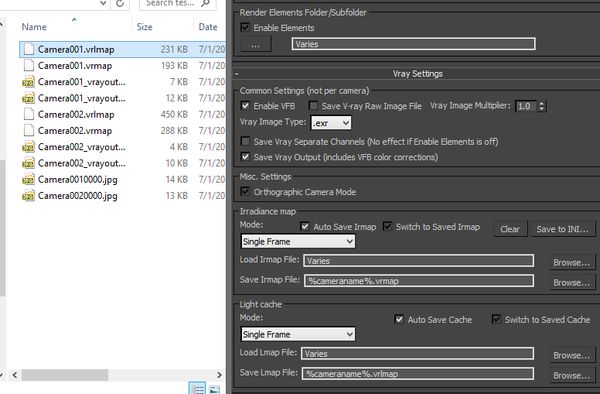
When I render using the standard Render Setup>V-Ray tab and check the 'raw image file' box I can browse and specify where the .exr will be saved, and any elements I have selected on the Render Elements tab will be saved WITHIN that one .exr file - not a bunch of different element files.
I have not been able to reproduce this with your script - the settings are a little confusing, or maybe I'm just not setting things up correctly, or both.
I read above that I need to uncheck 'Save File' under Main Output if I want the V-Ray raw .exr file only.
>> I set the path for output using the '...' button in the field below 'Filename'. Then if I don't check 'Enable Elements' the .exr file doesn't store any extra elements. Checking 'Enable Elements' and setting a path within that section creates a separate .exr file for each render element. I want just one output file.
Am I doing something wrong here? Does .vrimg work properly in this regard?
Thanks!
In current version enabling
In current version enabling Render Elements checkbox causes saving separate files in any case. I've made some tests with exr and with vrimg, and in my case both files contain extra channels, along with the separate files unless you've unchecked Render Elements checkbox.
Your message helped to find some bugs, also I've changed file type of the render elements to main file type. I've added new checkbox to enable/disable saving separate channel files with vray, so now you can render just vray raw file with extra channels.
I would like to send you this bugfix release for testing, before posting it here, could you give me your email?
my scripts and tips/tricks:
www.sergepogosyan.com
Wow that was fast. Thanks
Wow that was fast. Thanks for being awesome!
I'd be happy to take a look at the bugfix - pm sent!
Yaay new version! I look
Yaay new version!
I look forward to having ooodles of frames waiting for me tuesday!
Sergo, thanks a million for
Sergo, thanks a million for your great efforts!
I can't find the link for the latest version (january 2010). I followed links but I reach to the April-2009 version. Where is it?
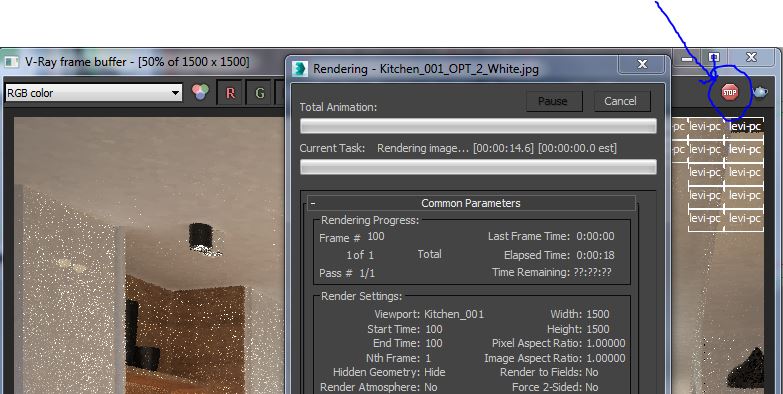
Any news about supporting VrayFrame Buffer?
This page contains link to
This page contains link to the latest version - http://sergepogosyan.com/scripts/BatchCameraRender18/
And here's the direct link - http://sergepogosyan.com/media/scripts/BatchCameraRender18/BatchCameraRe...
There is separate checkbox to enable/disable vray frame buffer, so now it has to work. Try it and let me know how it works.
Thank you.
my scripts and tips/tricks:
www.sergepogosyan.com
Thanks, you are great with
Thanks, you are great with great support :)
VFB works :) Region render on
VFB works :)
Region render on VFB works too! Thanks again.
Thank you for testing! Enjoy!
Thank you for testing!
Enjoy! :)
my scripts and tips/tricks:
www.sergepogosyan.com
Would it be possible to add a
Would it be possible to add a %framenumber% keyword to the file syntax? I would like to be able to render a single frame from each direction, then advance to the next frame. Or at least have it saved sequentially that way. (it is a weird way that this one game compiles sprites :-/)
It is possible but right now
It is possible but right now you can render single frame with frame number in the filename if you use network render. If I don't miss something in your question.
my scripts and tips/tricks:
www.sergepogosyan.com
I will have to take a closer
I will have to take a closer look, but what I'd like to be able to do is save a sequence of bitmaps (which I know is possible) with the naming convention of "C:\Renders\TheFile_%framenumber%_%cameraname%" It seems as though every renderer I see adds framecount to the end.
Aha, now I see. It's
Aha, now I see. It's interesting, but when you render sequences max will add framenumber at the end of file name automatically and in any case. So you'll get the sequence of files like this:
TheFile_0001_%cameraname%_0001
TheFile_0002_%cameraname%_0002
TheFile_0003_%cameraname%_0003
TheFile_0004_%cameraname%_0004
Don't know how work around of this.
my scripts and tips/tricks:
www.sergepogosyan.com
I have some problem with
I have some problem with output-save file. I have 7 cameras in scene. I assigned them each different folder and give seperate names. And I checked. But somehow the output folders and names got mixed up. I thought it was my mistake. And I re-made the same thing for each camera. I checked twice. But now again all names are mixed up.
Is this a bug? Or am I making a mistake somewhere?
pixela, could you send me
pixela, could you send me your camera objects?
my scripts and tips/tricks:
www.sergepogosyan.com
only cameras? By the way, the
only cameras?
By the way, the scene has states.
I think I found the mistake:
I think I found the mistake: the settings of batch render change when different states are leoaded. I think the batch camera settings are saved with scene states too.
So when I assign different states for cameras,the settings of batch render change too.
pls urgent help. my scene
pls urgent help.
my scene dont render at all anymore. when I click render button nothing happens. I can't render from max too.
I've rendered your scene as
I've rendered your scene as it was opened and it rendered ok. I've only changed E: drive to D:. All folders and output files have been created.
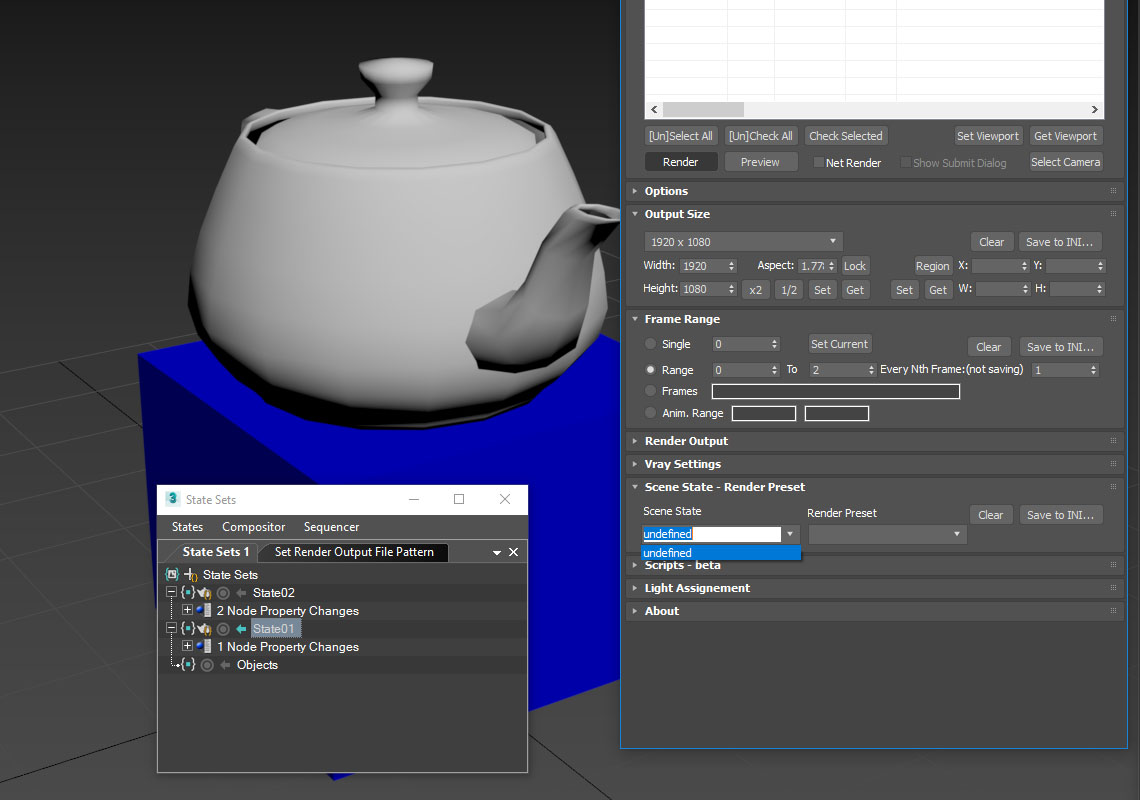
Then I've tryed to switch the scene states and found that when camera properties are saved to scene state, switching them couses changing the user properties of the camera objects. And this means that if you changed batch camera properties in different scene states they will mess up when you switch them. It is really, really bad, since script is not checking if the properties are changing during script is running.
my scripts and tips/tricks:
www.sergepogosyan.com
I understood. Actually there
I understood.
Actually there were 7 states for each camera with some differences in materials and object properties. And when I was making test renders, I am not sure if I have tested with BatchCamera. Probably I did. So batchcamera settings were probably saved inside scene states. Actually I was not aware of this- that batchcamera setting were saved into scene states too.
Anyway I reverted back to the latest draft and my scene started to render. Unfortunately I can't use BatchCamera :( Is there a chance that this will be fixed? I mean when sacing scene states, why batchcamera is saved with camera?
Just don't save "Object
Just don't save "Object Properties" with scene state and you can freely use scene state with Batch Camera script.
You've said that you made scene states for different materials, so you don't need to save Object Properties.
Regarding your final crash I don't think it was caused by the Batch Render script. We're three who using it at our company nearly a year and we didn't have such a problem.
Anyway, your case showed me the problem with scene states, and I will work to find the workaround.
Thank you, and hope you coped with the render problems.
my scripts and tips/tricks:
www.sergepogosyan.com
Thank you for your care and
Thank you for your care and support :) All is fine now. Looking forward to the update for this great script :)