
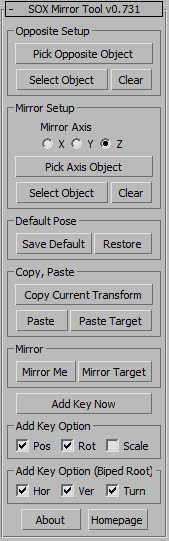
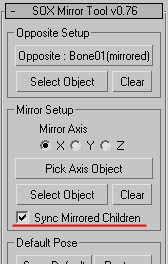
v0.771 - 'Sync Mirrored Children' feature : https://www.youtube.com/watch?v=M63O84NVOPo&feature=youtu.be
Script
 By lswsox · Credited author: SangWon Lee · 2011-02-04
No reports yet for the available releases.
Choose the 3ds Max version you use. For example, selecting 2020 puts direct matches for 2020 first, followed by listings that say a supported version or newer.
Scripts that only mention an older version can still appear as “2020 unconfirmed.” Listings that rule out 2020 are excluded. Use “Show scripts with unconfirmed compatibility” to also see listings without a clear match.
Community reports show what worked for members on a specific release. They’re separate from the listing’s compatibility claims and don’t change the filter.
Tags: Mirror Animation
v0.771 - 'Sync Mirrored Children' feature : https://www.youtube.com/watch?v=M63O84NVOPo&feature=youtu.be
Installation : copy *.ms file to Startup folder
(C:\Program Files\Autodesk\3ds Max ????\Scripts\Startup)
Features
1. Supported object - biped and normal bone
2. Save & Restore default pose
3. Copy & Paste/Paste Mirror to different time
4. Instance mirror sync
Problems mirroring target
CarlettoPM · 2016-12-21
Hello and thank you for your awesome tool but i have a problem:
I created a simple object, es a rectangle,then i collapsed it in a editablepoly, and than i changed the pivot position; after i mirrored it and used the sox tool, but it faild; sox tool mirrored the target but in wrong way, maybe it confused the axies direction.
I think the problem start from the pivot traslation.
Could you help me, please?
There wil be any solution to fix it?
Best regards.
This looks like a great tool!
bagadonuts · 2011-06-13
Wish there were some more documentation in english though.

