ScriptSpot

Script

Subdivision Reversion

By Marius Silaghi · 2011-04-26

Version
2.1
Date updated
2012-01-08
Votes
106
Download
Download
Description

Subdivision Reversion will recreate the subdivision levels of an already subdivided mesh with 100% precision maintaining the UVs.
It's wide variety of subdision algoritms help artist get the right look and feel on their models.


Here are some of the benefits you get:

•If you are 3d modeler you can now experiment with a wide range of subdivision algorithm, choosing one with best suits your need.

•If a 3d model you buy online has it’s modifier stack collapsed it is almost useless, you can’t edit, unwrap, rig it, but with Subdivision Reversion you can reconstruct the first subdivision level and then do all the above.

•If in your production pipeline you need at some point to collapse the model with Subdivision Reversion you can get the subdivisions back later

•When you apply a turbosmooth modifier to a reconstructed subdivision level you will get exactly the same mesh as the original

Version 2.0 is a complete rewrite, it fixes many bugs and adds many more features:

  1. Catmull-Clark subdivisio surfaces
  2. Doo-Sabin subdivision surfaces
  3. Midpoint subdivision surfaces
  4. Loop subdivision surfaces
  5. Sqrt(3) subdivision surfaces
  6. Quad-Split subdivision surfaces
  7. Quad Output subdivision surfaces
  8. Tri-Split subdivision surfaces
  9. Quad-Split reversion


With all this features its like ten times more valuable the version 1.0. Modelers can now experiment with a wide range of subdivision algorithm, choosing one with best suits their needs.


Videos

Tags: modeling, Poly, turbosmooth, tool, max, workflow, 3ds, subdivision, polygon, low, high, Reversion, recreate, reconstruct, Levels

Comments (15)

EliderDeli · 2018-06-07

Does it also work with Max 2018 ==??

Marius Silaghi · 2011-06-19

Joker Martini SR doesn't work with my chamfer script.

Shekhu27 1) Get used to detaching your object into pieces, there is a button in the interface to do it automaticly.

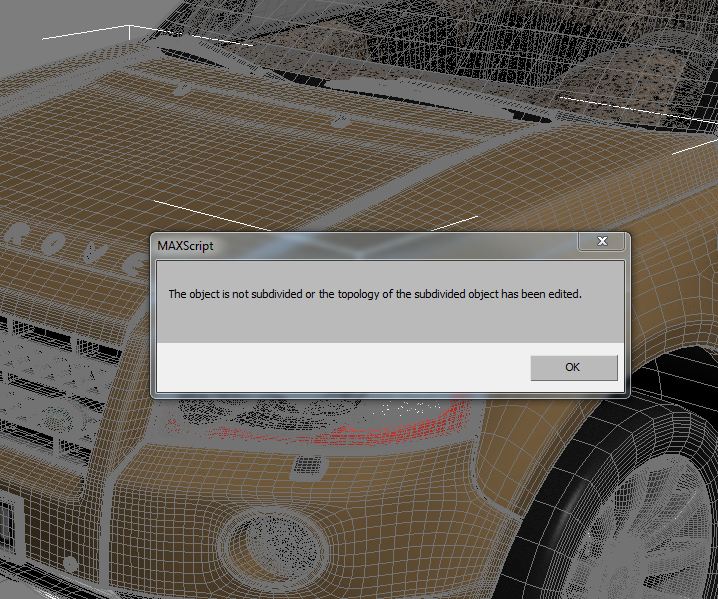
2)The modeler after subdividing has added or removed some edges, verts from the mesh,creating ngons and tris, making it impossibile to reverse.

3)This one can be done. Maybe in the next update.

Problem reversing...

shekhu27 · 2011-06-19

I recently bought your script which sounded very useful, but i am kind of stuck. Not sure, if i am doing everything correctly. Using on Max 2012 64bit.

So the problems...

01. One object with many elements (especially downloaded models) cant be reversed, and it ask to detach all elements into individual parts.

02. After detaching, some of the parts are still non reversible, as it shows a message that the topology is edited.

03. Cant REVERSE multiple objects at the same time, would like to reverse multiple selected object at the same time.

Is there any solution for the above.I must admit that this is one of the greatest tool in Max, with a fix to above points, could be the perfect one.

Regards

Attachments

Marius Silaghi · 2011-06-13

2.1 - Added support for 3DS Max 2010

Great

JokerMartini · 2011-06-13

Does this script work on your chamfer script?

JokerMartini · 2011-05-11

This is a great script.
Surprised it's not been made before. Great stuff!

Cool Script

Bobbonkers · 2011-05-07

Great script, saved me hours of re-topology,
Cheers.

hi

cgjerry87 · 2011-05-06

great plug in

Subdivision Reversion 1.03

Marius Silaghi · 2011-05-01

Added an UI.
Added a "Delete original" option.
Added a "Hide original" option.
Added a "Move original" option.
Added a "Move New Object" option.
Added a "In EditPoly" option.
Added a progress bar.
Added a timer.
Added an Detach Elements function.

begon · 2011-05-01

Need all versions and progressbar too (Sometimes it is not clear already done or not)

Subdivision Reversion 1.02

Marius Silaghi · 2011-04-30

I made the reversed subdivision to appear in an edit poly modifier on the original object.
I fixed some bugs.

begon · 2011-04-30

It would be desirable to have a choice in the new version

1 to push a button and the new object will be move from initial.
2 to push a button +shift and the new object will be on the same seat, but initial object hide (how in TurboReduce 1.2)

Subdivision Reversion 1.01

Marius Silaghi · 2011-04-29

I added a number of fail-safes to this version, like you get a warning if you have no object selected, if the mesh is not subdivided, if it contains multiple elements,etc.