hello all .......
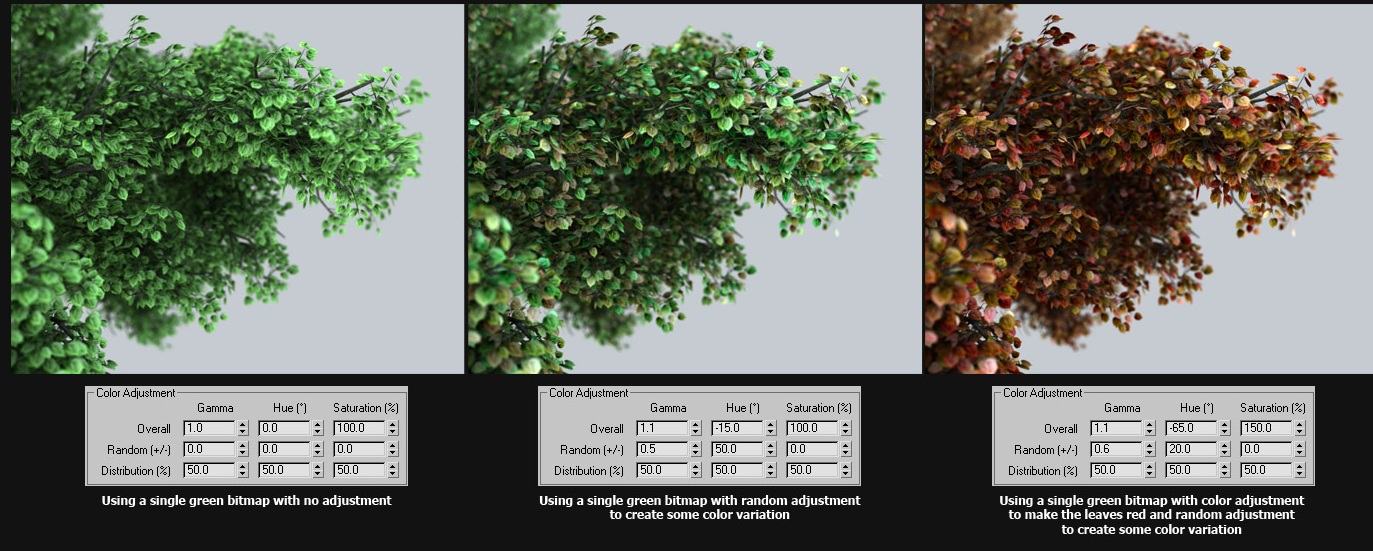
i am looking for a script that would allow me to change the colors of the leaf......
i ran into Unique Material ID....but i cant figure it out.
can some one please tell me if there are any script that would do this?
Forum topic · Scripts Wanted
is there a script like this one
By bluediablito · 2010-03-29
Description
Attachments
- uniquematerialid_tree_thumb.jpg — uniquematerialid_tree_thumb.jpg277 KB
Comments (4)
 Anubis · 2010-07-15
Oh, I seen this script some time ago, it enumerate elements (e.g. 1,2,3,4...) not randomize them. And yep, the main objective of Detach Elements was to speed up applying of variety materials to leafs, bricks, etc.
I prefer to detach elements, it's faster and this way I have better control - I can select desired elements or if I need randomization to use my Random(De)Select script and assign material to selected, and at the end (after attaching) I'll have condensed ID's.
veneta · 2010-07-15
Interesting scripts, however here is how I do this with Anubis script 'Detach Elements':
http://www.scriptspot.com/3ds-max/scripts/detach-elements
-- Randomize matID's by element in 3 steps:
-- 1. Run Detach Elements with this options:
----- without converting to mesh
----- without grouping
----- without keep source object
-- 2. Still the new objects is selected (deselect point helper only),
-- and run this code...
for obj in selection do
(
    polyop.setFaceMatID obj {1..(polyop.getNumFaces obj)} (random 1 20)
)
-- 3. Attach them backScript_Butler · 2010-07-14
@ JokerMartini, it's from here. http://www.cg-source.com/uniquematerialids.php. You need to register and login to download the script. You use it in conjunction with the MultiTextureMap script which assigns a selection of maps to an object the has different ID's.
@ bluebiablito... What's wrong with the Unique Material ID Script? Can you explain why it won't work or what happens? As I said above, you need to use it in conjunction with the MultiTexture Map.
Basically, run the UniqueMaterial ID on an object. It has to be an editable mesh or poly. This will give an ID to each element.
Then use the MultiTexture map in the diffuse, choose a selection of maps and then change the settings.
Let me know if you struggle still.
 JokerMartini · 2010-06-07
Where did you get this image from?
I'll look into trying to figure something out!