Tagged 'Material Editor'

Select Objects By Sub-Material

1 vote

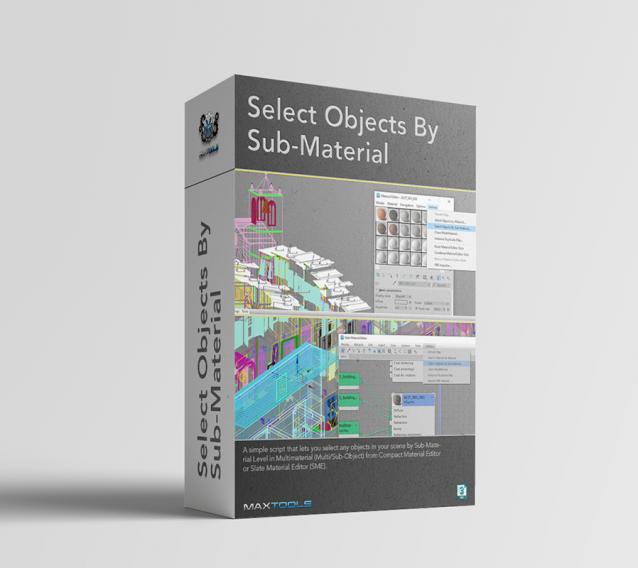
Select Objects By Sub-Material (SOBSM) is a simple free script that allows you to quickly select all objects in your scene that use a selected sub-material from a Multi/Sub-Object material.

Unlike the native "Select Objects By Material" tool, which only selects objects by exact main (parent) material match, this script analyzes material IDs assigned to faces/polygons. This allows you to select objects by a specific sub-material, even when a Multi/Sub-Object material is assigned to the entire object and the desired sub-material is only used on a portion of its faces.

The script works with both material editors in 3ds Max - the Compact Material Editor (Medit) and the Slate Material Editor (SME). Select a sub-material in any editor, run the script, and all objects that use this sub-material (on faces with the corresponding ID) will be selected.           

Get Materials (one click!)

4 votes

A very simple but EXTREMLY USEFUL script you will use all the time!

With just one click it opens the Slate Material Editor and displays all the materials for the selected objects well organized in a clean view.

Forget about the annoying material picker tool. Add this simple button to your toolbar and every time you want to see the material/s for your current selected object/s just click the button and... Voila!

It will save you a lot of time!

Material Texture Loader

7 votes

Description
  The Material Texture Loader loads in textures and instantly creates advanced materials.
  Use pre-defined or customized map and material settings to build re-usable material setups.
  Fully supports Vray, Corona, Redshift, Arnold, FStorm, Physical, Octane, and Standard map and materials.
 
Main Features

  • Automatic texture channel recognition 
  • Parameter linking for all texture mappings
  • Predefined Color-spaces: ACEScg - sRGB - linear-sRGB - Raw - Gamma - Auto
  • Mapping: Tiling - Real-world - Tri-Planar -  Random Rotation - Spherical
  • Live edit settings and disable channels
  • 2-Sided materials
  • MaxScript commands
  • UDIM map loading
  • Drag and Drop
  • Presets

Get it on Gumroad
Latest version: 1.830

Reset Material Editor

2 votes

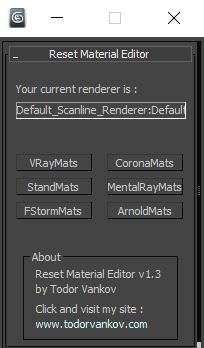
With this script you can reset all materials in your marerial editor to the Materials what you using in your workflow. For now you can reset to Standart marerials, Vray materials, Corona materials, Mental Ray, FStorm, or Arnold materials.
This script is tested at 3ds max 2016 and 3ds max 2021.

Version 1.0
- reset to Standart marerials
- reset to Vray materials
- reset to Corona materials
- reset to Mental Ray

Version 1.1
- reset to FStorm marerials

Version 1.2

[Another] Get Material from Selected

-13 votes

Well everybody already know what it is . its put selected object (many object) material to medit [material editor]. I make the script as small as posible so the script work faster n efficient as posible. check the script for the source.

thanks and happy scripting.

Edit : Thanks as always to anubis to give me a support

Multi/Sub Object Material Creator

8 votes

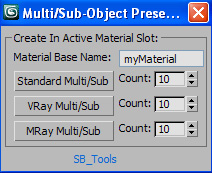
Hi all. Here's my Multi/Sub Object Material Creator.

V.05 Updated UI to a less cumbersome version so it's easier to use. Kudos to Tassel for development)

V.04 Updated to include the option for Mental Ray material preset.

Ui tweaks to seperate the materials It now produces a random colour for each material (thanks to br0t)

Added the option to name your material (thanks to br0t)

V.03 Updated to include Mental Ray materials!

Scene Clean

35 votes

Formerly Mat Clean, which was formerly Mat Kill.

*Indicates its newer-ish

*Collapse Stack(s): Collapses the selected objects, or if nothing is selected it will prompt to collapse all objects (even hidden).

*Pivot to World Zero (left click):
Sets the pivot to the lowest point in a mesh, then center, then moves the object to the center of the world zero point.

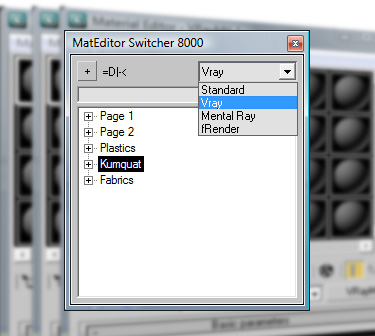
SMES - Super Material Editor Switcher

47 votes


Having a way to compensate for the (stupid) 24 material limit in 3D Studio is always a big request, so here's a script to do just that.


ML2ME (Material Library To Material Editor)

27 votes

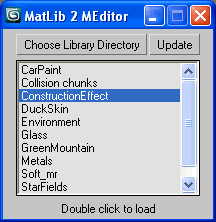
Quick load Material Libraries to the Material Editor.
Quick code just from scratch as well.
Generally useful for all people that found 24 ME slots for not enough.

ML2EM

MatShift

22 votes

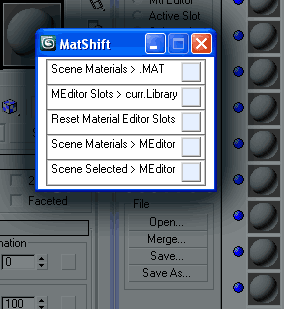
MatShift is a thin pack of ops for shifting materials
between Scene, Material Editor slots and current Library.

Syndicate content