
 By
Installation: Scripting, Install Max Creation Graph...
at last...put your text on path with absolutely no warping, distortion whatsoever...unlike the PathDeform. What's more...it works for multi curves...but wait there's more...it works for any font including Right to Left languages...but waaaaiiiiit...there's still more, it can reverse your text in a jiffy too...and yes there's still more it's an environment friendly MCG too...it recycles your text !!!!!!!
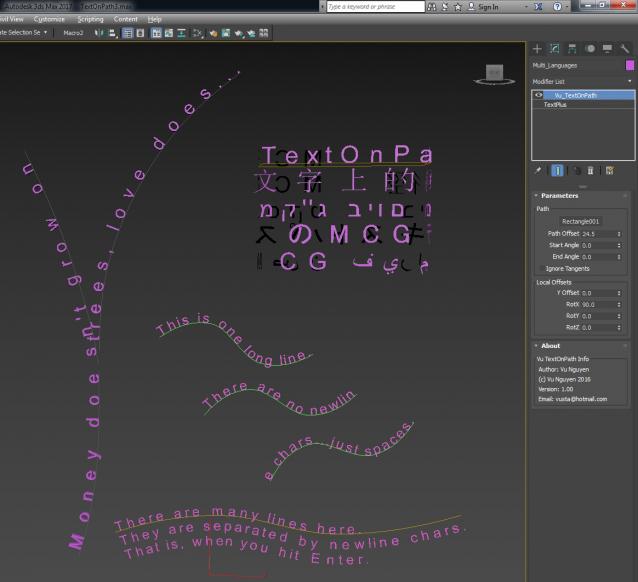
ver 1.01: Reverse your text even quicker...just hit the Reverse button !!!
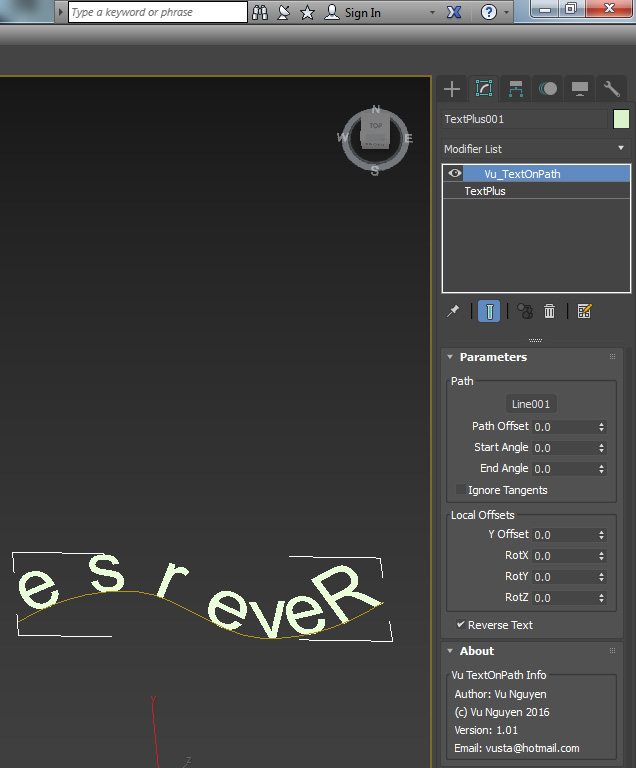
Of course, you can use it on other mesh than Text...say your train set....compare the difference below..no warping/distortion like PathDeform....it's good to be stiff !!!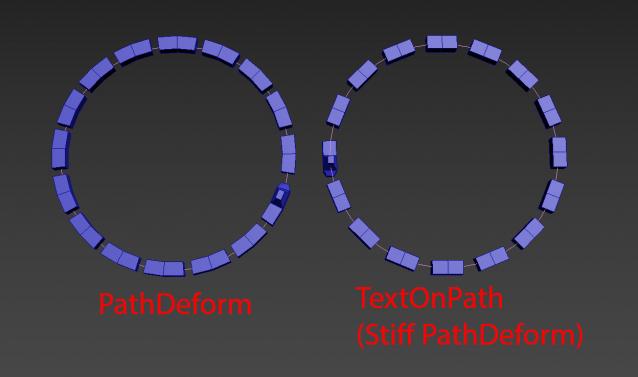
ver 1.02: added Z Offset and No Recycling option
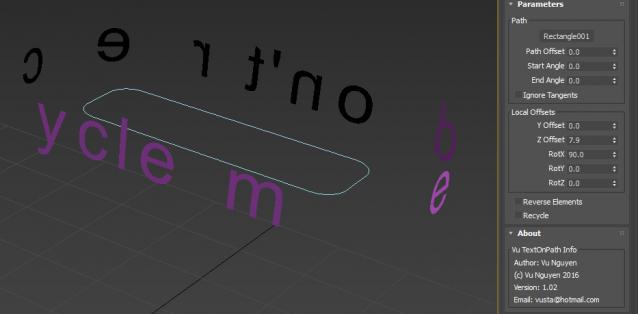
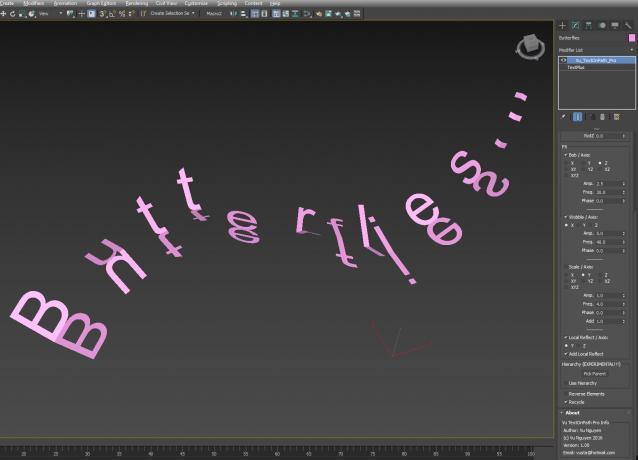
Pro version avail on Gumroad link below


Comments (17)
Comment policy
How to use it on geometry?
Hi trying to use this to create simple chain link and cant figure it out. Can you explain how to use it with geometry please??
Train making
Hi , im trying to make a train here, do you have a sample to follow ?
Pro version available...
for $5 USD.
Attachments
2014 vesrion please
Hello.
Great script any chance for this to work on 2014 3dsmax version?
Thank you.
impossible..
before Max 2016....MCG does not exist.
I CANT INSTALL IT , CAN U HELP ME
IT HAVE PROBLEM WHEN I TRY INSTALL IT'S ERROR, HEPL ME
MCG TRAINING VIDS?
Hey vusta, it's very generous of you to provide these very useful MCG tools. I noticed about 99% of MCGs on the site are from you. Seems there is a serious lack of knowledge on the use of MCG still.
Have you considered creating MCG training materials even if it's going to be paid for
thanks mate..
but I'm not a very good businessman I'm afraid...too busy doing MCGs.
I also don't wanna put out any training vids..coz...what the hell do i know about teaching...could be leading ppl up the creek without a paddle !!!
Vu.
ver 1.02
added Z Offset and No Recycling option
i mean that all objects should have the same distance
Attachments
could be 1st and last elements
right next to each other...
ahh found it....
your object should be properly centred.
So centre your pivot to centre of object, then ResetXform and collapse stack, then it will be right...
fixed gap distance would be awesome :)
not sure what you mean ?
if I manipulate the gap in some way...then it wouldn't true to the orig text format...
Or maybe this is what you want, assuming you are using TextPlus, use the bottom Alignment (Justified Full)...was that what you were after?
very useful
thank you so much
thanks....
please make sure you download the latest to get proper 'Reverse Text'
Cheers.
Thank you very much for this beautiful script!