ScriptSpot

Forum topic · General Scripting

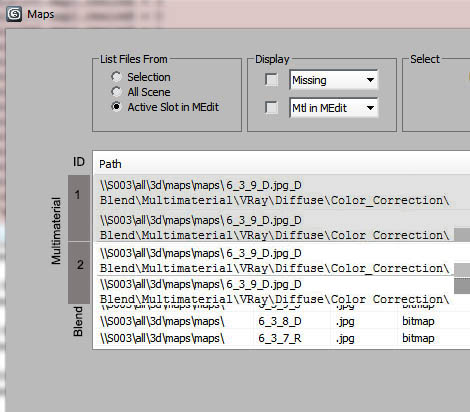
2 entries in a single line in listview!

By artrender.info · 2013-02-17

Description
Attachments
Comments (11)

Thanks, Swordslayer, Now it's working even faster!

artrender.info · 2013-02-19

No need to make it faster!
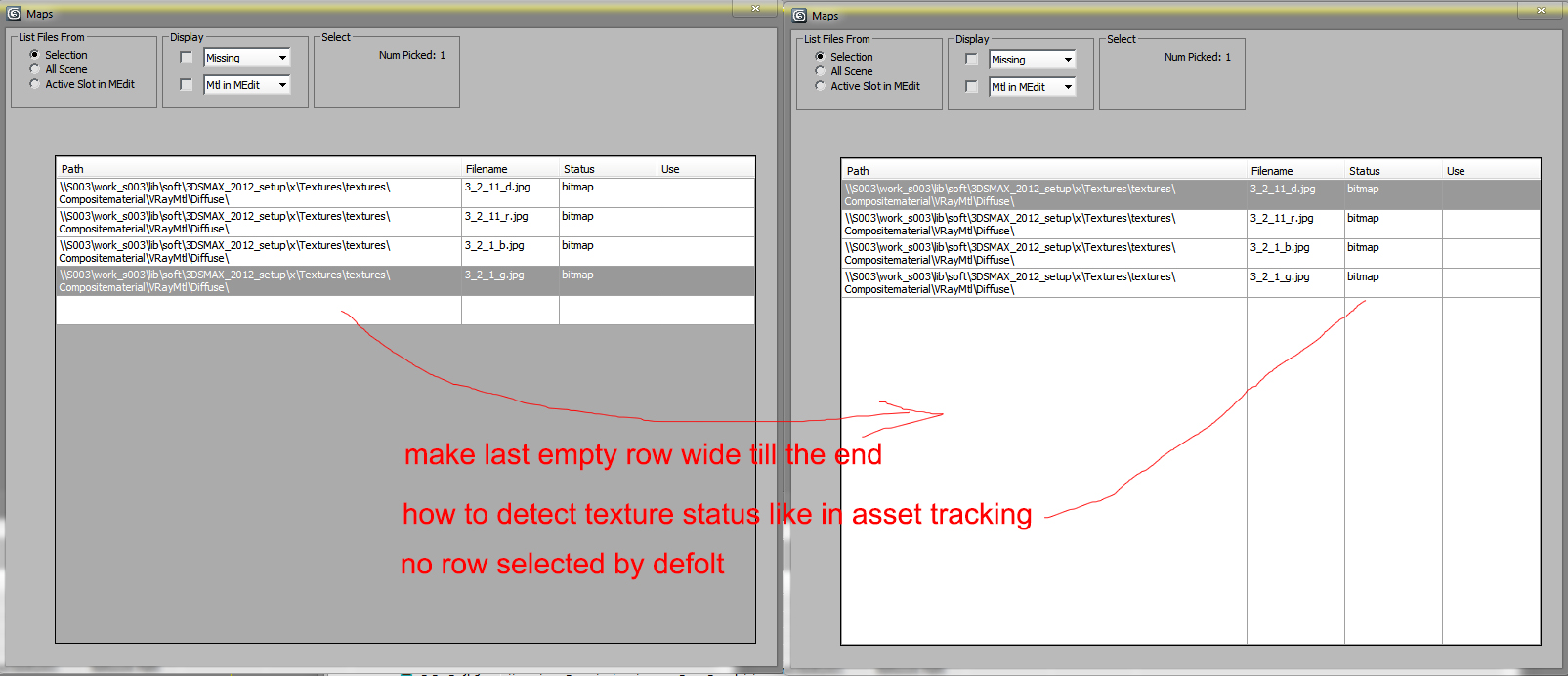
I want to change point 3 - make the last row wider like in the picture bellow, and I would like aslo to make my datagrid window rescalebale like in ZOA_PATH_editor.(My script window is allready resizing at it remebers the last changes)
It has a function for listview like that:


	fn re_size arg=
		(
		lv.width=arg[1]-10	
		lv.Columns.item[0].width=floor (300*(lv.width-17)/640)
		lv.Columns.item[1].width=floor (140*(lv.width-17)/640)
		lv.Columns.item[2].width=floor (60*(lv.width-17)/640)
		lv.Columns.item[3].width=floor (60*(lv.width-17)/640)
		lv.Columns.item[4].width=floor (80*(lv.width-17)/640)
		lv.height=arg[2]-85
			
		chk_1.pos=[5,arg[2]-75]
		chk_2.pos=[110,arg[2]-75]
		chk_3.pos=[215,arg[2]-75]
		chk_4.pos=[5,arg[2]-50]
		chk_5.pos=[110,arg[2]-50]

		btn_sel.pos=[arg[1]/2+5,arg[2]-75]
		btn_refr.pos=[arg[1]/2+110,arg[2]-75]
		btn_miss.pos=[arg[1]/2+215,arg[2]-75]
		btn_copy.pos=[arg[1]/2+5,arg[2]-50]	
		btn_repl.pos=[arg[1]/2+110,arg[2]-50]
		btn_set.pos=[arg[1]/2+215,arg[2]-50]
			
		old_path.width=floor (arg[1]/2-60)
		old_path.pos=[5, arg[2]-23]  	
		old_path_browse.pos=[floor (arg[1]/2-50), arg[2]-25] 
		get_old_path.pos=[floor (arg[1]/2-25), arg[2]-25] 		
		
		new_path.width=floor (arg[1]/2-60)
		new_path.pos=[floor (arg[1]/2+5), arg[2]-23]  
		new_path_browse.pos=[(arg[1]-50), arg[2]-25] 
		get_new_path.pos=[(arg[1]-25), arg[2]-25]  			
		)

in my script I have smth like that


......
	BitmapLister_iso_x = getinisetting "$plugcfg\\RacoonScripts.ini" "BitmapLister" "pos_x" as integer
	BitmapLister_iso_y = getinisetting "$plugcfg\\RacoonScripts.ini" "BitmapLister" "pos_y" as integer
	BitmapLister_size_h = (if (tmp = (getinisetting "$plugcfg\\RacoonScripts.ini" "BitmapLister" "size_h" as integer)) == 0 then 324 else tmp)
	BitmapLister_size_w = (if (tmp = (getinisetting "$plugcfg\\RacoonScripts.ini" "BitmapLister" "size_w" as integer)) == 0 then 152 else tmp)
 ............
		on BitmapLister close do 
		(
			disable_event()
			setinisetting "$plugcfg\\RacoonScripts.ini" "BitmapLister" "pos_x" ((GetDialogPos BitmapLister).x as string)
			setinisetting "$plugcfg\\RacoonScripts.ini" "BitmapLister" "pos_y" ((GetDialogPos BitmapLister).y as string)
			setinisetting "$plugcfg\\RacoonScripts.ini" "BitmapLister" "size_w" ((GetDialogSize BitmapLister).x as string)
			setinisetting "$plugcfg\\RacoonScripts.ini" "BitmapLister" "size_h" ((GetDialogSize BitmapLister).y as string)
		)

createdialog BitmapLister pos:[BitmapLister_iso_x,BitmapLister_iso_y] height:(BitmapLister_size_h) width:(BitmapLister_size_w) style:#(#style_resizing,#style_sysmenu,#style_titlebar)


Also, how can I detect texture status like in asset tracking?

Attachments

Swordslayer · 2013-02-19

To make the automatic size adjustments work, I'd add

table.AutoSizeColumnsMode = table.AutoSizeColumnsMode.Fill

and also to make the first column autosize

column1.AutoSizeMode = column1.AutoSizeMode.DisplayedCells

As for the last line, you'd need a function called on control resize, something like

	fn resizeLastRow =
	(
		local lastIndex = table.Rows.Count - 1
		local lastRow = table.Rows.Item[lastIndex]
		local height = table.height - table.ColumnHeadersHeight
		for row = 0 to (lastIndex - 1)
			where table.Rows.Item[row].Visible do
				height -= table.Rows.Item[row].Height
		lastRow.height = height
	)

Minus some margins I guess, but I'm sure you will make it work.

Setting the right datagridview control size on dialog resize is pretty straightforward as you only have to care about its width and height. Resizing dialogs like this can become quite tiresome, though, if you want to resize more than just a few controls, save yourself some pain and use maxforms instead, things like anchors will certainly make you a happier person ;)

THANKS Swordslayer! You're idea is great!!!!

artrender.info · 2013-02-18

I've tried to put datagrid instead and it works!

But I want to change it a little:
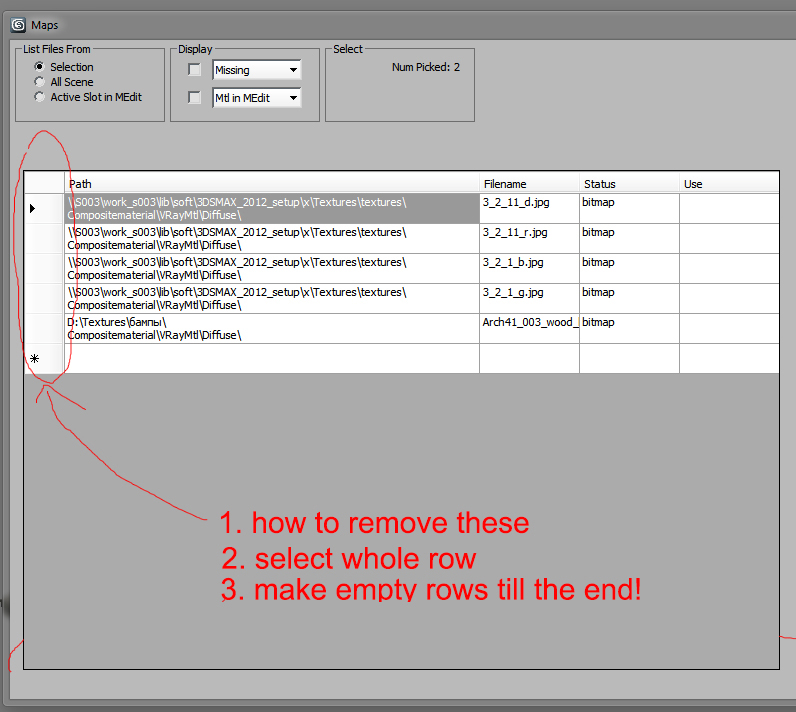
1. remove left header like in the image bellow
2 select whole row (but to be able to select more then one row and to find out the selection, so that I could operate with it)

http://stackoverflow.com/questions/285829/datagridview-how-to-focus-the-…


table.dataGridView.SelectionMode = DataGridViewSelectionMode.FullRowSelect

and


table.SelectionMode = DataGridViewSelectionMode.FullRowSelect

give errors

3. make empty row till the end
4. make it faster if possible http://social.msdn.microsoft.com/Forums/en/csharpgeneral/thread/14407d45… using VirtualMode
http://msdn.microsoft.com/en-us/library/system.windows.forms.datagridvie…

Attachments

The first two are simple: =

Swordslayer · 2013-02-19

The first two are simple:

table.SelectionMode = table.SelectionMode.FullRowSelect

which is sort of a shorthand for

table.SelectionMode = (dotNetClass "System.Windows.Forms.DataGridViewSelectionMode").FullRowSelect

and

table.RowHeadersVisible = false

The rest.. I will look into it later when I have more than few minutes to spare, however VirtualMode should not really be needed, unless you do some pretty serious stuff.

Swordslayer · 2013-02-18

Using datagridview might be even simpler:

rollout test "Test" width:680
(
	dotNetControl table "DataGridView" pos:[13,7] width:650 height:100
	
	on test open do
	(
		table.DefaultCellStyle.WrapMode = (dotNetClass "System.Windows.Forms.DataGridViewTriState").True
		table.DefaultCellStyle.Alignment = table.DefaultCellStyle.Alignment.TopLeft
		table.RowTemplate.Height = 30
		local column1 = dotNetObject "System.Windows.Forms.DataGridViewTextBoxColumn"
		column1.HeaderText = "Multiline"
		column1.Width = 500
		column1.ReadOnly = true
		
		local column2 = dotNetObject "System.Windows.Forms.DataGridViewTextBoxColumn"
		column2.HeaderText = "Editable"
		
		table.columns.add column1
		table.columns.add column2
		
		table.Location = dotNetObject "System.Drawing.Point" 0 0
		table.Rows.Add #(@"\\S003\work_s003\lib\soft\3DSMAX_2012_setup\x\Textures\textures\3_2_11_d.jpg" + "\n" +
			@"Compositematerial\VRayMtl\Diffuse\", "")
	)		
)
createDialog test

Swordslayer · 2013-02-18

Or you can turn grid off and select two lines at a time. For example, in the sample barigazy provided, you could add an event handler and a variable to achieve that:

try(destroyDialog listview_rollout)catch()
rollout listview_rollout "ListView Selected"
(
	local selecting = false


	...


	on lv_objects ItemSelectionChanged ctrl evnt do
	(
		if NOT selecting do
		(
			selecting = true
			local index = evnt.ItemIndex
			local indexNext = index + (if mod index 2 == 0 then 1 else -1)
			local itemCount = lv_objects.Items.Count - 1 

			for i = 0 to itemCount do
				lv_objects.Items.Item[i].Selected = i == index OR i == indexNext
			selecting = false
		)
	)
)
createDialog listview_rollout 334 200

Anubis · 2013-02-18

2 entries in a single line in listview mean something like Entry1 Delimiter Entry2, but you expect multiline entries :) nm, to save width space you can populate ListView with 1st entry (Texture) and when item is selected to display corresponding (by index) value (Map Tree) into EditText ui control.

may be another idea

artrender.info · 2013-02-17

I see that in order to simplify the work with textures, there is a lot of time to waste for coding!
Interesting, how to display now path and map tree to be easy for reading and not to take all the monitor! I wanted this way to have a smaller window :(

can you image this info on a single line


Texture: \\S003\work_s003\lib\soft\3DSMAX_2012_setup\x\Textures\textures\3_2_11_d.jpg
MAP TREE: Compositematerial\VRayMtl\Diffuse\

I guess Better ListView is the only solution!

But prices scared me :) (if I make this script for other people too:)

http://www.componentowl.com/pricing-licensing/better-listview

Thx BOTH

artrender.info · 2013-02-17

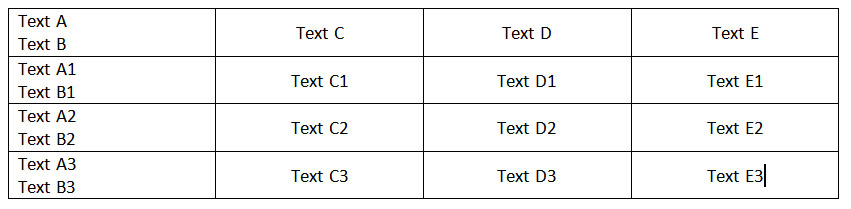
Yes,

TextA\nTextB

of course doesn't help unfortunately!

Swordslayer · 2013-02-17

Unless you are on max 8 or lower, don't use ActiveX controls. To have multiline items like this in a standard .NET listview you would most probably have to write your own control using extended listviewitems - or use some 3rd party one like Better ListView. For a basic listview usage look for example at Scriptspot :: Working Checklist. Good luck.

barigazy · 2013-02-17

To be sure what is the problem with .net LV

try(destroyDialog listview_rollout)catch()
rollout listview_rollout "ListView Selected"
(
local txtArr = #(
#("TextA\nTextB", "TextC", "TextD", "TextE"), \
#("TextA1\nTextB1", "TextC1", "TextD1", "TextE1"), \
#("TextA2\nTextB2", "TextC2", "TextD2", "TextE2"), \
#("TextA3\nTextB3", "TextC3", "TextD3", "TextE3")
)
fn initListView lv =
(
lv.gridLines = true
lv.View = (dotNetClass "View").Details
lv.fullRowSelect = true
layout_def = #("TEXT_1", "TEXT_2", "TEXT_3", "TEXT_4")
for i in layout_def do lv.Columns.add i 80 --add column with name and optional width
lv.TileSize = (dotNetObject "System.Drawing.Size" 80 40)
)
fn fillInSpreadSheet lv arr =
(
local theRange = #() --array to collect the list items
for i = 1 to arr.count do
(
li = dotNetObject "ListViewItem" arr[i][1]
sub_li = li.SubItems.add arr[i][2]
sub_li = li.SubItems.add arr[i][3]
sub_li = li.SubItems.add arr[i][4]
append theRange li --we add the list item to the array
)
lv.Items.AddRange theRange --when done, we populate the ListView
)
dotNetControl lv_objects "ListView" width:324 height:190 align:#center
on listview_rollout open do
(
initListView lv_objects
fillInSpreadSheet lv_objects txtArr
)
)

createDialog listview_rollout 334 200