Tagged 'UI'

UI_ZoomSelected_To_Right_View_ZoomOut2x.ms

5 votes

Use this script to switch to the Right view then zoom to the selected objects. Then zoom out 2x

UI_Transform_Cycle.ms

3 votes

This script will cycle through Move Roate and Scale

Flashy Nodes

5 votes

A very simple Maxscript tool that will flash chosen objects - in your scene - between two alternating colours. This is handy if you don't want to hide any part of your scene yet want to keep track of certain objects. To use - select the nodes you wish to flash and click the 'Flash Selected Nodes' button. Those objects will now flash in your scene regards of whether they are selected or not.

UI_Transform_PivotCenter.ms

6 votes

This script will set the transform center to Pivot

UI_Transform_SelectionCenter.ms

3 votes

This script will set the transform center to Selection

"View and Zoom Extents Selected" macro buttons

0 votes

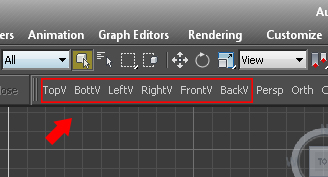
Simple macro buttons to set active view and run "Zoom Extents Selected" command. (If no object selected, "Zoom Extents" instead.) So you don't lose track of objects while switching views.


UI_Transform_TransformCenter.ms

2 votes

This script will set the transform center to Transform

Shaded/Hidden Line/Wireframe Display Toggle

10 votes

smoothHiddenLineWireframe is a scripted display toggle that switches between shaded, hidden line and wireframe.

UI_UnHide_All_or_SubObjectAll.ms

4 votes

This script combines the unhide an unhide poly/mesh command into one hotkey.If an editable poly or editable mesh is selected and it is in subobject mode then it will unhide all the hidden poly/mesh components.Otherwise the script will unhide all the hidde

JB Morph ui

3 votes


A maxscript to Auto create ONLY morph UI.

  • 5 UI types
  • Custom Name
  • Change color
  • Change size
  • Easy controler and base selection
  • Auto Set skin pose

Note: Beta version