Tagged 'Tutorials'

_

1 vote

MAXScript Cheat Sheet

5 votes

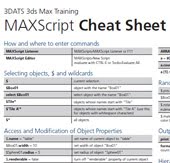
This is a fantastic 2 page reference (written by Markus Boos) for those starting out with MAXScript! From the site description: Ever try exploring the power of MAXSCRIPT? If it seems too confusing to attempt, try this 2-page cheat sheet that covers most of the major concepts in one easy to read reference, courtesy of MAXSCRIPT guru Markus Boos

Link: MAX Script Cheat Sheet

3ds Max 2014 Extension Release – Introducing Python!

1 vote

There's a new Autodesk GetCOREInterface blog that focuses on customization and programming 3ds Max. Kevin Vandecar has written a blog post introducing Python in 3ds Max 2014 Extension.

Bézier curves (Spanish with English commentary)

0 votes

In these videos, you will learn how to create a Bézier curve in MAXScript and ton know all it´s mathematical details.

BackBurner monitor undocumented cmd switches

67 votes

In case you run multiple backburner managers (e.g. on notebook at several places or using local manager and manager in office) it is good idea to have icons for automatic connecting monitor to the different manager hosts.

I've found two working command line parameters for monitor.exe:

monitor -a
monitor -mservername

First one turns "Auto connect" on. Second one sets manager hostname and connects to it. (Note: There is no space between -m and hostname or ip)

XrayCatST 1.5 - How to quickly and easily create a complex rig structure for transformer robot like

1 vote

XrayCat v1.5 is about to release, we realised a complex rig structure for a transformer like

robot to explain better the power of out tool and how useful it can be to achieve

good results quickly and easily.

info at:
http://www.raylightgames.com/xraycatst/xraycatst.html

Dynamics Setup

1 vote

This is a technical demonstration of the dynamic system used in our 3D Max based shows.

MaxScript image button .BMP layout

10 votes

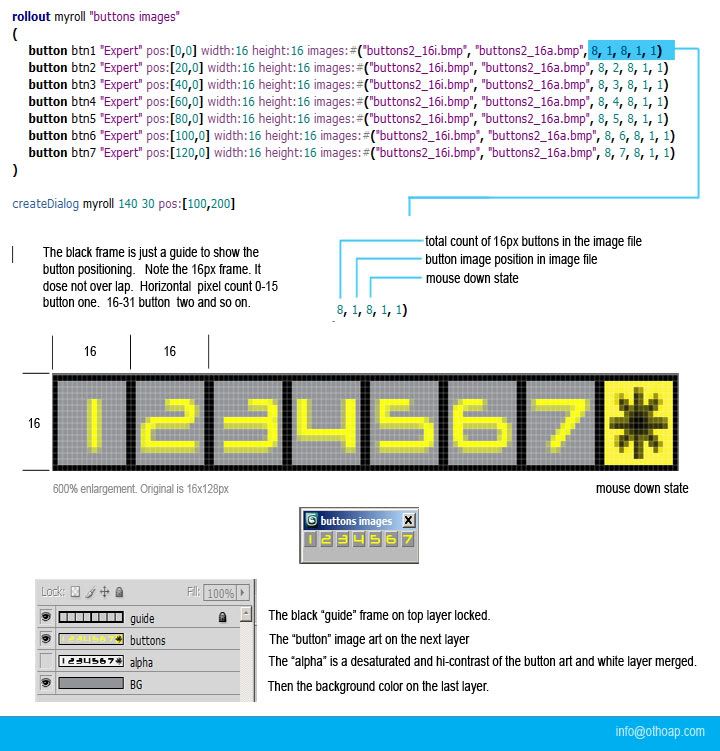
A MaxScript button image layout how to. Included below (buttons2_16.zip) are the maxscript text and photoshop psd files shown in the tutorial. I can sum up the whole exercises with one word "spacing".

Pay attention to the 16px dimensions show here. The psd file includes a frame guide layer showing correct button spacing.

email me with any question. [email protected]

New Maxscript Tutorial Series - Beginner to Intermediate by Kevin Harper.

2 votes

Hey Scrip Spot.

I created a tutorial series for Max Script for 3ds max artists that starts at the very begging. I wanted people with no knowledge of programming to be able to write tools for max.

Here it is. Enjoy! http://angryarray.servegame.com/

Use vertex color as input to Bitmap controller

1 vote

In this tutorial I used a "Vertex Paint" modifier to paint on the surface and using the colors of the surface in a bitmap controller I modified a parameter of parametric array.
This approach works on 1D array while for 2D array you need to do some extra works to achieve the same effect.

Syndicate content