Tagged 'align'

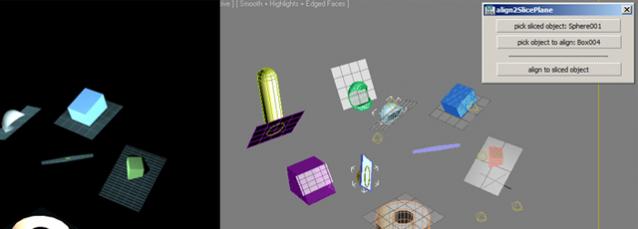
AlignObject2slicePlane

2 votes


this script lets you align an object to the sliceplane of an object with slice modifier.


works on max design 2011 x64.

Align Multiple Objects

2 votes

Align Multiple Objects - 3dsmax script

Description

Pivot point Align managment tool

2 votes

Her is a simple tool i just created to help align the pivot position around any mesh cage, as you can align the pivot point to 27 point around the object cage, and move the pivot point to the scene orgine and rotat the pivot point 90 degree on the X axise if you are exporting mesh to unity 3d that will import the object to unity with out any rotation values.

UI_Align_Scale_XYZ.ms

2 votes

Align Position Rotation and Scale of selection to target from Center to Center

Vertex Aligner

1 vote

A 3dsMax Script for Aligning Vertices by 2 or 4 Points

it Works with [Poly/Mesh/Shapes].

Install: Drag and drop the downloaded mzp file to 3dsmax viewport or from Scripting Menu/Run Script. after that you can find it in _My Sceripts_ Category, you can add it to quad menu or toolbar or assign shortcut to it.

How It Works:

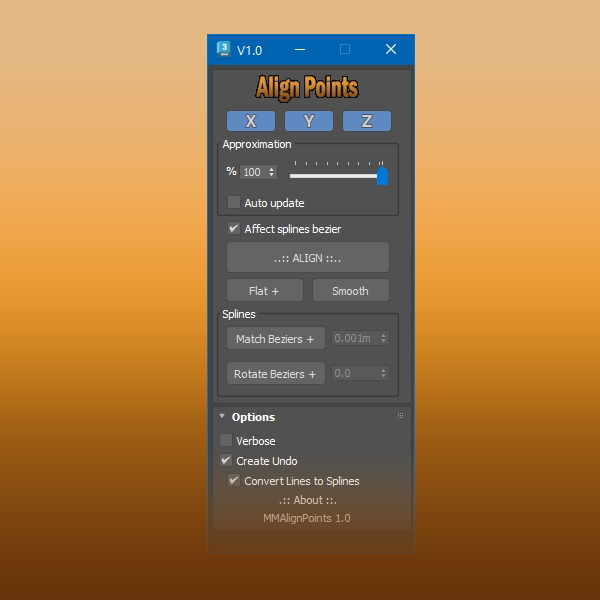
Align Points

1 vote


Free Tool

This tool aligns selected mesh vertices and spline points.

With splines you can align bezier vectors too.

available here


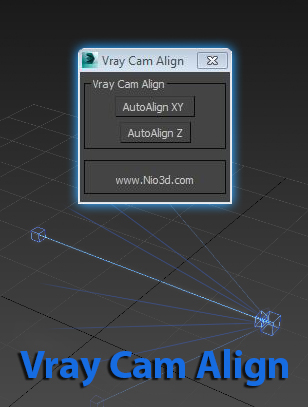
Vray Cam Align

1 vote

GuideLines
Description:
Vray Cam Align will align your VrayCam target height with the selected camera height.
The "AutoAlign XY" button will do the above and also find the general direction of
the cam,and align the target to the appropriate axis.

enjoy:)

Place Rivets

1 vote

Place Rivets is a max script for populating geometry object on a given surface along a driven spline.

Prepare object for UE4

1 vote

This simple macroscript prepare selected objects to export to unreal engine.

Select objects and execute the macro script will do the nexts steps for all of them:

- Center pivot on Z base
- World align pivot
- Reset Xform
- Convert to Edit Poly
- Callapse to Editable Poly

Syndicate content