Tagged 'Objects'

Create Sliding Window

9 votes

Creates a sliding window from a selection of Rectangles. This script takes the rectangles and fills the interior with a Sliding window flush with the rectangle. Make sure to change the 'include script' path statement to reflect you 3ds max location

Proportional Plane

10 votes

Creates a plane object whose proportions match the specified bitmap. Those proportions are locked (via parameter wiring) - so the plane can be resized without losing aspect ratio.

Chainmaker

13 votes

Creates a chain system from a link object and a spline path. Scales the link object to fit exactly the path and then setsup custom script look at controllers. Ability to dump controllers to normal keys for better speed.

Gear-O-Matic!

7 votes

Engineering accurate spur gears!... Use this to generate/animate gear pairs and compound gear trains. For max r3.x thru r4.x - &VIZ4.

makeTerrain

6 votes

For previewing and creating terrains imported from other terrain editing/creating packages

WireCreator

10 votes

This Little script lets you to create your objects Smooth wire in 3dsmax,so you can render
your object with its smooth wire.

just select your object and run this script ...
all will be done ...

Scene Explorer Delete Extension

0 votes

This script allows deleting selected nodes and layers in the Scene Explorer. The default delete option of 3ds Max only deletes empty layers and nodes without childs. With this tool, deleting a selected parent node or layer implies deleting all its children hierarchy.

When you drag this script into the viewport of Max, it’s added to the “Barreira” category of the Customize User Interface panel. Then, you can create a button to execute the script easily.

zmTools

Room

16 votes


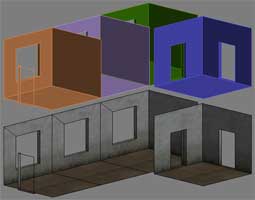
very simple primitiv ROOM with doorways and windows opening

--version 1.2
--remove bad faces
--generate mapping coords
--add axis marks to checkbox

Plug-O-Matic

25 votes

"This script will take any editable mesh and generate a new object plugin from it for future use.
New: Speed optimization; Now supports texture coordinates; Objects need not to be converted to EditableMesh before plugin generation; Updated creation tool"

Quick Layer Organizer

31 votes

Simply create a layer and name it specific to what should go into the layer, for example "CHAR" for character geometry. Any character geometry you make you just need to remember to include "CHAR" in the object's name and when the Quick Layer Organizer is run it will find any objects with "CHAR" in the name and put them into the "CHAR" layer. Any objects that don't match the name a layer will remain in whatever layer they are currently in and the default layer is ignored during the organization.