Tagged 'Tutorials'

Lesson 7 - 3DS Max - Total Beginners - 2D Shapes Intro - part 1

0 votes

In this 8th video of the total beginners series, we will start learning about 2D shapes. We will learn about the sub-object levels that the 2D shapes are made of. Also, we will learn about two features to manipulate the 2D shapes: Break and Weld. In addition, we will see what it means to have an Opened or Closed 2D shapes, and why it's important to learn that.

3DS Max - Black faces when importing

1 vote

This video deals with the problem of black faces when importing from Sketchup, or from other formats.

3DS Max - Compound Objects - Loft -Part 1

0 votes

In this tutorial, we will start learning about a very powerful modeling tool in 3DS Max, called Loft, found in the Geometry, Compound Objects section. This tool needs a path and some cross sections, and it contains many powerful features to manipulate and customize the resulting geometry. This is the first video for the Loft tool, and hopefully, as soon as possible, I will make a second one to cover some of the other features of this powerful tool.

3DS Max - Relation Between Modifier Stack And Transforms

0 votes

This tutorial will give you a basic understanding of the under-the-hood relation between the modifier stack and the transform engine inside 3DS Max. This will help you understand some of the issues that may occur, that look weird.

3DS Max - Tip - Attach Geometry With ProBoolean

0 votes

In this tutorial, we will learn about an alternative way to attach geometries, that will help us to keep things parametric.

How to rig a sping in 3ds max with Expressions

0 votes

In this tutorial you will learn how to rig a spring in 3ds max with Expressions.

MAXScript Cheat Sheet

5 votes

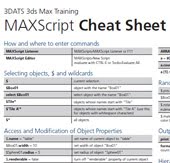
This is a fantastic 2 page reference (written by Markus Boos) for those starting out with MAXScript! From the site description: Ever try exploring the power of MAXSCRIPT? If it seems too confusing to attempt, try this 2-page cheat sheet that covers most of the major concepts in one easy to read reference, courtesy of MAXSCRIPT guru Markus Boos

Link: MAX Script Cheat Sheet

3DS Max Maxscript How to install a macroscript

0 votes

In this Tutorial,for total beginners, we will learn how to install
a macroscript into 3DS Max.

Import from AutoCAD To 3DS Max - Part 1 - Inside AutoCAD

0 votes

This is a two part tutorial that deals with good practices related to importing AutoCAD files into 3DS Max. In this first part, we will see how to prepare the file inside AutoCAD before going to 3DS Max. Please watch the two parts.

3DS Max - Invisible Sections Problem With Loft - Explained

0 votes

In this tutorial, we will look at the issue of invisible cross sections inside the Loft tool. This happens when you choose Editable Splines or shapes with Edit Spline modifier as a cross-section. I will explain why they happen, and what can we do in that scenario.