Tagged 'Tutorials'

Lesson 11-3DS Max-Total Beginners-2D Shapes Intro-part 5 - Mirror - Add Vertices

0 votes

In this video, we will learn how to mirror a sub-object element in a spline shape and how to determine a custom axis for the mirror operation. In the second part, we will see how we can add new vertices to an existing spline.

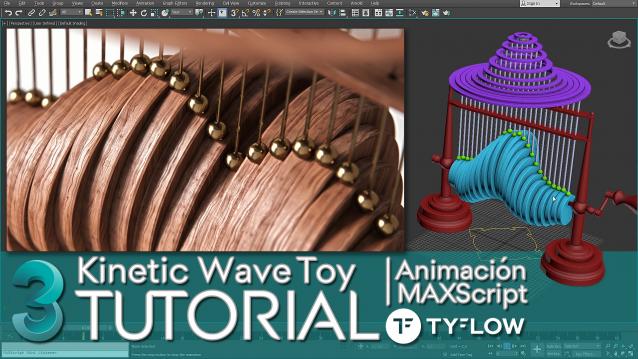
Kinetic Wave Sculpture | 3dsMax Tutorial

1 vote

In this tutorial I explain how to do in 3ds Max, the animation system or RIG of the "Kinetic Wave Toy" → https://youtu.be/F6MTOZWviAU

A step-by-step tour of all the techniques and tricks, where we also see many important concepts that every 3D animator or generalist should know.

From the basic 3D modeling of the RIG to the animation and programming of a User Interface (UI) with MAXScript, which will allow us to easily access all the parameters we need to explore the full power of a small parametric mechanical animation system.

How to ativate English subtitles: ️Configuration / Subtitles / Spanish (automatically generated) / Automatic Translation / English

3DS Max - Import Obj - invalid normal index - Bad Geometry

0 votes

In this tutorial, we will deal with two issues when importing an Obj file into 3DS Max. 1- Invalid Normal Index 2-Wrong geometry

3DS Max - Easy Modeling - Carved Sphere

0 votes

In this tutorial, we will learn how to create this carved sphere, and learn about some spline operations, like attaching, trimming, welding, etc,... We will also learn about the Lathe modifier, and Chamfer modifier, where will see how to fix some issues when using those modifiers by modifying some of their parameters. Plus some other stuff, so keep watching it until the end.

Maxscript Bits & Tricks

0 votes

Maxscrip Bits & Tricks - Selection & Materials

We’re excited to announce the launch of our new tutorial series: Maxscript Bits & Tricks!

Maxscript help for 3dsMax 2012 update

3 votes

I've written about setting up your local maxscript help-file: read it here. Alex Mak has posted a nice addition to this. Read it here on cgTalk. Now it's very easy to make your own, local maxscript help behave exactly the same as the online maxscript help. It automatically feeds the word at the cursor-position into the search field. This is what was missing from my previous solution.

3DS Max - Easy Modeling - FreeForm Geometry

0 votes

In this video, we will learn a quick and flexible technique for modeling freeform shapes. We will use a Surface modifier, Shell modifier, and Turbosmooth for that purpose. You can use this approach to model a wide range of geometries like roads going up and down, ribbons, etc,...

Lesson 4 - 3DS Max - Total Beginners - Explaining Editable Poly - Making A Simple Drawer

1 vote

In this 5th video, we'll learn about Editable Poly object, its sub-objects elements, explaining some of their main tools, what they do and how they work. After, we create our first 3D model, which is a simple drawer with shelves and 4 legs. During the video, you will hear many additional, and useful tips that will make your workflow easier.

3DS Max - Tip - Match Tangency Of 2D Splines

0 votes

In this video, we will learn how to match the tangency of 2D splines on their endpoints so that they can flow smoothly.

3DS Max - Tip - Symmetry Mirror - Rotation Transform Lost

2 votes

This tutorial will deal with the issue of losing the Rotation transforms done on the Mirror gizmo of the Symmetry modifier.