Tagged 'select'

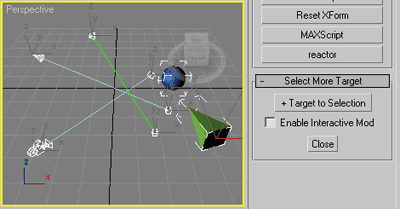
Select More Target

11 votes

Slim (self explained) selection assistant.

SMT

Commonly useful when select target lights, cameras or tape helpers,
or any objects with (older) Look_At transform controller applied
and you wish to select their targets as well.

Select Similar Spline

8 votes

This script alows you select similar splines in subobject. It doesnt work very well yet but it works :)

Memento

1 vote

New MaxScript. Simple and handy as aways. Free.
It's very useful for my use. You can quickly save and recall up to 5 groups of selections. You can increment memories adding objects to them (Which is SO useful in some situations (to help in the process of organizing big and messy scenes)...
Hide and Un-Hide from Memory buttons. Isolate groups, etc.

BTW, the video says QuickSelect, but i changed the script name to Memento.;)

Select By Type

0 votes

Simple script that allows you to select objects of the same class. Surely done before.

Smart Material Select

0 votes

This script streamlines the process of selecting similar objects based on material in your 3dsmax scene. It automatically opens the group, eliminating the need for manual opening. Additionally, it can handle the selection of multiple samples. For instance, you can select a window frame and then add glass to select both window frames and similar glass objects.

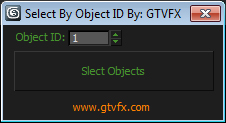
GTVFX-SEL_SelByObjID

1 vote


Selects all objects in your scene with the Object ID specified. Filters out hidden objects.


Select spline segments by matID

0 votes

With this script you can select splines' segments by matID.
There are two methods of selection:
- "Use IDs of selected segments" - select some segments and press the [Select] button. The script will find the matIDs of the selected segments and will select all other segments with the same matIDs.
- "Use IDs typed below" - type as many matIDs as you want in the field(separate matIDs with comma) and press the [Select] button. The script will select all segments with the matIDs entered by you.

Selection Manager (speed up you work in scene)

1 vote

J Selection Manager

designed for speed up your work by optimizing the selection of objects and hiding/showing groups of objects

Select Last Merged Objects

1 vote

This script allows you select last merged objects again.
Script category:"Osetrov-3D"

Installation: drop script file into 3ds max viewport and assign hotkey or button in toolbar. Alaso you can find this script in global serach (hotkey "x") if you type "Last merged".

Syndicate content