Tagged 'select'

Rapid Edit

8 votes

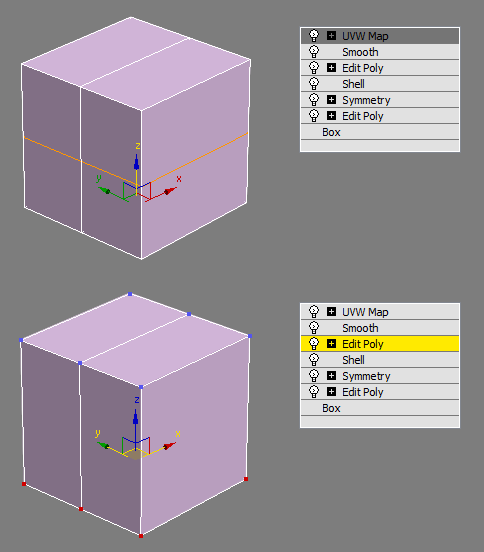
Automaticly selects the first editpoly/editspline modifier in the list. If no editpoly/editspline modifier can be found it asks you if you want to add one. Also works with groups, if activated it will either open the instanced editpoly/editspline modifier of the group or add one automaticly.

Select instances objects

2 votes

Small but very useful script for selected instances objects

- select only visible instances objects
- work fast, support undo
- work of script would be broken by pressing Escape button

for install you should drag&drop script into 3ds Max
Find it in Customize -> Customize user interface -> Toolbars.
Category: # Scripts

Tested on 3ds max 2012

Select By Type

0 votes

Simple script that allows you to select objects of the same class. Surely done before.

Select Faces By 2 Edges

2 votes

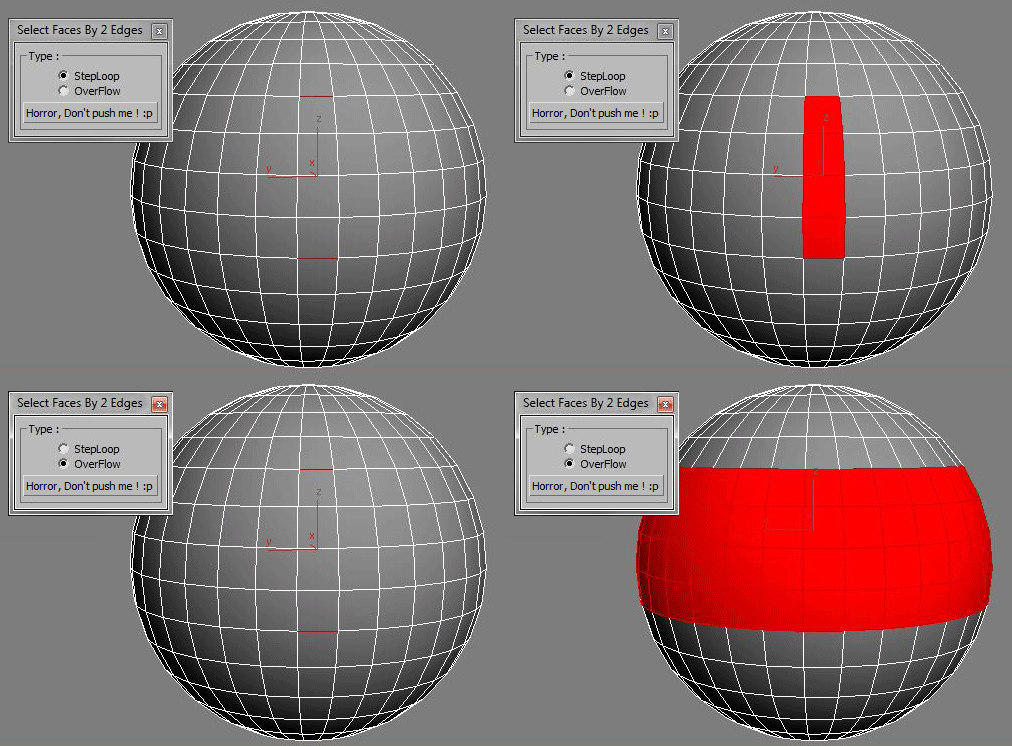
Select a Loop Faces between two selected Edges.

Volumetric Object Select

5 votes

The selection of objects volumetrically. Simple script ..
Of volumetric objects are selected, and click the "VOLUMETRIC SELECT" button.

We hope that it will be useful somebody :)

CamLister

4 votes

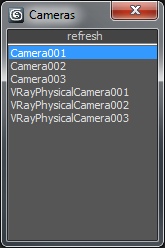
A very simple Camera Lister which allows to select and assign cameras by clicking it in the list.

Leftclick: Select the camera
Rightclick: Assign to current active Viewport

Very simple one but still my most used Script for daily work ;)

miauu's Select Edges by lenght

52 votes

With this script you can select edges which is less, equal or grater than the value that you want. Also, you can measure the lenght of single or multiple edges.

Instalation: Drag-n-drop mzp files in 3ds max. Go to Customize-Custumize User Interface, under "miauu" category you will find the script.

Select Similar Spline

1 vote

this script works like select similar faces in polyboost or gmt, but with splines. so feel free to test it an post some suggestions :)

it have two modes:
by segments - selects by spline segments and their lengths (most precise)
by length - selects by overal length of the spline (useful in some cases)

new in v2.1
by type - selects by knot type (bezier,corner,etc)

selectFaceByMinAngle

0 votes

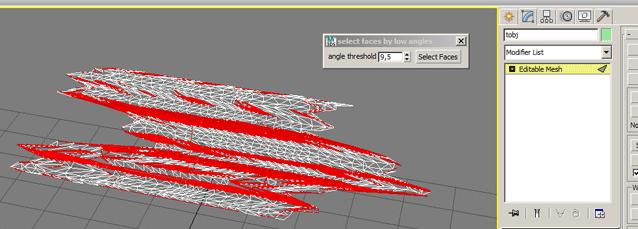
Select faces by min angle. works only on collapsed wditable_mesh object.

Skip Every N-th

61 votes

Skip every vert/edge/face. In Loop mode, you can skip edges and polygons. In Ring mode you can skip vertices,edges and polygons. To make poly loop select 3 faces(the middle one is starting face), check PolyLoop checkbox, set "Skip V-E-P" spinner to value greater then 2 and start skiping. You can't skip one face, only 2 or more. Ring mode does not have this limitation. "For Steps" spinner works only with edges. If you want to skip every 2 edges five times, set "Skip" spinner to 2 and "For Steps" spinner to 5. Instalation: Drag-n-drop SkipEveryNthVEPRingLoop.mzp to 3ds max.

Syndicate content