Hello everyone,
I have a simple problem. I need quickly and easily tool to align slice gizmo by three points. Is there anyone who help me please?
Thanks so much 😆
Mira
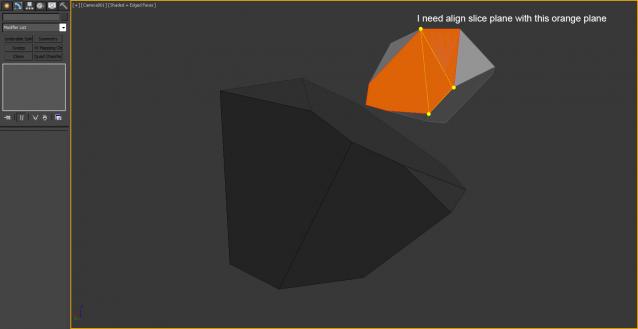
situation 1)
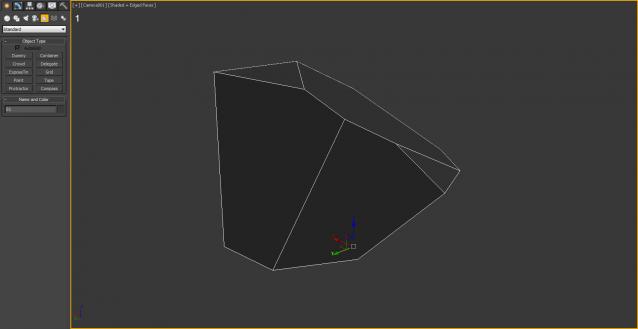
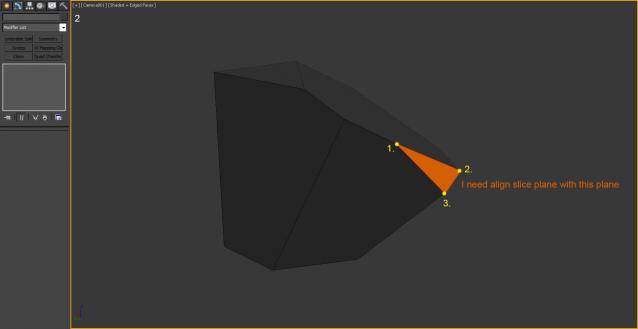
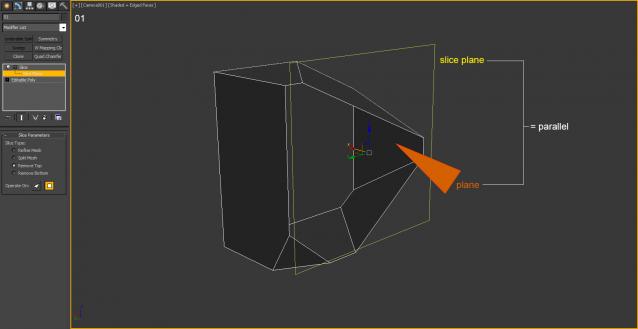
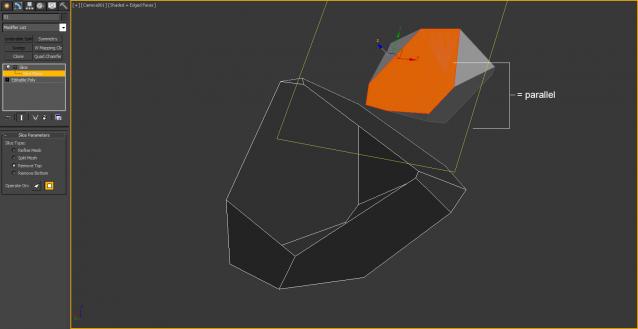
situation 2)
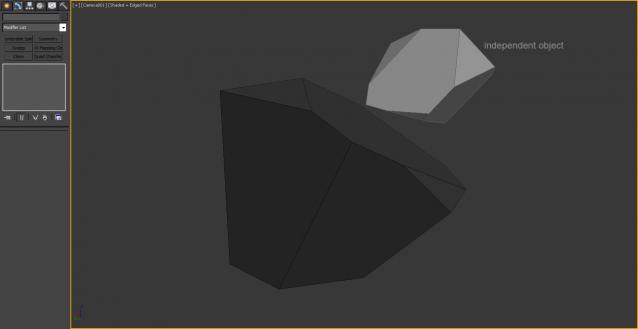
Forum topic · Scripts Wanted
 By diferent · 2015-06-22
Hello everyone,
I have a simple problem. I need quickly and easily tool to align slice gizmo by three points. Is there anyone who help me please?
Thanks so much 😆
Mira
situation 1)
situation 2)
ratatouille · 2018-01-29
in perspective viewport move and rotate the as you wish and use quick slice tool in editpoly.
.
 miauu · 2015-06-24
(
	curO = selection[1]
	sliceMod = curO.modifiers[1]
	--	get the three points and builda matrix
	pos01 = polyop.getVert curO 8
	pos02 = polyop.getVert curO 5
	pos03 = polyop.getVert curO 2
	--
	local vect1 = normalize (pos02 - pos01)
	local vect2 = normalize (pos03 - pos02)
	local vect3 = normalize (cross vect2 vect1)
	vect2 = cross vect3 vect1
	--
    objTM = curO.objectTransform
    modTM = getModContextTM curO sliceMod
    -- set slice plane position at world coordinates f one of the points
	pos = ((pos01 + pos02 + pos03) / 3) * modTM * (inverse objTM)
	--	build temp matrix
	tempMatrix = ((matrix3 vect1 vect2 vect3 pos ))
	--	align the slice plane
	curO.slice.slice_plane.transform = tempMatrix
)
diferent · 2015-06-25
Hi Kostadin,
thank you very much for your help.
Cube was a example. I need select the points anywhere with any object. I update my post – new image
There is good script but dont work with gizmo http://www.scriptspot.com/3ds-max/scripts/3-point-align
mira
.
miauu · 2015-06-26
Try this:
(
	on execute do  with undo off
	(
		curO = selection[1]
		if curO.modifiers.count != 0 and classOf (sliceMod = curO.modifiers[1]) == SliceModifier do
		(
			local pos01 = undefined
			local pos02 = undefined
			local pos03 = undefined

			local curSnapMode = snapMode.active
			local curSnapType = snapMode.type
			snapMode.active = true
			snapMode.type = #3D

			pos01 = pickPoint snap:#3d
			if classof pos01 == point3 do
				pos02 = pickPoint snap:#3d rubberBand:pos01
			if classof pos02 == point3 do
				pos03 = pickPoint snap:#3d rubberBand:pos02

			snapMode.active = curSnapMode
			try(snapMode.type = curSnapType)catch()
			if classof pos01 == point3 and classof pos02 == point3 and classof pos03 == point3 do
			(				--
				local vect1 = normalize (pos02 - pos01)
				local vect2 = normalize (pos03 - pos02)
				local vect3 = normalize (cross vect2 vect1)
				vect2 = cross vect3 vect1
				--
				objTM = curO.objectTransform
				modTM = getModContextTM curO sliceMod
				-- set slice plane position at world coordinates f one of the points
				pos = ((pos01 + pos02 + pos03) / 3) * modTM * (inverse objTM)
				--	build temp matrix
				tempMatrix = ((matrix3 vect1 vect2 vect3 pos ))
				--	align the slice plane
				curO.slice.slice_plane.transform = tempMatrix
			)
		)
	)
)
Run it and pick 3 points in the scene. The SNAP will be turned On automatically.
.
 Haider of Sweden · 2016-01-28
Inspired from this one:
http://www.scriptspot.com/forums/3ds-max/general-scripting/slice-script
Would you please do a modification of the code so that it adds a new modifier instead of affecting the existing?
.
miauu · 2016-01-28
(
	on execute do  with undo off
	(
		curO = selection[1]
		sliceMod = SliceModifier ()
		addModifier curO  sliceMod
		local pos01 = undefined
		local pos02 = undefined
		local pos03 = undefined

		local curSnapMode = snapMode.active
		local curSnapType = snapMode.type
		snapMode.active = true
		snapMode.type = #3D

		pos01 = pickPoint snap:#3d
		if classof pos01 == point3 do
			pos02 = pickPoint snap:#3d rubberBand:pos01
		if classof pos02 == point3 do
			pos03 = pickPoint snap:#3d rubberBand:pos02

		snapMode.active = curSnapMode
		try(snapMode.type = curSnapType)catch()
		if classof pos01 == point3 and classof pos02 == point3 and classof pos03 == point3 do
		(				--
			local vect1 = normalize (pos02 - pos01)
			local vect2 = normalize (pos03 - pos02)
			local vect3 = normalize (cross vect2 vect1)
			vect2 = cross vect3 vect1
			--
			objTM = curO.objectTransform
			modTM = getModContextTM curO sliceMod
			-- set slice plane position at world coordinates f one of the points
			pos = ((pos01 + pos02 + pos03) / 3) * modTM * (inverse objTM)
			--	build temp matrix
			tempMatrix = ((matrix3 vect1 vect2 vect3 pos ))
			--	align the slice plane
			curO.slice.slice_plane.transform = tempMatrix
		)
	)
)
.
Haider of Sweden · 2016-01-29
thanks a lot :)
.
Haider of Sweden · 2015-06-24
It is a great script request though. It makes sense, wanting to align the gizmo in a certain way. It could as well being the UV gizmo that you want to align to those three verts..
not tool but suggestion...
 vusta · 2015-06-24
Assumming your object is far more complexed than a simple cube,
what about make 3 cuts, ie. cut from vert 1 to 2 to 3, then select the 'other' vert at the tip, grow until desired, then delete...?