Tagged 'Tutorials'

dotNet links

37 votes

A collection of links to dotNet + MAXScript information available. If you find a useful post, add it in the comments and this post will be updated to include it.

RIGGING TO MOVE AND ROTATE AN EGG IN 3DS MAX USING MAXSCRIPT

53 votes

<!-- @page { margin: 2cm } P { margin-bottom: 0.21cm } A:link { so-language: zxx } -->

UNIVERSITY: UNIVERSIDAD LA SALLE NOROESTE

SUBJECT: ANIMACIÓN IV

INSTRUCTOR: ENRIQUE ROSALES

STUDENTS: OMAR R. HERNÁNDEZ

MARTÍN SOTO

JENNIFER RÍOS

MARLON RÁBAGO

EDILBERTO MÉNDEZ

Maxscript deadline submit script tutorial

2 votes

Submitting jobs to deadline is not very difficult, but it can be automated with maxscript. It’s always a good thing to automate when you can. And it’s a good thing to submit stuff to a render-queue to free your own computer from the workload. So why not submit automated maxscript-jobs to deadline instead of renderjobs? Well, you can do that relatively easily with deadline. Consider this if you need to process a large amount of meshes with maxscript, or do some kind of image-manipulation with maxscript. Or do this when you have some kind of scripted renderpipeline.

Mad System

0 votes

How To Make A Stretchable BoneChain In 3DS MAX

0 votes

In this tutorial I'll show you how to make a stretchable rig without using complex scripting.

How to create a realtime feather system with ParticleFlow

54 votes

this is a very optimized solution to drive the behavior of particles by the deformation of a surface without to use script or complex rigs, this system can be useful not only to animate but just to model objects that have a large number of elements like tiles on a roof or to drive fractured objects to follow a deforming surface and so on, if you like this please let me know so I will produce more tutorials about the various implementations of this system

DotNet Demystified - Part 1

34 votes

Just posted on Lonerobot.net is the first part of a series of beginner's DotNet tutorials. If you've been struggling with dotnet classes and are unsure of what the difference between a class and an object is, this tutorial could help get you on the way to achieving the most out of dotnet in 3dsMax. 

Dotnet Demystified Part 1

Tutorial #001 - Superflow

86 votes

Superflow

Mindflow Solutions Tutorial #001 - Superflow

Software: 3ds Max

Learn how to initialize the Superflow algorithm and make use of the Superflow script!

Topics discussed:
- Parent-Child Hierarchy
- 1-Point-Pivot
- Superflow Algorithm
- Linear Harmonics
- Using Superflow Script 1.0
- Array Creation
- Trajectory->Spline->Mesh Creation

Length: 28 minutes

Download Superflow Script v1.0: scriptspot.com/​3ds-max/​scripts/​superflow-script

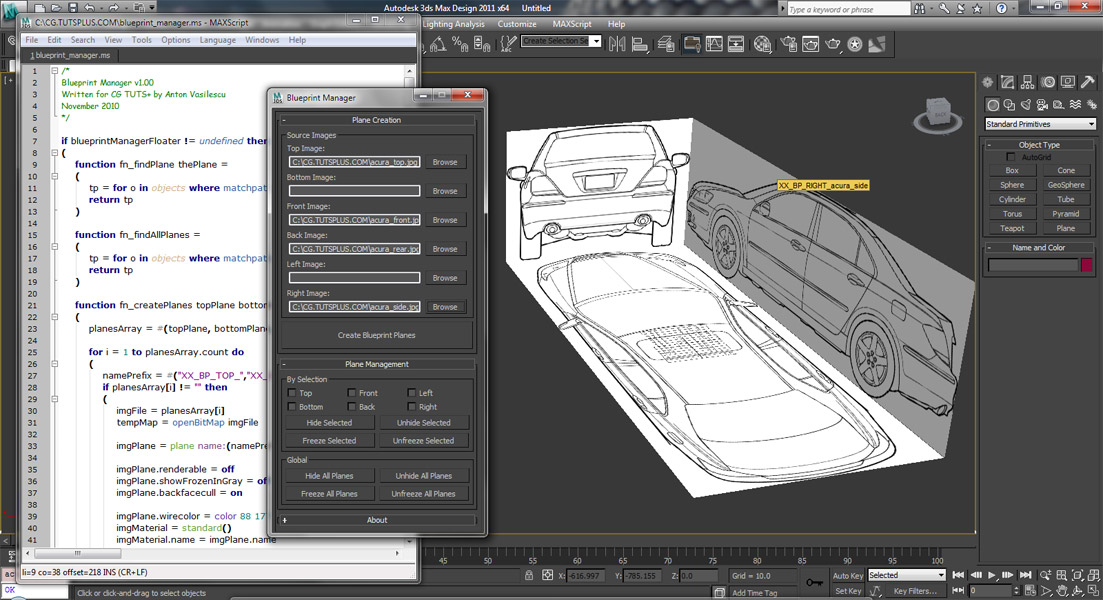
Coding a 'Blueprint Manager' script series

37 votes

This three-part video tutorial series is looking at how to create a ‘Blueprint Manager’ script in 3Ds Max.

Creating a Custom Parametric Object with MAXScript

59 votes

Quoted from article:

"It’s one thing to create simple scripts with MAXScript to display a rollout and perform a few tasks. But if you find yourself creating the same type of object over and over again, you might want to take a crack at creating your own parametric object.

Syndicate content