Tagged 'Tutorials'

Tutorial #004 - Audioflow SplineSync

43 votes

SplineSync

V-MOTION Tutorial on Audioflow SplineSync that covers the UI and some basic functionality

Software: 3ds Max

Topics discussed:
- Installation
- User Interface
- Setting up Audio Controller
- Adding Point Helpers
- 3D Spline based on Audio/Wave/Noise Controllers
- Spline2Mesh Creation

Length: 15 minutes / Download Tutorial for High-Res

Download Audioflow SplineSync: www.v-motion.co

Tutorial #003 - Superflow Elements

52 votes

Superflow

V-MOTION Solutions Tutorial #003 - Superflow Elements

Software: 3ds Max

Learn how to use Superflow Elements

Topics discussed:
- Installation
- User Interface
- Quick Array Creation
- Rotation / Translation Controllers
- Animation Controllers & Workflow
- Realtime Spline Rig

Length: 11 minutes / Download Tutorial for High-Res

Download Superflow Elements: www.v-motion.co

Superflow - Bachelor Thesis: superflow.ian-clemmer.com

WPF in 3ds Max

55 votes

James Haywood covers the basics of integrating WPF inside 3ds Max 2011 using dotNet 3.5

Quoted from article:
"Some time ago I wanted to start getting my head around WPF, and especially how I could integrate tools made with WPF into Max. So I decided to start with something simple, which was to take an existing script that displays a progress bar using standard Max controls and convert it to WPF.

FaceFX Facial Animation Plugin Tutorial for 3ds Max

54 votes

An introduction to the 2010 FaceFX Exporter for 3ds Max. Importing and Exporting bone poses, generating an animation, and importing it onto a character.

Get your lost dialogs back

A few notes about code optimization

47 votes

The base idea of this topic is to say to all coders - always to research, because this is the only way to get rid of any myths. Each myth may hinder your future development and may leave a wrong impression in us for the MaxScript language at all.


3dsMax Monday Movie #66: MaxScript Rollouts

22 votes

Text copied from author (Bluesummers) website - http://www.mrbluesummers.com ... Click the tutorial link below for more details and video transcription.

"This week I’ve got a great episode that goes into how you can create floating dialog windows for your MaxScripts. I’ll even go into how you can create a “Random Selection” utility in MaxScript. Hope you enjoy it!"

3dsMax Monday Movie #65: MaxScript Basics

26 votes

Text copied from author (Bluesummers) website - http://www.mrbluesummers.com ... Click the tutorial link below for more details and video transcription.

Bokeh in 3dsmax with particle flow and maxscript

24 votes

Note from admin - I just ran across this great tutorial showing how to use maxscript and pflow to render fast, simulate dof based on camera focus.

...

This script will define particle’s scale and transparency depends on camera’s focus. Now you can animate the geometry or the camera and render the particles with scanline. Don’t forget to cache all the particles for viewport/render using the Cache operator.

This setup renders pretty fast as opposed to mental ray’s or vray’s honest dof. And we have fast bokeh effect with the ability to inceract with scene geometry.

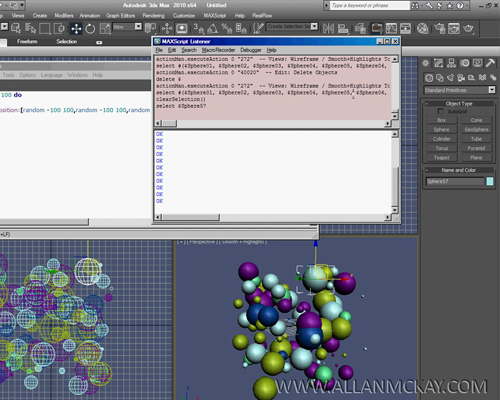
Maxscript for beginners #1

20 votes

Quick tutorial covering some basics of maxscript, generating and controlling objects etc. Might be useful for people wanting to get their feet wet with scripting.

Syndicate content