Tagged 'shape'

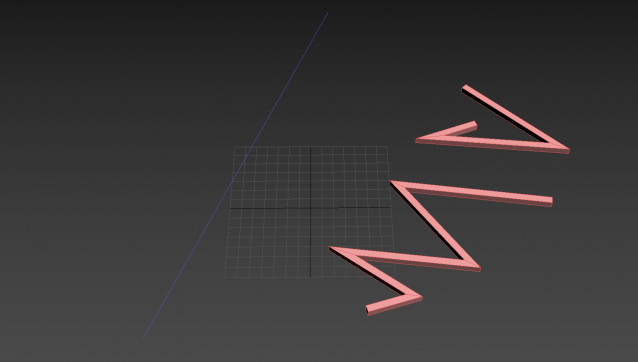
Shape Vertex Aligner

2 votes

3dsMax Script for aligning shape vertices by 2 or 4 points

  • By 2 Points each vertex will be aligned depending on its segment direction.

  • By 4 Points - the first 2 Points will determine the direction.

  • with Alt Execute the vertex will be aligned perpendicularly.

PolyDetail

11 votes

PolyDetail is a 3dsMax plugin that helps you to quickly draw nice ornamnets with a mouse brush.

Ornaments are one of the most time consuming things in 3d modelling. With PolyDetail you can create a large variety of ornaments in a few minutes.

Product geometry is in polygonal format so you can easily adjust it with standart modelling tools.

With 12 default ornament brushes you can easily create cool looking ornaments or if you want you can add your own custom brushes for a large variety.
Rotation and twist settings helps you achieve interesting details with minimal effort.

SubSpline

1 vote

SubSpline 3dsmax script - banner

Total Control of Spline Subobjects


Description

SubSpline is an Advanced Subobject Selector & Material IDs Editor for spline shapes in Autodesk 3dsMax.

Easily expose on screen the vertex numbers and material IDs for all your selected shapes, with a simple toggle button.

Vertex to shape

21 votes

This is a script I did for a co-worker. It takes a vertex selection and turns that into a shape. It is the same as taking an edge loop and converting it to a shape but with less button clicks. Actually that is how it is scripted as well. It takes a vertex selection and converts it to a edge selection and then shrinks it to get the right edge loop. Then it just converts the edge to a shape. Pretty simple but it might help your work flow if you need something like this often enough.

UniFlip

2 votes

v1.1 Fixed bug of flip normals several objects in group

Flip normals of polygons or objects
Flip (Reverse) splines

Fence Generator

0 votes

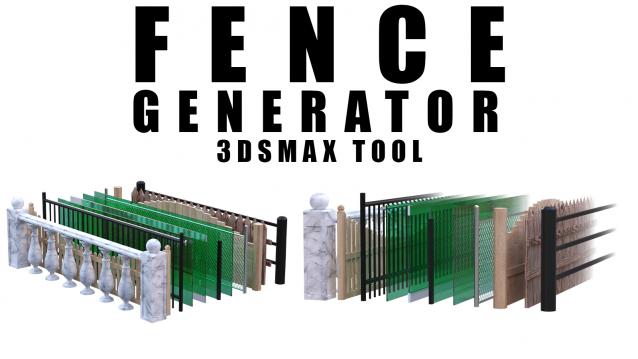
Enhance your 3D modeling workflow with our Spline-to-Fence Converter tool built with Maxscript. Easily transform splines in your scene into realistic fences and posts with just a few clicks. Choose from a selection of 11 fence types tailored to your project needs, and customize specifics such as fence height, number of posts, gap between planks, and more.

Select spline segments by matID

0 votes

With this script you can select splines' segments by matID.
There are two methods of selection:
- "Use IDs of selected segments" - select some segments and press the [Select] button. The script will find the matIDs of the selected segments and will select all other segments with the same matIDs.
- "Use IDs typed below" - type as many matIDs as you want in the field(separate matIDs with comma) and press the [Select] button. The script will select all segments with the matIDs entered by you.

Trapezoid

0 votes

I needed a trapezoid shape primitive and couldn't find one, so here it is.

Shape Draw Grid

3 votes

v1.31 fixed small bug (disable callback)

Object's Normal Fix

2 votes

Small Scripts to fix the Normal of selected shapes (Exrtude Direction)  .

- Select Shapes to Fix .

- Run the Script .

- One LeftClick on any Surface to get the Normal from it , then RightClick to Exit .

Another Script Added to Auto Fix Shapes Orientation .

* If you have 3d Curved Shape its better to use the First Script to do Manual Fix .

- UPDATE 1 :

  • Make the Macros Visible/Enabled When the Selection Contain Shapes .

- UPDATE 2 :