Tagged 'shape'

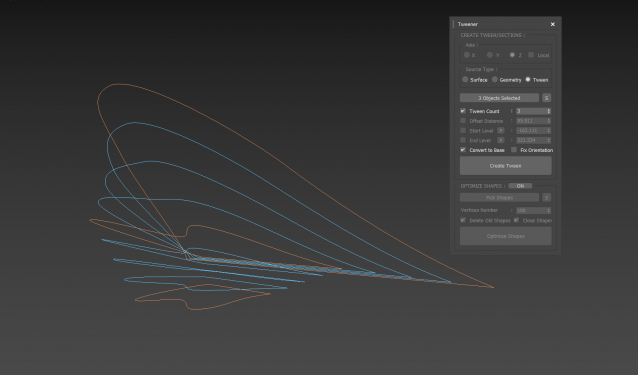
Tweener

0 votes

 3dsMax Script for Creating Tween Curves from Shapes or Surface and Creating Sections from Geometry.

Thanks to JokerMartini.

Uni-Chamfer

6 votes

Using single one hotkey of Chamfer, works with:
Используя единственную горячую кнопку для Chamfer, работает с:
Edit_Poly: [Vertices, Edges, Faces(inset)] 
Editable_poly: [Vertices, Edges, Faces(inset)] 
Edit_mesh: [Vertices, Edges] 
Editable_mesh: [Vertices, Edges] 
Edit_Spline: [knots (Fillet), 
Spline sub-obj (Outline)] 
SplineShape: [knots (Fillet), Spline sub-obj (Outline)] 
line: [knots (Fillet), 
Spline sub-obj (Outline)] 

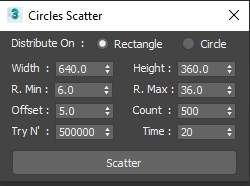
Circle Scatter

2 votes

A Simple Script to Scatter Circles without Collision with (Time/Tries/Count) Limits .

UPDATE 1 :

  • Add Circular Scatter .

Oriented Line

8 votes

Line segment aligned to follow the drag direction:


Object's Normal Fix

2 votes

Small Scripts to fix the Normal of selected shapes (Exrtude Direction)  .

- Select Shapes to Fix .

- Run the Script .

- One LeftClick on any Surface to get the Normal from it , then RightClick to Exit .

Another Script Added to Auto Fix Shapes Orientation .

* If you have 3d Curved Shape its better to use the First Script to do Manual Fix .

- UPDATE 1 :

  • Make the Macros Visible/Enabled When the Selection Contain Shapes .

- UPDATE 2 :

Spline Arrow

2 votes

Easily and quickly create a variety of arrow splines in 3ds Max with this spline plugin. Users can further customize the shape with the parameters exposed in the rollout. Check out the video below to see it in action.

Shape Fillet

3 votes

3Ds Max Script for Applying Fillet to Shapes Kind of AutoCad behavior .

Shape Trimmer

2 votes

3ds Max Script for Making Trimming and Cutting Shapes Very Sample and Easy Thing to do .

The Script Required Max 2019+ to Work

Refine by Intersect

1 vote

3DSMax Script for Refining Selected Shape if 3ds Max Version is 2019+ or Creating Editable Spline Shape according to 4 Points .

Attach Selected

0 votes

3dsMax Script for Attaching Selected Objects .

- Works on Geometries and Shapes .

- The First Selected Object will be the Main Object .

Sometimes when using Other Scripts for Attaching Objects you get wrong materials when containing Multi Sub Materials , So I made this Script to solve this Problem .

- After Installing , the script will be add to QuadMenu 1 (RightClick Menu) "Attach Selected" .

Syndicate content