Tagged 'render'

Gtools_RenderCameras

20 votes

Render a
selection of cameras.

Render Holder Zorb

3 votes

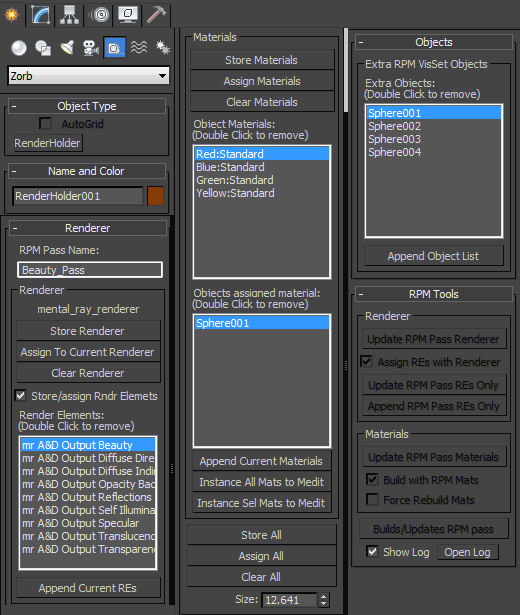
Render Holder Zorb is a max helper that is designed to help you manage, share and build render setting, render elements, material assignments and RPM passes. The main use for this is to us one or mutiple Render Holder with an asset file to store per pass render settings and materials.

You can store and restore the current Renderer, Render Elemants and object materials. Also there is a suit of RPM tools to help build and manage passes based on the settings stored on the Render Holder.  Including an object list to create the visability set with.

to install just extract to the 3dsmax root, or put the .ms file in scripts/startup or the plugins folder

For more help, hover your mouse over a button or checkbox in 3dsMax
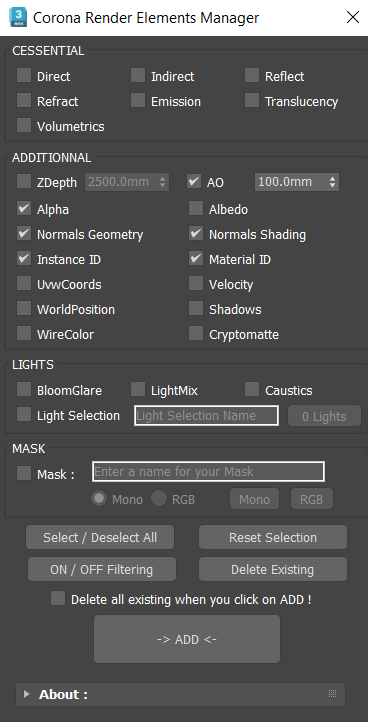
Corona Render Elements Manager

4 votes

Camera Studio

1 vote

poster1

Camera Studio allows you to animate cameras much faster! You can create an orbit or spiral motion around selected objects with just 1 click and easily manipulate it. There is a number of other motion presets. Add shake to selected cameras when you need.
The motion path function allows you to create a seamless motion between several reference cameras (watch the video).

RIBit

13 votes

This is a free Renderman exporter for 3DSMax. It enables you to render your scenes using any Renderman complient renderer. For now - it doesn't do very much. It is after all a first alpha version - but it is usable to some extent. It exports you camera - lights and geometry (currenty - all geometry is exported using either polygons or subdivision meshes.) It does not export particles - though I would like to add them at some point. A lot of max attributes are not supported yet.

Matlib Render

11 votes

Matlib Render is a simple Script which allows you to Render a Matlib (each Material that the lib contains) into a small HTML Gallery (Thumbs).

It is configurable (a little bit) and has some nice features (own Renderpreset, user sized Image Output .... )

Test it and see for yourself.

This is my first Max Script ....... :)


RenDir

12 votes

What this will do is load up every single max file in the directory of your current scene file, and render each of them. Useful if you have a bunch of max files you want to render overnight on a single PC. You can just copy all those files into any directory, and set them all up with the render settings you want.
And then run the script, it will read all the max files in the present dir, and load them one at a time, and render each out.

Variations Render

1 vote

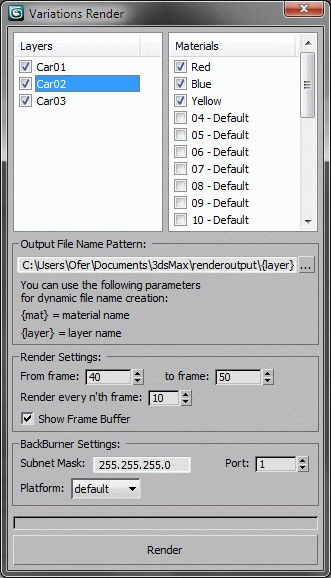
Renders all variations possible using the selected layers and materials.
For each render, it shows only one layer from the selected layer, and renders it with all selected materials, by assigning the material to all objects in the layer, rendering and moving to the next material.
Developed for Martin Jann (http://pixelsonic.com/) who allowed it to be released as open source.

Region Net Render

11 votes

Allows you to render a single image using up to 25 machines in your network.

Render Pass

6 votes

NOT COMPLETE This script breaks your rendings into three files - Color pass - Highlight pass - and Shadow pass. It isn't finished - it assumes all the lights had the shadows turned on. Fell free to finish it if you like.