Tagged 'Reference'

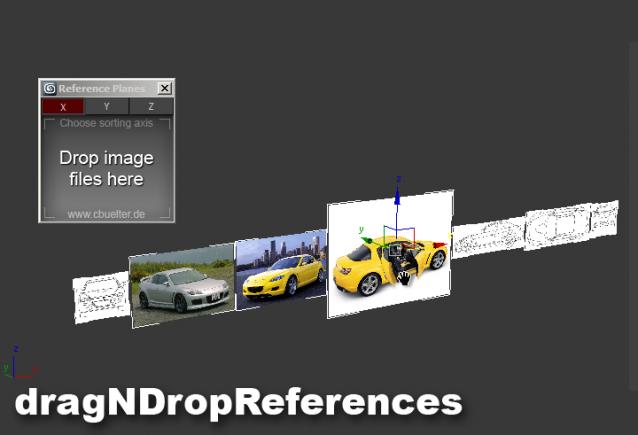
Drag & Drop Reference Images

17 votes

miauu's Script Pack vol.1

14 votes

miauu's Script Pack is a set of scripts that will help you to make faster and easier some of the tedious task when you use 3ds Max.

miauu's Script Pack include:

Blueprint Manager - create reference image planes for modeling in 3ds Max

120 votes

Blueprint Manager script allows you to automatically set up and manage
reference image planes from a set of blueprints.

Blueprint Manager is a MAXScript which automatically creates a set of mapped planes from a series of blueprint images, sets their object properties to non renderable, backface culling on, and show frozen in gray off, and places them in proper position.

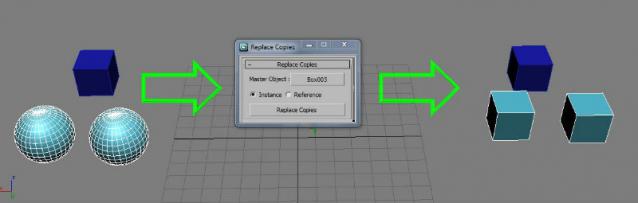
Copy Replace

35 votes

Turns a selection of objects into instances or references of another object.

Fixed in v 2.0:

  • Instances outside the selection are not replaced anymore. (Thanks to Anubis)
  • Added the option to choose between instance or reference
  • Changed the "Button name" to "Copy replace"

miauu's Scatter Tool

6 votes

This script was requested in this thread by @obaida.
What script do: Get selected object and scatter created clones with random scale but without collision. The created clones can be attached to the source object - miauuscattertool_v11.ms.

Installation: Drag and drop in 3ds max. Go to Customize-Customize User Interface- "miauu" category and find "miauu's Scatter Tool".

Circle Array

27 votes


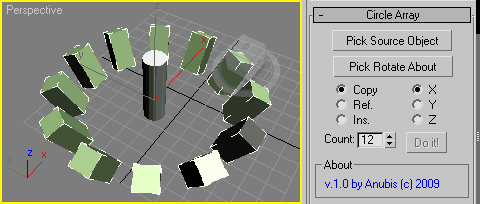
Like 3ds Max Array tool but with custom picked rotate axis.
The rest you can see in the screenshot.

Enjoy!

Clone & Align On Faces

12 votes


This simple tool will helps when you need to distribute any "source" object on "target" object selected faces.
Requested on this thread by ice-boy.

Universal Transform

4 votes

Universal Transform has Alot of Featuers for Moving Rotating Scaling Randomizing Scattering Objects and Working with Pivot and Working Pivot and More .

The Script has 5 Modes (Move, Rotate, Scale, Pivot, Random) . and 3 Type of Auto Switching to Switch Between Them (to not Get Confussed) .

The 3 Auto Modes is (Auto T, Auto D, and The MacroScript (Universal Transform - Auto Switch)) .

- it has 3 Options :

1- By Spinners or (Type-in) .

refPlane

6 votes

miauu's Extended Clone Tool

2 votes


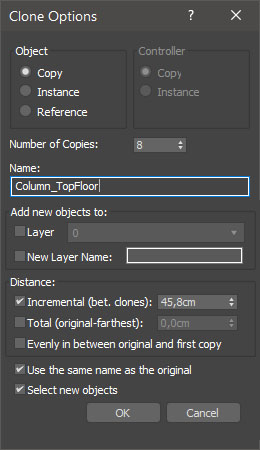
miauu's Extended Clone Tool adds new options to the standard Clone Options dialog.

The main goal - save time using these features:

- move the created objects to a new layer,

- move the created objects into existing layer

Syndicate content