Tagged 'scale'

Graph Transform

5 votes

a 3dsMax Script for Applying Transform to Objects By Controlling Graph Curve.

zsScaleTools

5 votes

- DISPLAY the real dimensions of selected objects (with transformations) or the selection bounding box
- SCALE objects to exact dimensions in world units, object rotation can be ignored
- UNIFY the dimensions of objects in selection to min / center / max values (per axis)

Universal Arrange

4 votes


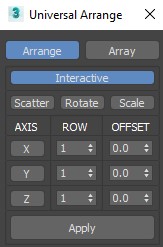
This Script for Arranging Selected Objects in 1 or 2 or 3 Axis . You Can Control the Offset on each Axis and the Number of Rows (When Using 2 or 3 Axis). Notes: Press Right Click on any Axis to Arrange the Objects on this Axis Only.

Version 1.2

Universal Transform

4 votes

Universal Transform has Alot of Featuers for Moving Rotating Scaling Randomizing Scattering Objects and Working with Pivot and Working Pivot and More .

The Script has 5 Modes (Move, Rotate, Scale, Pivot, Random) . and 3 Type of Auto Switching to Switch Between Them (to not Get Confussed) .

The 3 Auto Modes is (Auto T, Auto D, and The MacroScript (Universal Transform - Auto Switch)) .

- it has 3 Options :

1- By Spinners or (Type-in) .

World Scale UV Tiling

4 votes

I have a material library in Unreal that uses real-world values to calculate how much they should tile.

I needed the ability to apply any material to any mesh in Unreal, including custom unwrapped ones, and have the materials be at the same scale. This script solves that issue.

If I wanted to solve this manually:

DesignToolBox - tools for architecture & design

4 votes

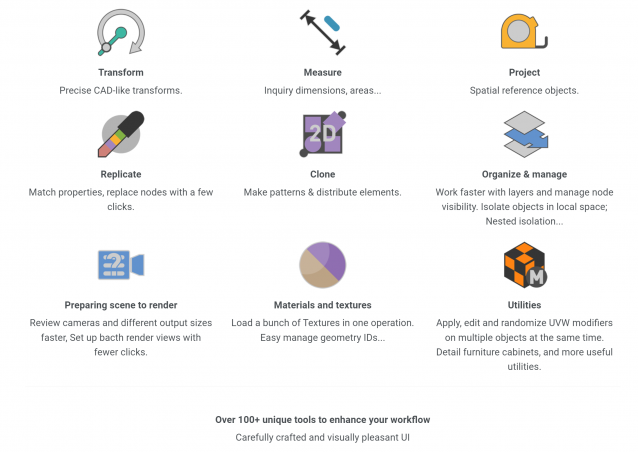
Design Toolbox is a collection of tools specially designed to accelerate and simplify basic modeling tasks for architectural models, furniture design, and other tasks where accurate modeling is needed. Professionals used to CAD or precision software will find it very familiar with some of the included transformation tools, like reference rotation, scale and position, measurement tools and reference guides.

The ability to place snapping points at polylines intersections, visual rulers, fast UVW mapping and random transform, cloning tools, scene management, panel grids, fast pivot placement, and workplanes are some of the tools included, and new ones are added with each update.

TransformbyStep

4 votes


mental ray Proxy Manipulator

3 votes


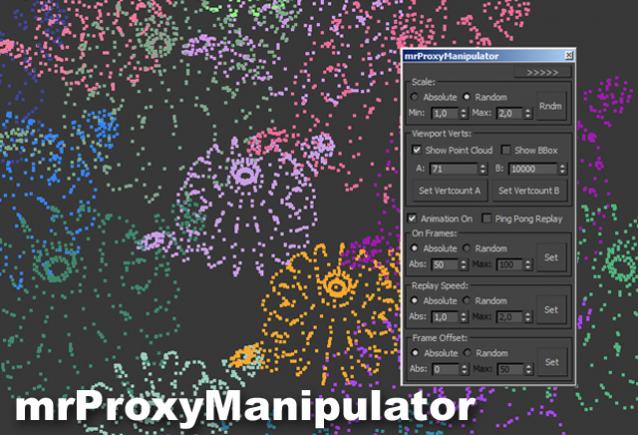
Working with mental ray proxies can be very tedious. As they are used for vegetation alot, the need for variation is there, to make it look believable. This script gives you options to vary scale and all animations aspects of all selected mr proxies. It also has a minimized version where you can quickly change the viewport resolution of your proxies, helping to speed up the viewport alot.

Tutorial video:

Fast Positioning Tool

3 votes


There’s already a lot of PRS randomizer tool available in maxscript, but what I found missing the most was a real time visualization of the randomized transformations applied. Video available in the full post. 

Syndicate content