Tagged 'Objects'

Rename Objects Extended

16 votes

It's like Multi-Rename Tool in Total Commander.

QTO (Quick Tools Object) v.0.1

10 votes

This simple script, allows to accelerate the workflow in 3DSMax.
It assembles the normals tools of Selection, cloning, Hide, Freeze, Color, Rendering and Convert object in an only window allowing a fast search. Very useful for all the uses.

Quick Layer Organizer

31 votes

Simply create a layer and name it specific to what should go into the layer, for example "CHAR" for character geometry. Any character geometry you make you just need to remember to include "CHAR" in the object's name and when the Quick Layer Organizer is run it will find any objects with "CHAR" in the name and put them into the "CHAR" layer. Any objects that don't match the name a layer will remain in whatever layer they are currently in and the default layer is ignored during the organization.

Plug-O-Matic

25 votes

"This script will take any editable mesh and generate a new object plugin from it for future use.
New: Speed optimization; Now supports texture coordinates; Objects need not to be converted to EditableMesh before plugin generation; Updated creation tool"

HollowCube

5 votes

My first public script for MAX3 (with help from Bobo - thanks a lot!) generates - err - well - a procedural hollow cube. ;-)

Pinscreen

44 votes

This script simulates a toy called Pinscreen (or sometimes Pinhead). FYI that's the toy where there are a bunch of metal rods packed densely together and if you put say your hand on them the rods are displaced into the shape of your hand.

Updated by Admin on 2008-11-11 


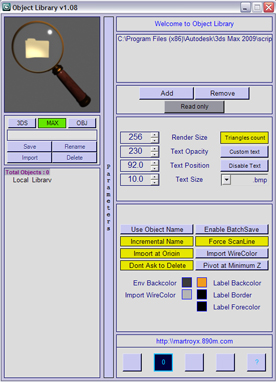
Object Library v1.10

22 votes
1.08 Fixed startup error. I think this time, it should work :-P
1.08 Added compatibility with 3dsmax 2008.
1.08 Added limited compatibility with 3dsmax 9. This mean, that it may, or may not work :-)
1.08 Added back the preview label.

ObjectReplacer

17 votes

Replaces a selection of objects with a new object, or randomly from a set of objects.

Tutorial:

wireBundler

12 votes

Creates a number of wires that travel through various target objects. Useful for making bundles of wires for robots or other mechanical devices in a few simple clicks.

Tutorial:
Make 3 spheres anywhere in the viewport. Select all 3 spheres. Run the UI version of the script. In the wirebundler interface, click on "Add select to target list". Click Apply. It will make 10 splines, each the vertex of each spline will exist inside one of the 3 spheres. Play with the settings to get different effects.

BEND RIG 3 / 3.5

11 votes

Syndicate content