Tagged 'copy'

Model: Same Named Copies

0 votes

Title: "Model: Same Named Copies"

Description:
-- This script creates multiple copies with same object name
-- This script works on all geometry types but it may also work on other types like lights, helpers, etc.

How to use this script:
-- First select a single object
-- Set the relative position with respect to this object in "Enter relative positions" options
-- In "No. of copies" option set the number of copies required
-- Then, press "Create copies" button

Here's the screenshot of the script -

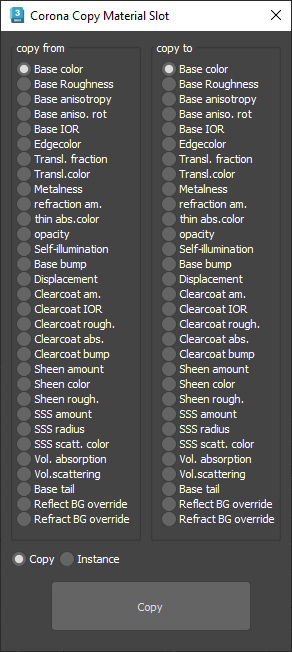
Corona Copy Material Slot

1 vote

This is only for Corona Physical Materials, i might do a legacy version later..

This script is intended to batch copy from slot to slot within the same material,

For example, you can copy a bump map to a displacement map or the diffuse map to selfillumination on multiple material at once.

you can use my other script to add some color correction with a saturation set to -1, to create bump or roughness maps from your diffuse map.

Material Copier

9 votes

Simple script that will copy a material from object to another, even if the material is undefined.

Just drag and drop into 3ds max. The script can accessed be under the "Toke Scripts" category.

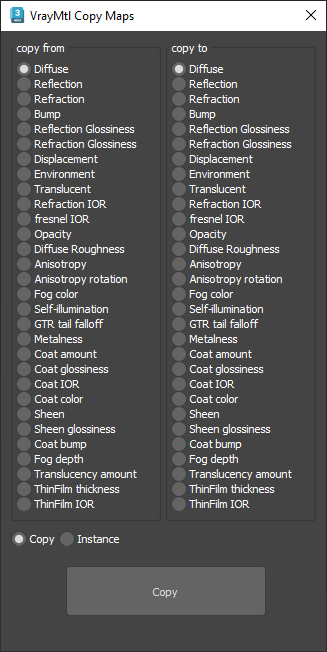
VrayMtl Copy Maps

1 vote

This script is intended to batch copy from slot to slot within the same material.

For example, you can copy the bump map to The displacement map or the diffuse map to the selfillumination map on multiple material at once.

You can copy the diffuse map to the bump or the Glossiness map and use my other script to add color correction with saturation  set to -100 and adjust other settings to fit your needs.

Duplicurver

2 votes

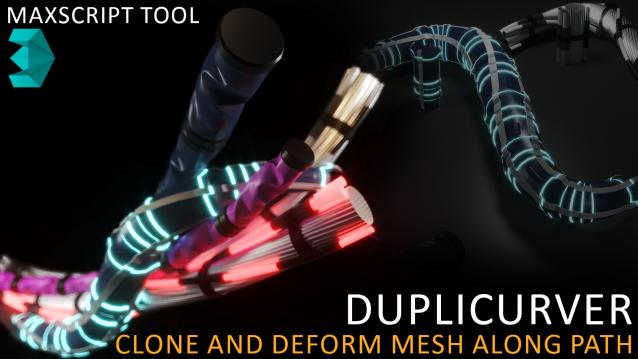
Duplicurver is a game-changing Maxscript tool that brings the power and versatility of ZBrush's IMM (Insert Multi Mesh) Curve brush directly to Autodesk 3ds Max. This tool serves as a highly beneficial asset for artists and 3D professionals, allowing them to replicate and deform meshes along a path with unprecedented ease and efficiency.

Max CP

0 votes

This tool copy and paste objects between many 3ds max windows. You can add a shortcut like ctr+c ctrl+v.

One-Step Copy & Relink (Bitmap Path Manager)

0 votes

One-Step Copy & Relink is a workflow utility that consolidates two tedious texture-management tasks into a single operation. It scans your scene for all bitmap-based maps — standard BitmapTexture, VRayBitmap, and VRayHDRI — then copies the source files to a destination folder of your choice while simultaneously relinking the materials to a different target folder using a new file extension.