Tagged 'copy'

Copy and Acquire

0 votes

This is a simple maxScript to make a copy from a base object and Acquire Position Rotation Scale and Material from the targets.

copy and acquire v1.0

Transformer

2 votes

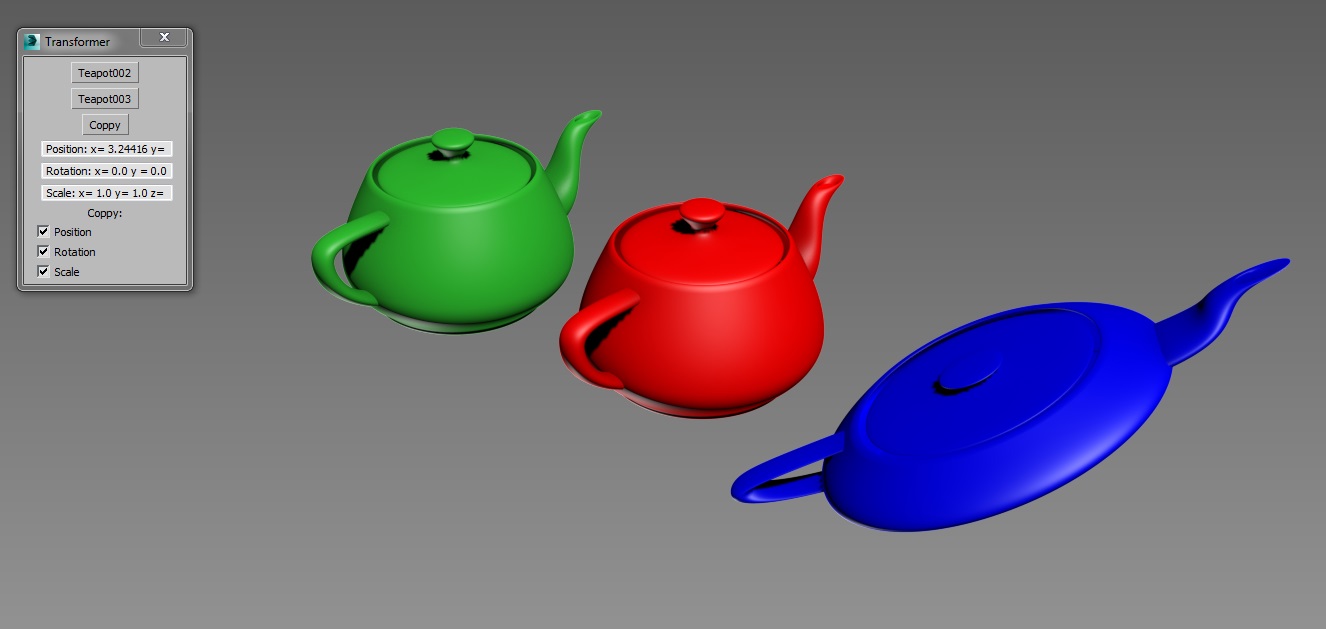
Simple tool created for copying position, rotation and scale transformations between objects.

Copy position, rotation or scale from one object and paste it to any other.

QTO (Quick Tools Object) v.0.1

10 votes

This simple script, allows to accelerate the workflow in 3DSMax.
It assembles the normals tools of Selection, cloning, Hide, Freeze, Color, Rendering and Convert object in an only window allowing a fast search. Very useful for all the uses.

Copy modifiers

4 votes

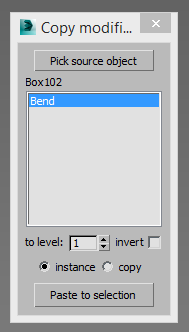
Simple tool for copy/instance modifiers from source object to selected array of objects. Does not copy only edite_poly modifier because 3dsmax does not allow doing this by script.

Max CP

0 votes

This tool copy and paste objects between many 3ds max windows. You can add a shortcut like ctr+c ctrl+v.

CopyClick

12 votes

-- Copy by Click
-- V1.0

-- How it works?
-- 1. Select objects
-- 2. Execute CopybyClick
-- 3. Click to make a instance of selection
-- 4. ESC or rightclick to cancel

------------------------ THE CODE ------------------------

macroScript CopybyClick
category:"AGGTools"
buttonText:"CopybyClick"
tooltip:"Copy by Click"

(

fn CopyClick =
try
(
maxOps.cloneNodes $ cloneType:#instance newNodes:&nnl
select nnl
Sel=selection
p = point pos:Sel.center
p.pos.z = 0
ClickPos = pickPoint snap:#2D ()
ArrayFiltroGroupHead = #()

Move/Clone to cursor

3 votes

Hi, this is simple script which move or clone selected objects to surface under cursor. You can bind it to any hotkey (I usualy use Alt+S and Alt+C).

1.0.1

- initial releas

1.0.2

- settings can be binded to hotkey

- possibility to turn on random rotation in Z axis

1.0.3

- multiple object selection can be treated as object list, so in clone mode random object will be selected

- cloned objects can be automaticly moved to active layer


Folder Construction Copy

2 votes

It is a script to copy the folder structure under the specified folder to another folder.
Files contained in the folder are not copied.
This script will help you to create folder that use for render output.
For example, copy folder hierarchy of shot A to shot B.

How to Use:
Enter source folder path and destination folder path to copy data to.
And press button.

Material Copier

9 votes

Simple script that will copy a material from object to another, even if the material is undefined.

Just drag and drop into 3ds max. The script can accessed be under the "Toke Scripts" category.

Model: Same Named Copies

0 votes

Title: "Model: Same Named Copies"

Description:
-- This script creates multiple copies with same object name
-- This script works on all geometry types but it may also work on other types like lights, helpers, etc.

How to use this script:
-- First select a single object
-- Set the relative position with respect to this object in "Enter relative positions" options
-- In "No. of copies" option set the number of copies required
-- Then, press "Create copies" button

Here's the screenshot of the script -

Syndicate content