Tagged 'select'

Select By Type

0 votes

Simple script that allows you to select objects of the same class. Surely done before.

Select Every N-th-no UI

37 votes

If you want to select every 2nd or 3rd or 4th, etc edges, just select the first edge, skip the desired number of edges and select the second edge, then execute the script.

If you want to see the time that script needs to make a selection, just start MAXScript Listener.

Instalation: Drag 'n drop two mzp files in 3ds max, then go to Customize - Customize User Interface. Under "miauu" category you can find "Gap Loop" and "Gap Ring" scripts.

On the video below the script works 3 times slower, because of Camtasia and my old, single core PC.

Select exact smoothgroup

0 votes

Script selects all polys with exact smoothgroup as selected polygon.

Works with edit poly:
- Select one poly
- Apply script to select polys with exact smooth group

Can be found in Developer Tools category.
It's tiny but can be handy sometimes.

Select Faces By 2 Edges

2 votes

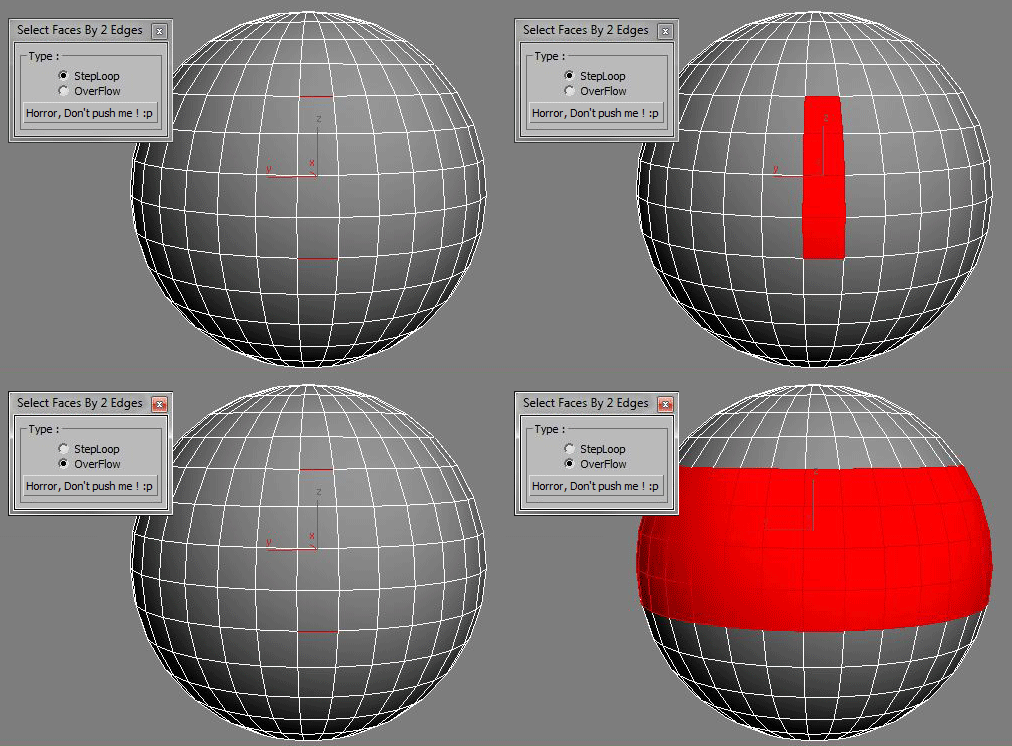
Select a Loop Faces between two selected Edges.

Select Hidden, Visible or Occluded Objects

5 votes

Select only visible objects! Delete all objects hidden inside other objects!

If you are working with object heavy CAD models you probably know that often 90% of the objects are hidden internal components of the rig. Stuff you usually don't need or want. Object count that make 3dsMax crawl.

This script lets you either select what is visible or hidden from the current view - or let you scan the whole scene. 
It's a very efficient way to clean up your scenes with a high accuracy!

Select instances objects

2 votes

Small but very useful script for selected instances objects

- select only visible instances objects
- work fast, support undo
- work of script would be broken by pressing Escape button

for install you should drag&drop script into 3ds Max
Find it in Customize -> Customize user interface -> Toolbars.
Category: # Scripts

Tested on 3ds max 2012

Select Last Merged Objects

1 vote

This script allows you select last merged objects again.
Script category:"Osetrov-3D"

Installation: drop script file into 3ds max viewport and assign hotkey or button in toolbar. Alaso you can find this script in global serach (hotkey "x") if you type "Last merged".

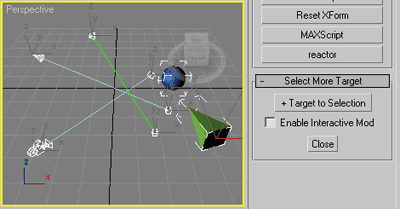
Select More Target

11 votes

Slim (self explained) selection assistant.

SMT

Commonly useful when select target lights, cameras or tape helpers,
or any objects with (older) Look_At transform controller applied
and you wish to select their targets as well.

Select Object By Material Name

66 votes

Select Object By Name

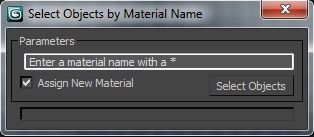
Select Objects By Material Name

Select opened spline

10 votes

It selects opened splines in selected spline.

Syndicate content