Tagged 'select'

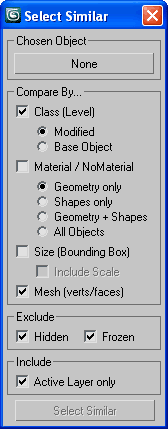
Select Similar

17 votes

Allows you to select objects that are similar to the currently selected object. It will compare the bounding box size, mesh (vert, face, edge counts) and material either within the currently visible objects or all objects in the scene.

Demonstration video here

Select Similar Objects

50 votes

Select similar (to chosen) nodes by assembly of similarities.

SSObj

Select Similar Pro

0 votes

poster1

The alternative to "Select similar" command that selects not just objects of the same type, but objects that you consider to be visually similar! It uses different characteristics to compare objects such as polygon count and size. For instance, if you created several copies of a certain tree, you can select all the copies of this tree among a lot of other editable mesh.

Select Similar Spline

8 votes

This script alows you select similar splines in subobject. It doesnt work very well yet but it works :)

Select Similar Spline

1 vote

this script works like select similar faces in polyboost or gmt, but with splines. so feel free to test it an post some suggestions :)

it have two modes:
by segments - selects by spline segments and their lengths (most precise)
by length - selects by overal length of the spline (useful in some cases)

new in v2.1
by type - selects by knot type (bezier,corner,etc)

Select spline segments by matID

0 votes

With this script you can select splines' segments by matID.
There are two methods of selection:
- "Use IDs of selected segments" - select some segments and press the [Select] button. The script will find the matIDs of the selected segments and will select all other segments with the same matIDs.
- "Use IDs typed below" - type as many matIDs as you want in the field(separate matIDs with comma) and press the [Select] button. The script will select all segments with the matIDs entered by you.

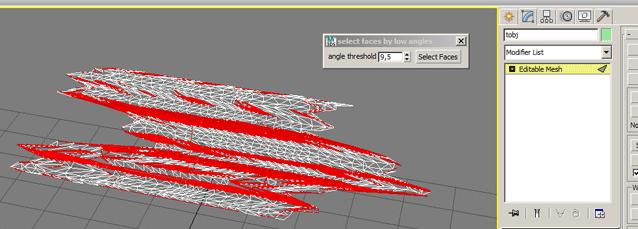
selectFaceByMinAngle

0 votes

Select faces by min angle. works only on collapsed wditable_mesh object.

Selection Manager (speed up you work in scene)

1 vote

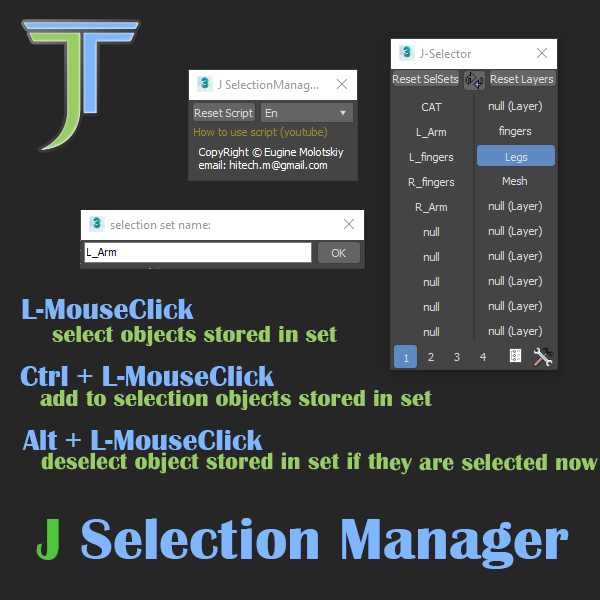
J Selection Manager

designed for speed up your work by optimizing the selection of objects and hiding/showing groups of objects

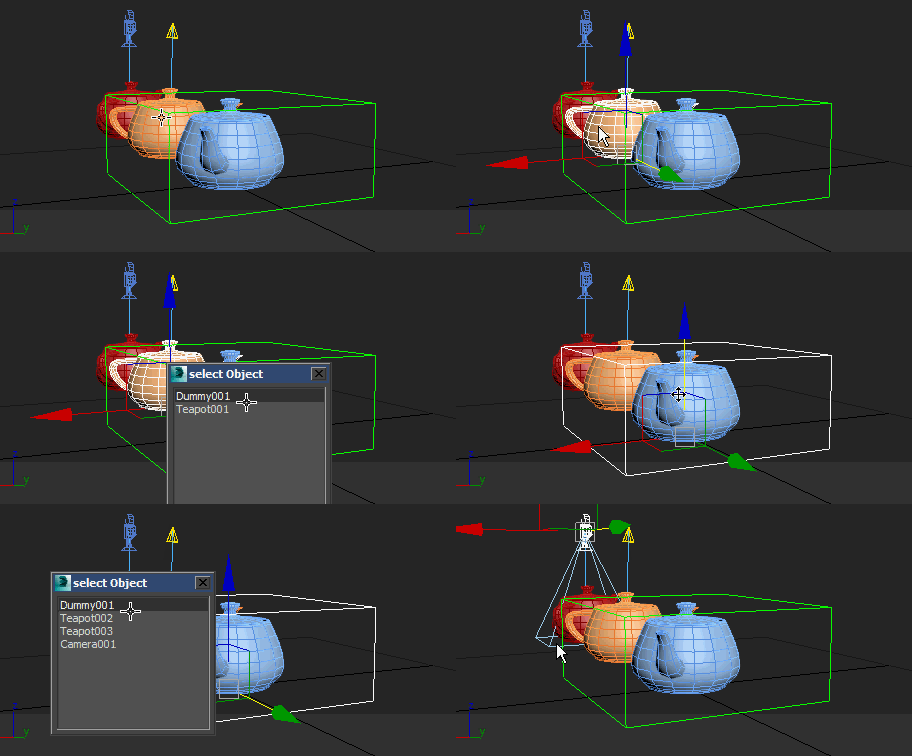
Selection overlapping objects

6 votes

This script gets A List of objects' names under the cursor after which the object can be selected from the list, well used this script to the HotKey

Selection overlapped objects

SelectionSet Tools

3 votes

This script allows you to export and import of Selection Sets as XML file. By selecting name in list, you can select the Selection Sets in scene.

How to use:

・Save SelSets / Load SelSets Button:
Export and Import selection sets in 3dsmax. In Load Selection Set Window, you can select any sets to import.

・update list Button:
synchronize selection sets list in scene and Selection Set List below.

・Selection Set List:
select set name in list, then the objects are selected in scene.

Syndicate content