Tagged 'CAD'

CADStair

80 votes

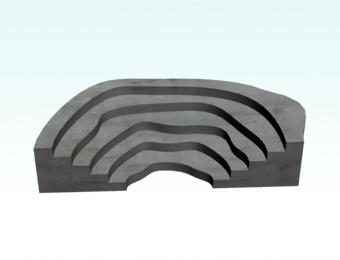
create stair by 2D shape,arc,Fan line,donut arc , Irregularity spline,Single Line,Multi Line to stair.


Populate:Terrain

36 votes

Populate:Terrain assists in creating and optimizing terrain surfaces from contour lines or from existing meshes. The quad based output allows for easier later remodeling, for example using push/pull painting. The regular face size reduces rendering issues (GI, displacement) and you can use Turbosmooth on it.

CAD Cleaner

12 votes

A utility script to weld vertices and clean up smoothing in imported/converted CAD models. Works on Editable_Mesh objects in selection. Does not work on objects with an Edit_Mesh or Edit_Poly modifier applied. I use this to do a first-pass quick cleanup on imported SolidEdge models; it helps eliminate duplicate faces and odd smoothing groups.

Transform Unique

11 votes

Use this to collapse/remove instanced transform on imported CAD-drawings without the CAD blowing up all over the scene.

CAD Circle

6 votes

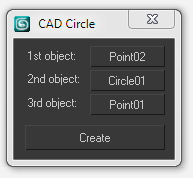
Create a circle by picking tangent points, lines or circles.

Mirza Link Manager

4 votes

Updated for 3dsMax 2025

Version 3 is out there!

Import once, update any time

The most popular linker between BIM and 3dsMax has been revamped and significantly improved.

What's new:

Doom Spline Resizer - draw line with precise lenght

3 votes

This simple script will let you draw precise lines quickly almost as a CAD software!
It will Set the pivot to the first vertex of a shape object and align it to the first segment. A window will show up allowing to set the Lengh of a spline scaling from the first vertex.

You can find the mcr script in the Category:"_Scripts"
The .ms script will just load on RUN

USAGE:
For best use associate the script to a Key button (es. D that is free by default)
You can add a toolbar button found in "# Scripts" category
Use the key or press the toolbar button to start drawing a line

EVector

3 votes

EVector is meticulously crafted software intended to facilitate the creation of 2D lines from 3D objects within 3ds Max. It adeptly projects your models, including groups, onto 2D splines, offering an array of customizable options within a remarkably stable environment. The resulting splines can be seamlessly exported to DWG or DXF formats, ensuring impeccable compatibility with AutoCAD and delivering pristine lines aligned with your desired projection direction.
Poster Image

Select by Color and Move objects to Layer

1 vote

This simple script lets you choose a wirecolor by an object (like "Select by Color") and select all objects with the same color. You can move the selection to levels we have chosen.


STEPAdjust

1 vote

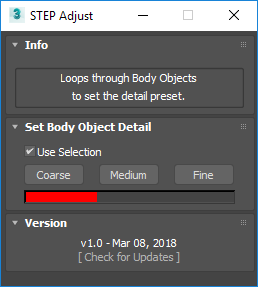
STEP Adjust loops through Body Objects, such as ones imported from STEP files, to quickly swap between the Coarse, Medium and Fine presets.

Syndicate content